Today we present you a function that is very useful in certain occasions when some application that is running on our screen presents some stability problem. Normally in these cases rebooting the system usually helps to restore the system to normal, so we present you how to do it with our Adquio Screen. Here are the steps to follow to achieve this behavior.

Scroll the application tray by dragging from the bottom to the top with your finger.
Locate an application called «Multifunctionclock» and click on it. This application is pre-installed on all our screens.
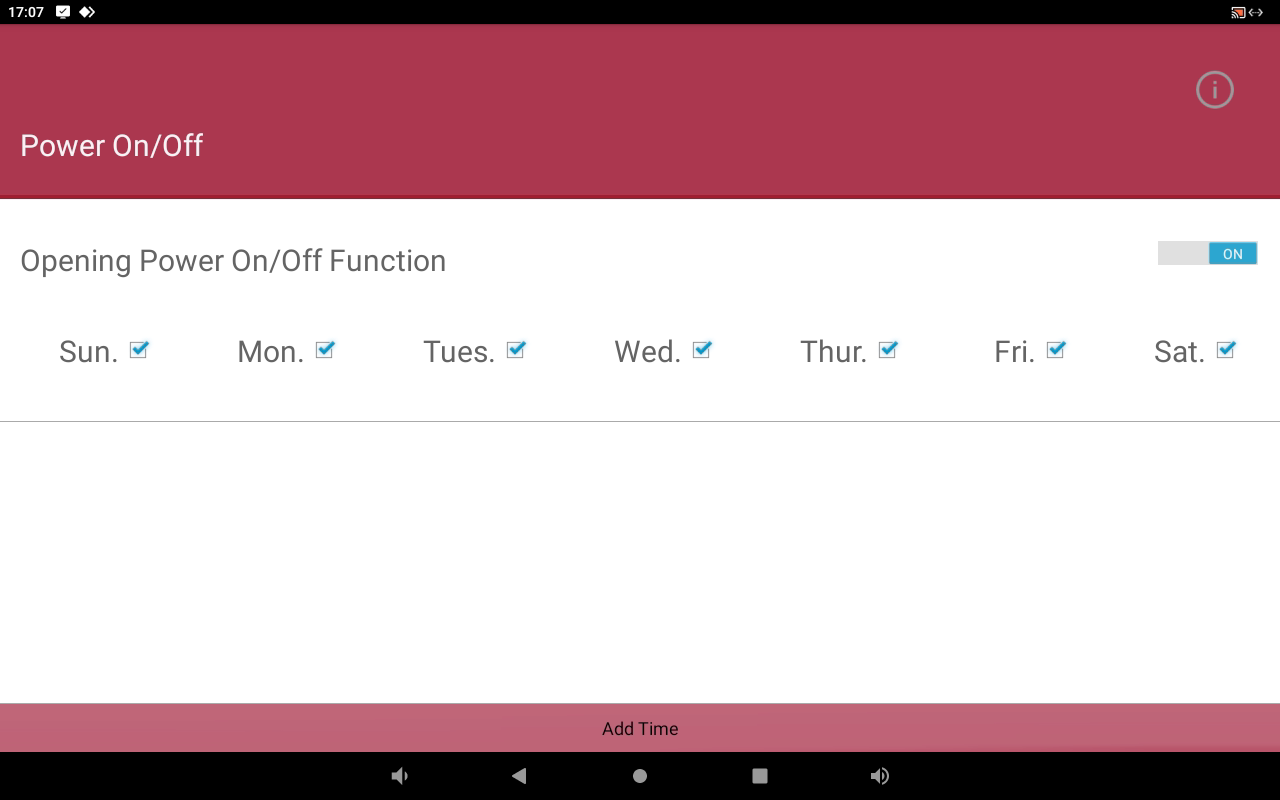
In the upper part of the window that will open you will be able to select which days of the week you want the tasks you are going to create to be executed, by default all days are marked, we recommend you to leave it like that.
Let’s suppose that we want to restart our screen every 3 hours, on this screen we will click on the lower button «Add time».
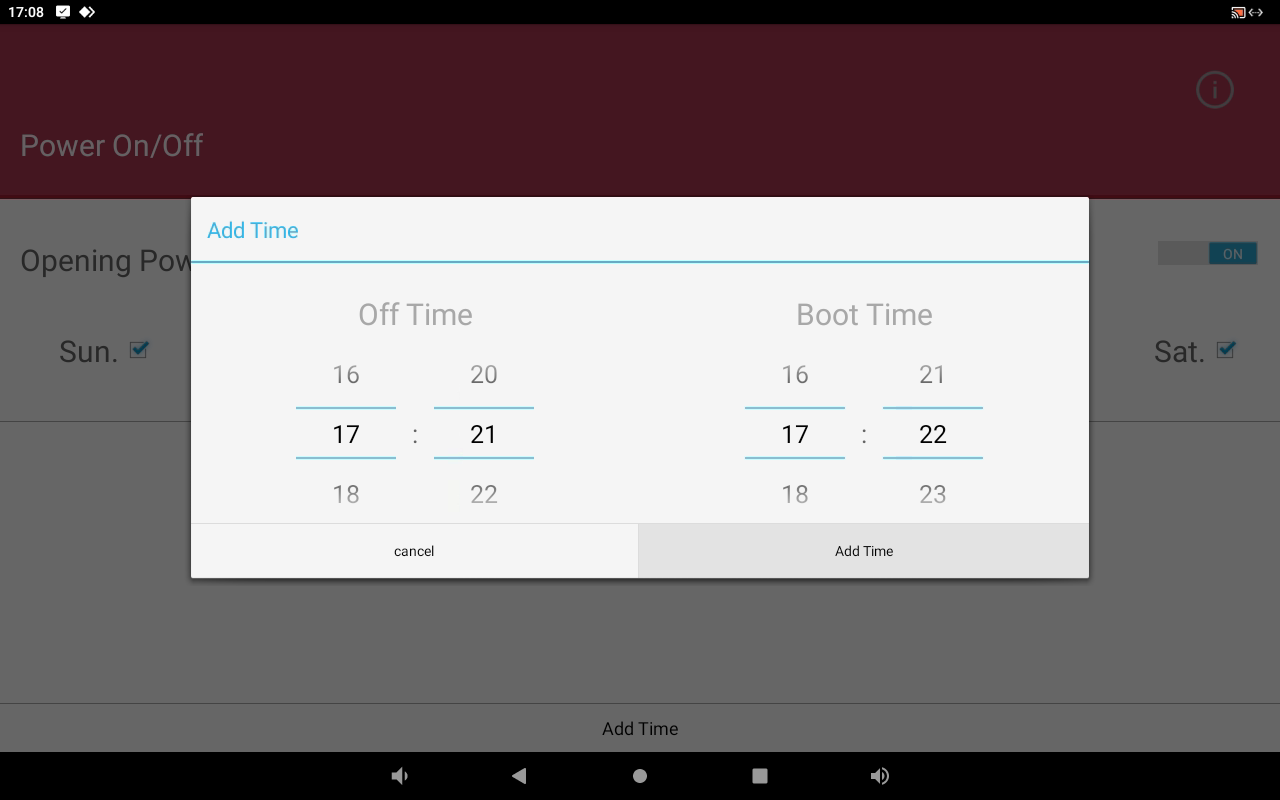
In the window that will appear you must select on the right «off time» when you want the screen to turn off, and on the left «boot time» when you want it to turn on again. We recommend a spacing of 1 minute, as this is the minimum allowed by the system.

As you add restart times you will see them in this list, for example if you want the screen to restart every 3 hours, you must add 8 lines in this list.
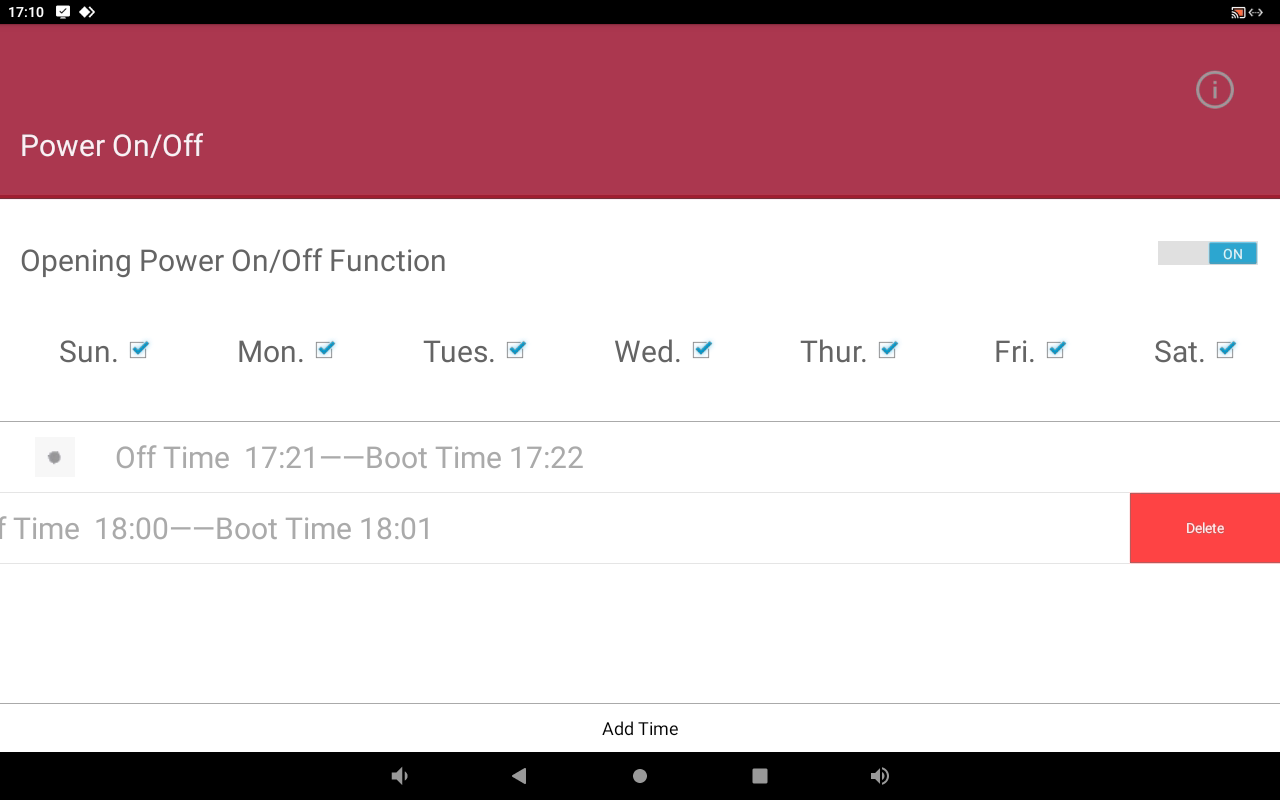
And one last thing, if you want to delete a line from this list of restart times, just move it to the left and you will see a delete button that will allow you to confirm the action.