
Adquio DoorLink
Access control, integrated into your building.
Manage doors, locks, credentials and schedules from one web interface. DoorLink connects access control to the Adquio ecosystem and keeps management and data on the DoorLink Server within your building.
Your access points, managed together
Local management
Configuration, users and audit records stay in the building. Everyday Bluetooth operation does not depend on a third-party cloud.
One interface for everything
Check locks and gateways, organise credentials and review the outcome of each operation from an authorised browser.
Make use of your displays
A compatible Android display already showing an Adquio dashboard can also act as a Bluetooth gateway for nearby locks.
How DoorLink works
A DoorLink Server and distributed gateways let you manage multiple doors and zones within one installation.
01 · DoorLink Server
The DoorLink Server stores configuration, users, permissions and events. It runs the web interface and integration API.
02 · Android gateways
Gateways communicate with the DoorLink Server over the building network and provide Bluetooth coverage near each lock.
03 · Compatible locks
Locks execute commands and retain their local credentials. Gateways report status and results to the DoorLink Server.
The devices in your installation
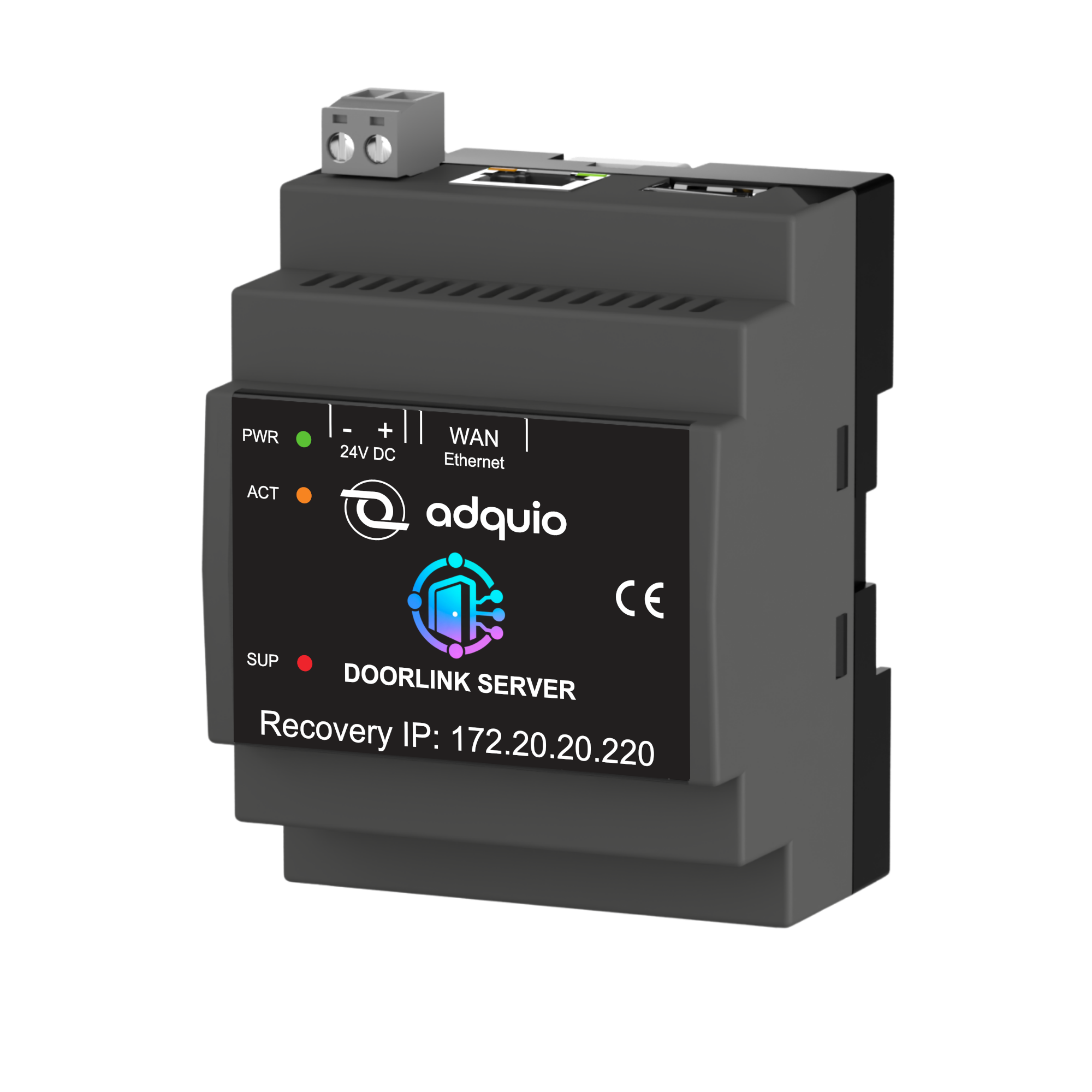
DoorLink Server
Centralises configuration, users, permissions and history. It connects to the installation network to coordinate the gateways.
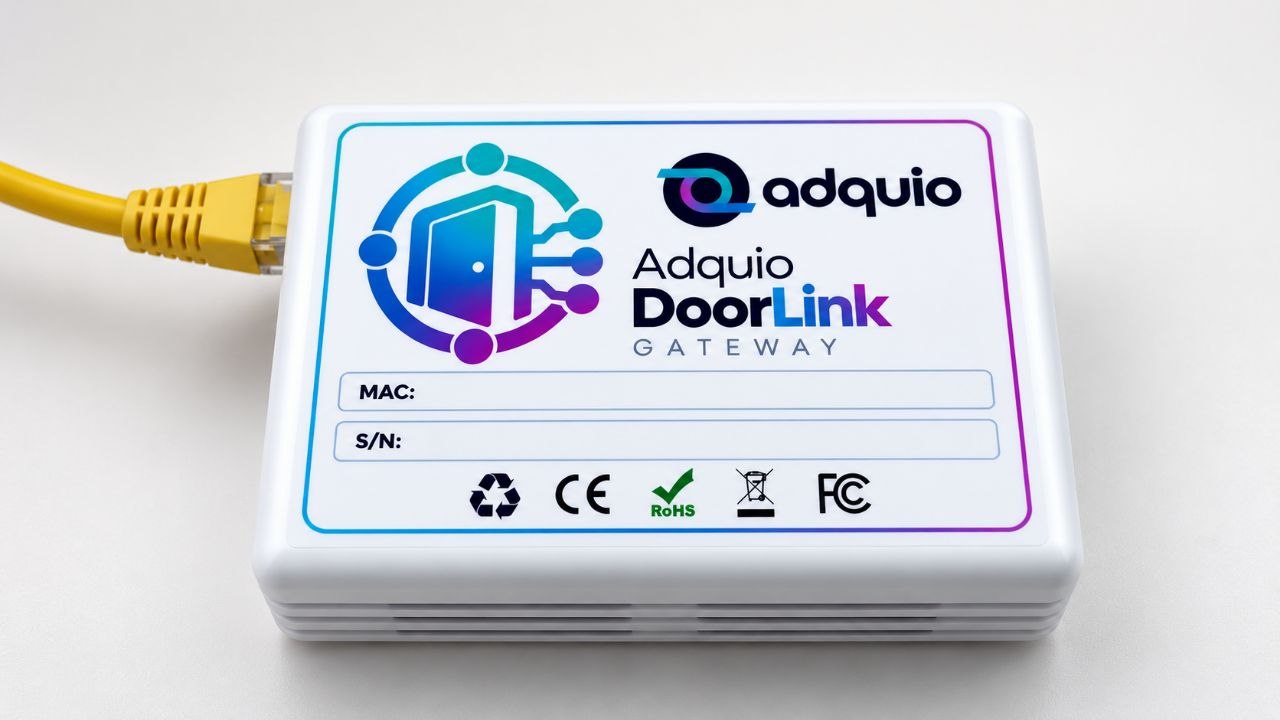
Adquio DoorLink Gateway
Installed near the locks in each zone. It connects to DoorLink Server over the network and communicates with locks via Bluetooth.
One DoorLink Server, multiple gateways
Connect DoorLink Server and the gateways to the installation network. Position gateways near the doors to provide Bluetooth coverage in each zone.
DoorLink Server
Local management of the whole installation
↓
Building local network · Ethernet / LAN
↓
Gateway 1
Zone 1
↓ Bluetooth LE
Compatible locks
Gateway 2
Zone 2
↓ Bluetooth LE
Compatible locks
Gateway 3
Zone 3
↓ Bluetooth LE
Compatible locks
Illustrative diagram with three gateways. The number of gateways and locks depends on the building layout, Bluetooth coverage and device compatibility.
Manage each door with clear information
Status and diagnostics
Check connectivity, Bluetooth signal, battery, firmware, capabilities and last contact. Distinguish unknown information from actual issues.
Remote unlocking
Request an unlock from the interface or an authorised integration. Review its origin, who requested it and whether it completed successfully.
PINs and IC cards
Create, read, edit and delete compatible credentials. Assign an owner and define validity periods to keep access organised.
Schedules and auto-lock
Configure supported auto-lock settings and weekly passage-mode schedules. Check the lock clock before applying schedule changes.
Users and permissions
Separate viewing and operation through individual accounts and roles. Configurable confirmations add control to sensitive actions.
Access history
Review physical events and unlock requests from DoorLink. Filter the history and correlate commands with outcomes without duplicating records.
Explore the interface
Screenshots of the English interface. Expand them to see the details.
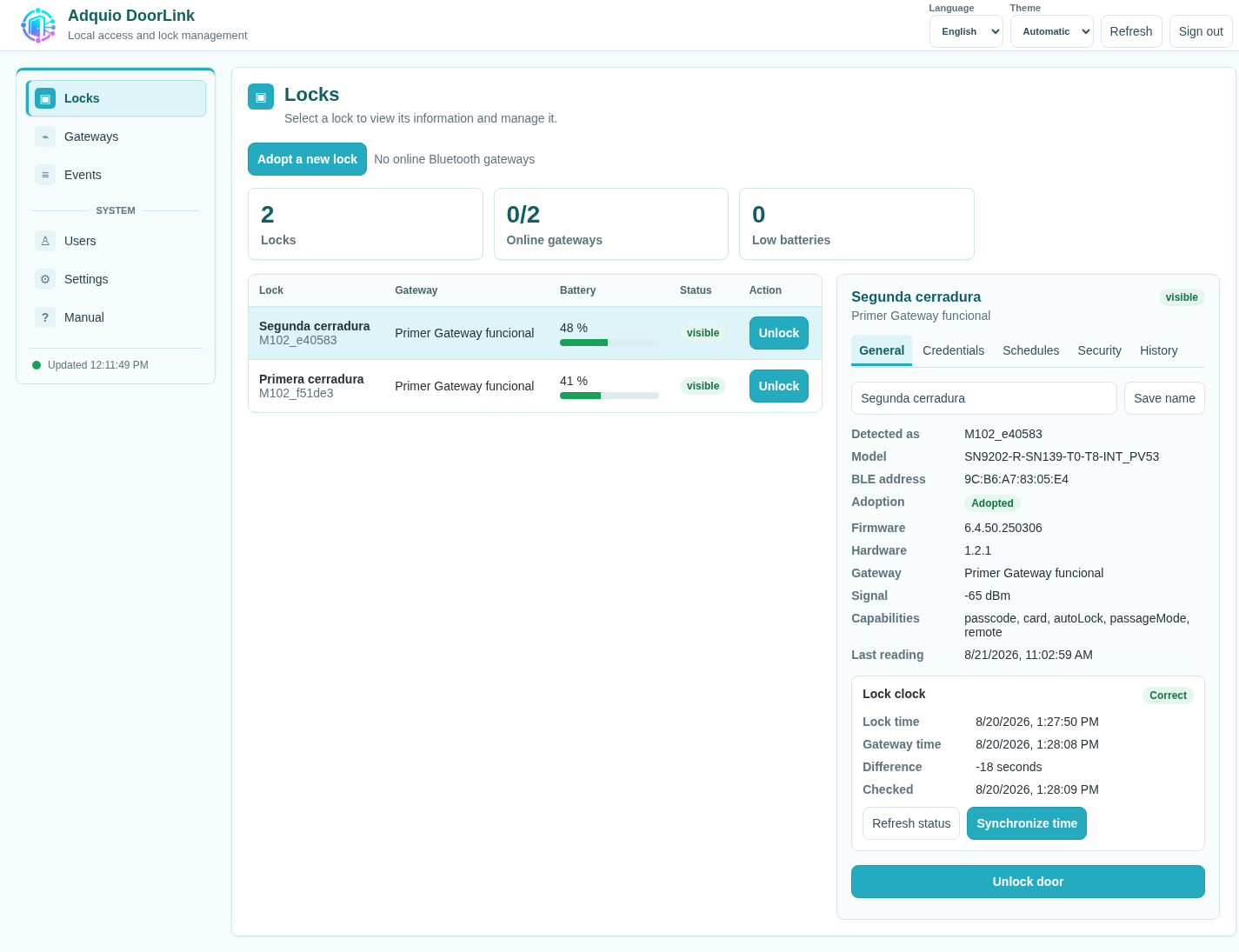
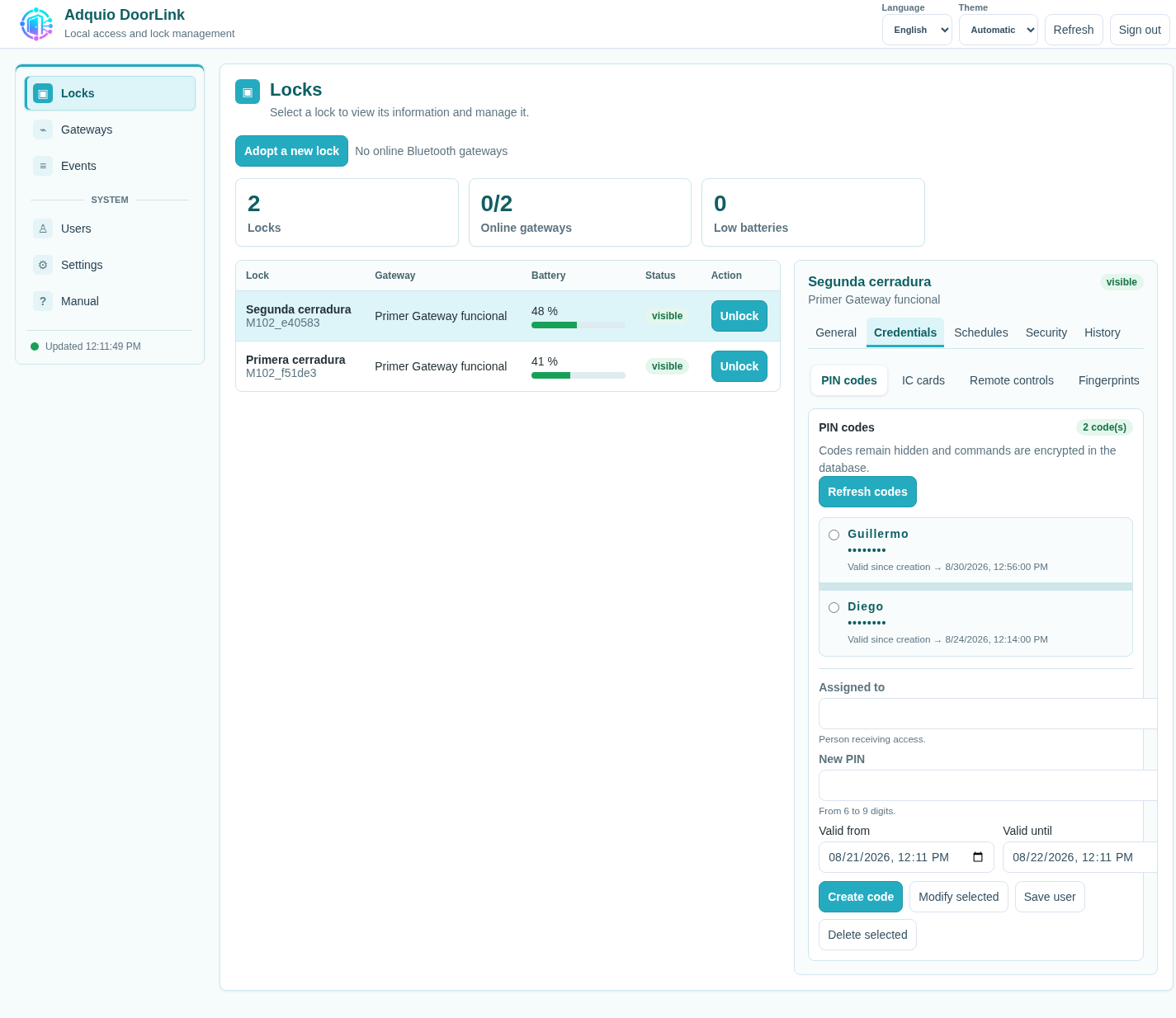
Credentials with owners and validity periods
PINs are displayed masked. Manage their owners and validity dates from each lock’s details.
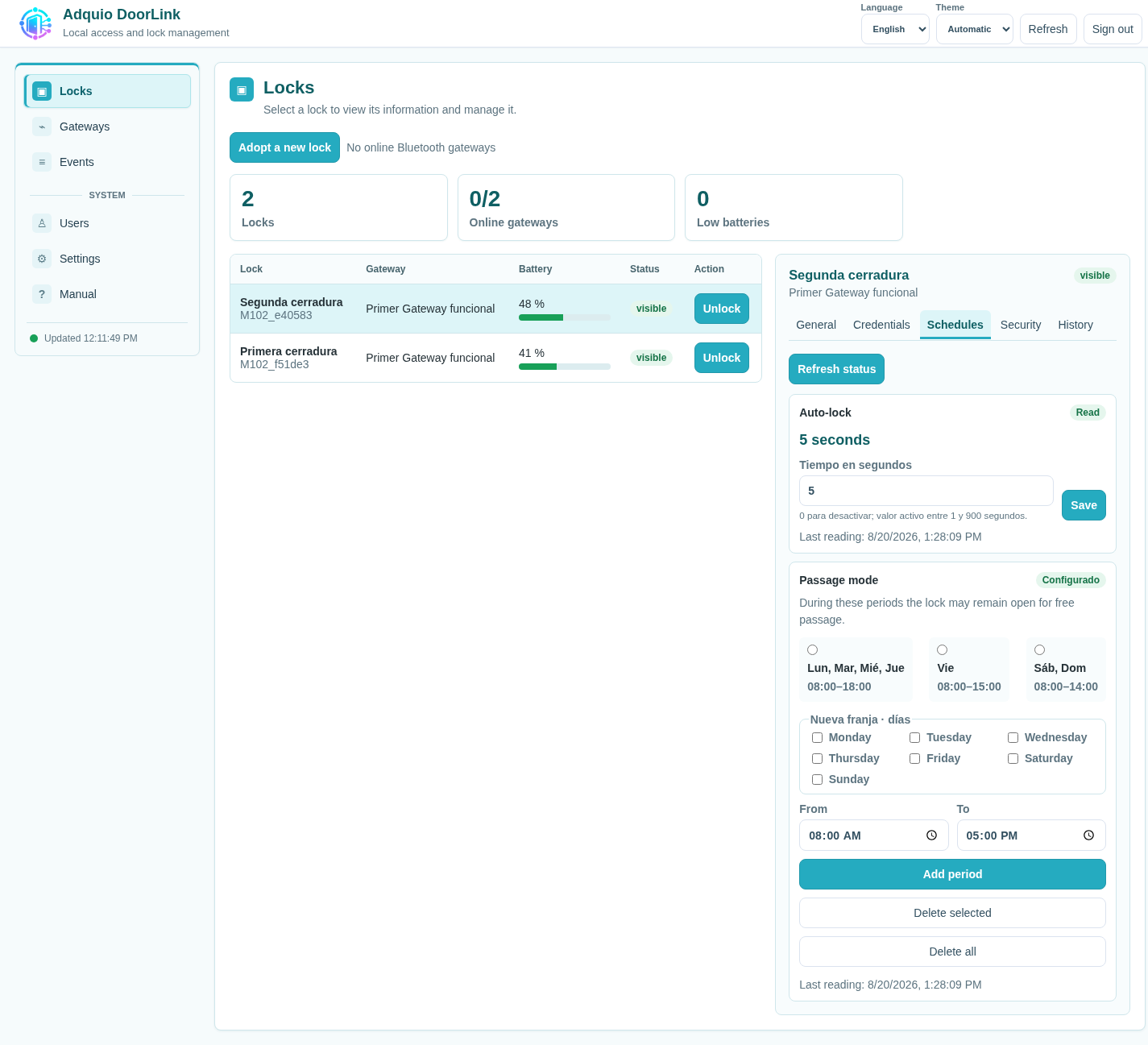
Schedules tailored to each door
Organise weekly passage-mode periods and adjust auto-lock according to the model’s capabilities.
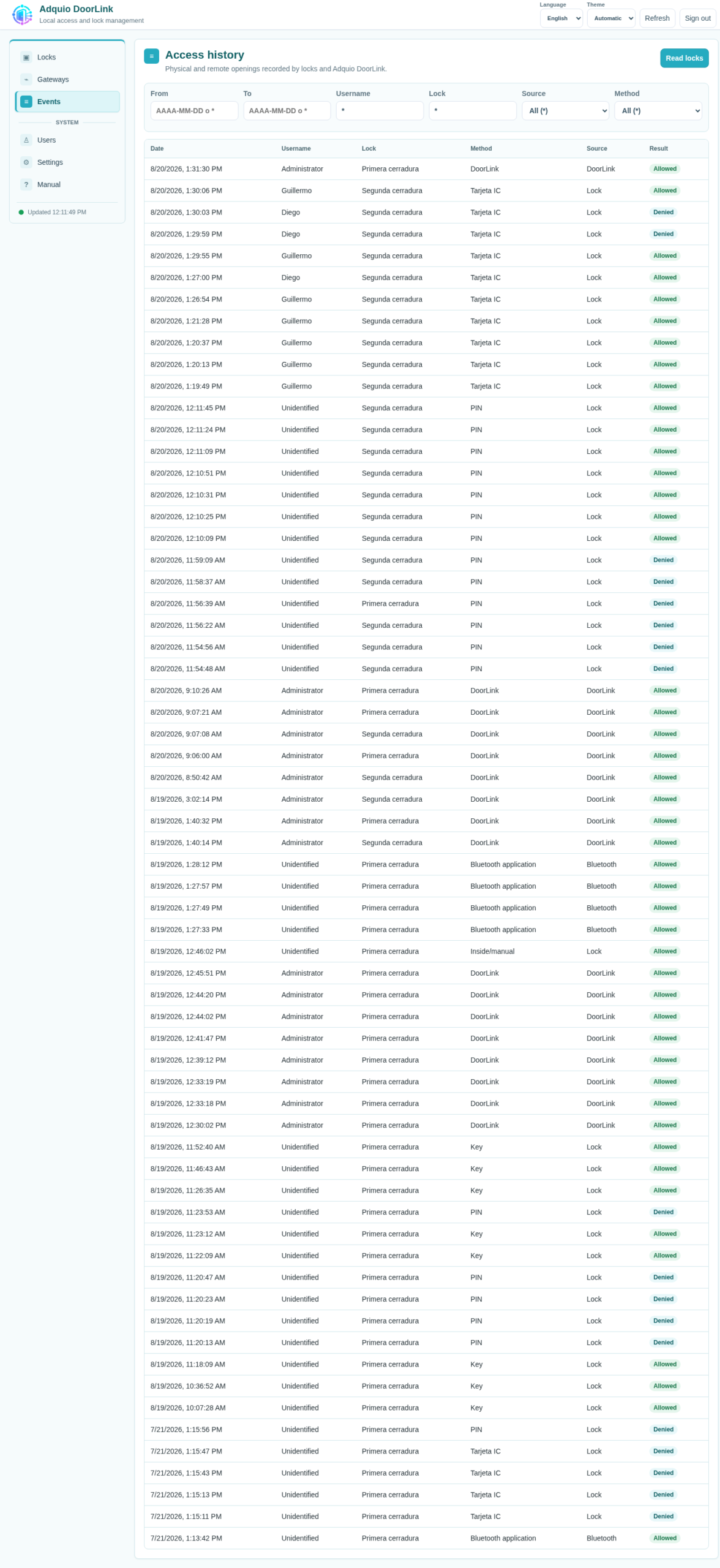
A history you can verify
Check who requested an unlock, when it occurred and its outcome, where evidence supports attribution.
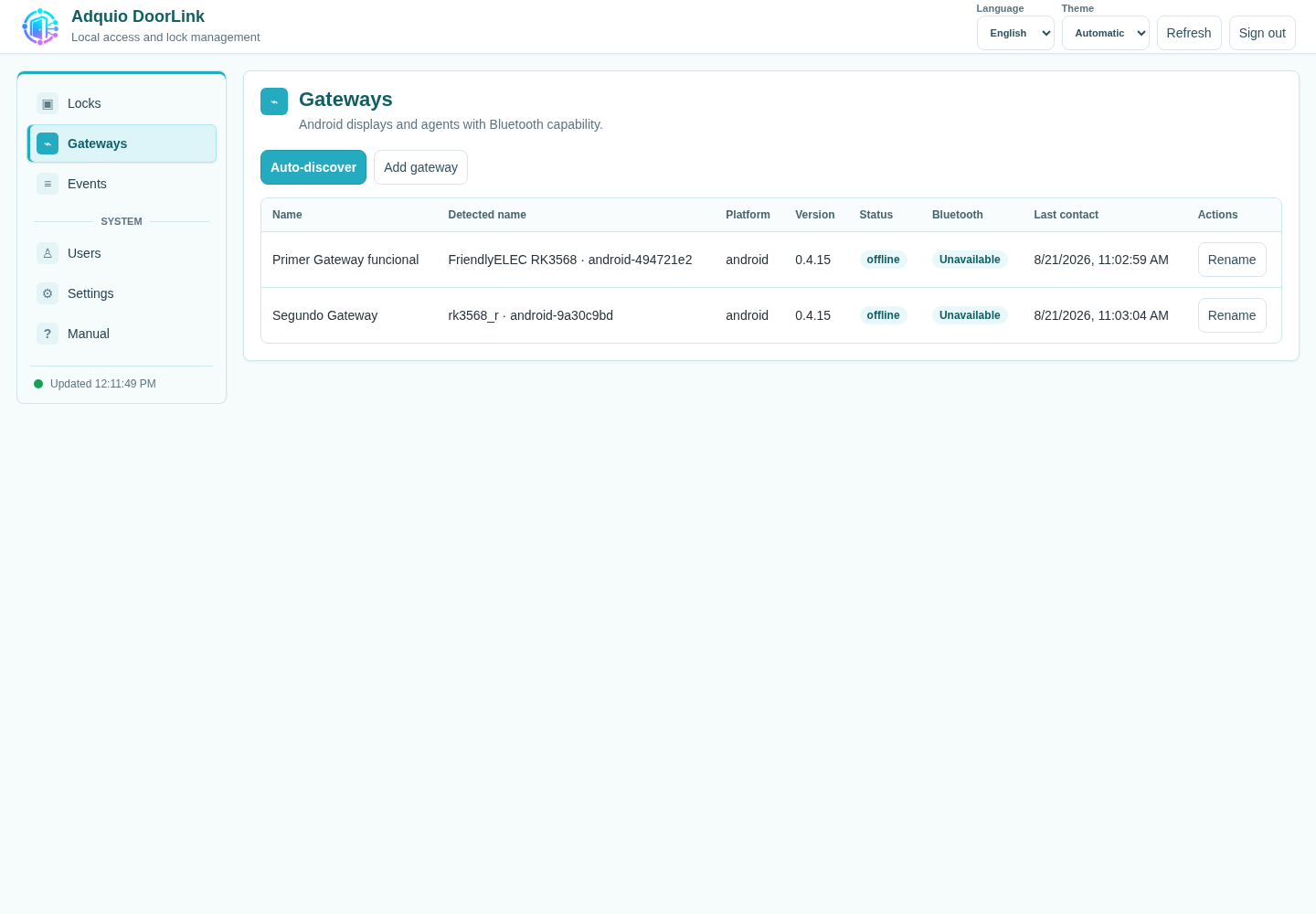
Visibility across the installation
Review each gateway and its Bluetooth connection to distinguish a network issue from a lock problem.
Access becomes part of building automation
Connected to the Adquio ecosystem
Each adopted lock can be represented as a device in an Adquio controller. The real-time connection receives commands and publishes values using the ecosystem’s usual mechanisms.
This lets you connect access control with building automation and supervision.
Integration with your systems
The versioned HTTP JSON API lets you query locks, gateways and events, and request authorised unlocks. It supports integration with Adquio Supervisor and reservation, alarm or occupancy systems.
Integrations are configured according to each project’s systems and requirements.
Data protection and traceability
Encrypted sensitive data
DoorLink encrypts confidential information stored on the DoorLink Server. Gateways use Android Keystore to protect Bluetooth credentials.
Clearly defined access responsibilities
Human accounts, temporary sessions and separate technical credentials distinguish users, operations and gateways.
Commands with verifiable outcomes
Expiry and command identifiers prevent late or duplicate execution. Configuration changes are checked by reading the settings back.
Who is it designed for?
Building managers
One view of doors, credential owners, validity periods and events, with data kept under local control.
Maintenance teams
Diagnostics for the DoorLink Server, gateways, Bluetooth and locks, with update and recovery procedures.
Integrators
Native Adquio connectivity and an API to bring access control into building applications and processes.
Typical applications
Offices and shared spaces
Interior doors, rooms and access points that need to work with schedules or reservations.
Rooms and apartments
Centralised management of time-limited credentials, depending on the locks and integrated reservation system.
Storage and service areas
Organisation of credential owners and permissions, event review and lock-status monitoring.
Buildings with multiple zones
Distributed Android gateways bring Bluetooth coverage close to doors on each floor or area.
What you need to install DoorLink
| DoorLink Server | DoorLink Server with persistent storage for local management of the installation. |
| Gateways | One or more compatible Android devices with Bluetooth LE and connectivity to the DoorLink Server. Compatible Adquio displays can be used. |
| Locks | Initial integration validated with TTLock, including tests on E300P locks. Available functions depend on the model and firmware. |
| Network | Connectivity between DoorLink Server and gateways, and Bluetooth coverage between each gateway and its locks. |
| Local operation | Interface, configuration, audit records and Bluetooth execution within the installation. PINs and cards stored in the lock can continue working during an Internet outage. |
| Administration and maintenance | Multilingual web interface, integrated manual, automatic start-up, backups and versioned deployments. |
The architecture supports the development of additional adapters. Tuya, OSDP and other wired solutions are part of that evolution; they are not presented as validated integrations in this version.
Datasheets
DoorLink Server
ADQ-DLS
DoorLink Gateway
ADQ-DLG
Frequently asked questions
Does it depend on an external cloud?
Central management and TTLock operation over Bluetooth are local. Features of an external integration may depend on that integration’s own services and requirements.
Can I reuse an existing Android display?
Yes, provided it is compatible and has Bluetooth LE and connectivity to the DoorLink Server. The DoorLink agent runs as a service independent of the dashboard.
What happens if a gateway loses its connection?
DoorLink reports connection status and limits retries and command validity. Remote execution requires an operational gateway and Bluetooth coverage; credentials already stored in a compatible lock can still be used locally.
Does it support every TTLock lock?
Functions depend on the model and firmware. The initial integration has been tested with TTLock/E300P locks; the specific models in each project should be validated.
Can it manage every door in the building?
The lock and access system must suit each door. Critical, escape-route and fire-rated doors require a solution specifically designed and validated for that use.
Connect access control with the rest of your building
Tell us which doors you want to manage and how your installation works. We will help you plan the integration with Adquio.
