

Adquio Supervisor
Your entire Adquio ecosystem, in one view.
Monitor equipment, locate issues and explore your building through global and spatial views. Operate devices according to your permissions.
Understand your installation at a glance
One shared view
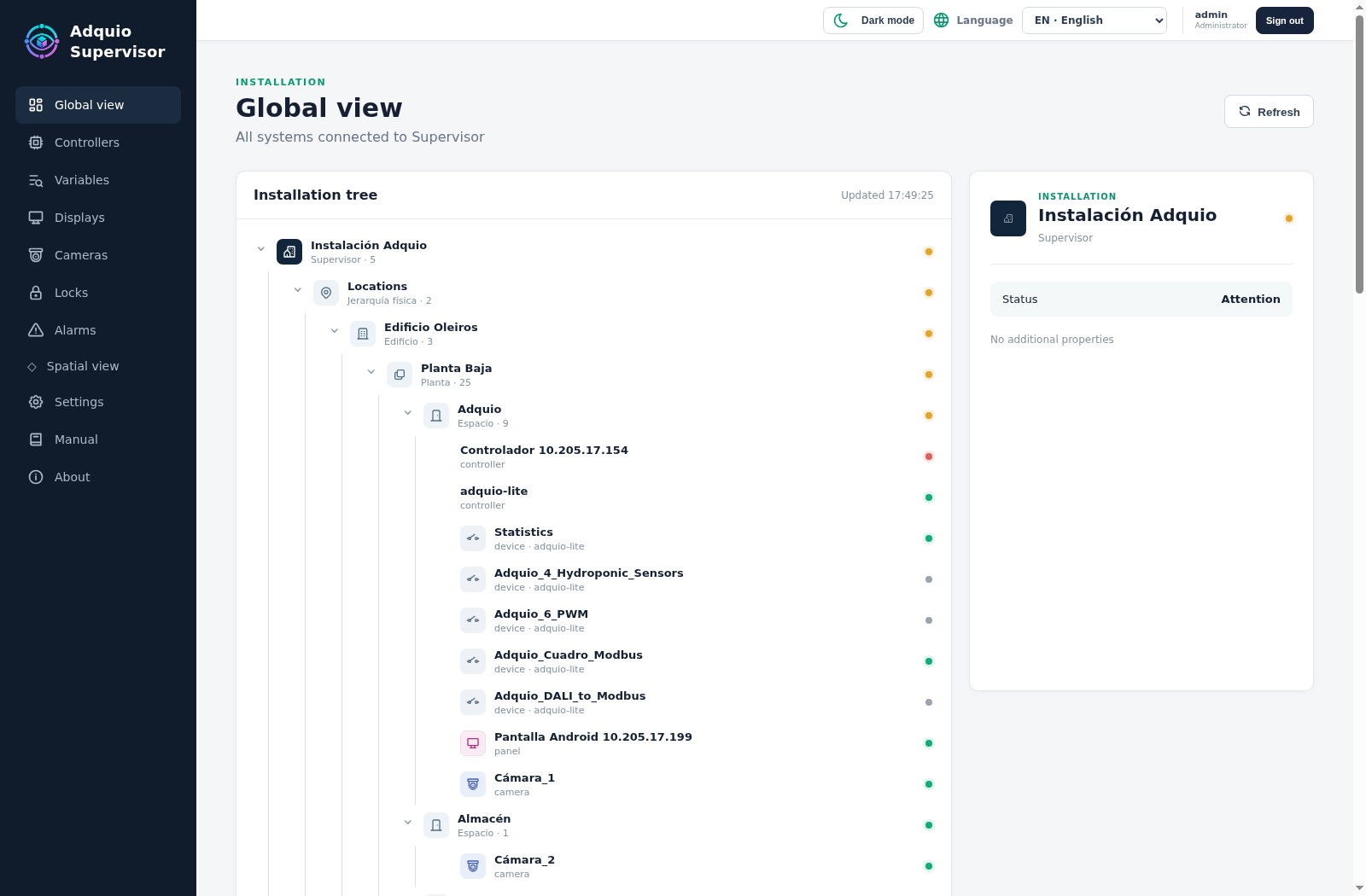
Bring equipment and systems with different functions together in one tool, organised in a clear structure.
Every device in its place
Browse locations, buildings, floors and rooms to pinpoint what needs attention.
From status to action
Review changes and alarms, and use the operations available for each device with the appropriate access level.
All your equipment, one global view
Your building, represented in a spatial view
Connect your technical inventory with the space where it is actually installed. The three-dimensional view displays floors, rooms, doors, windows and equipment to make monitoring more visual and intuitive.
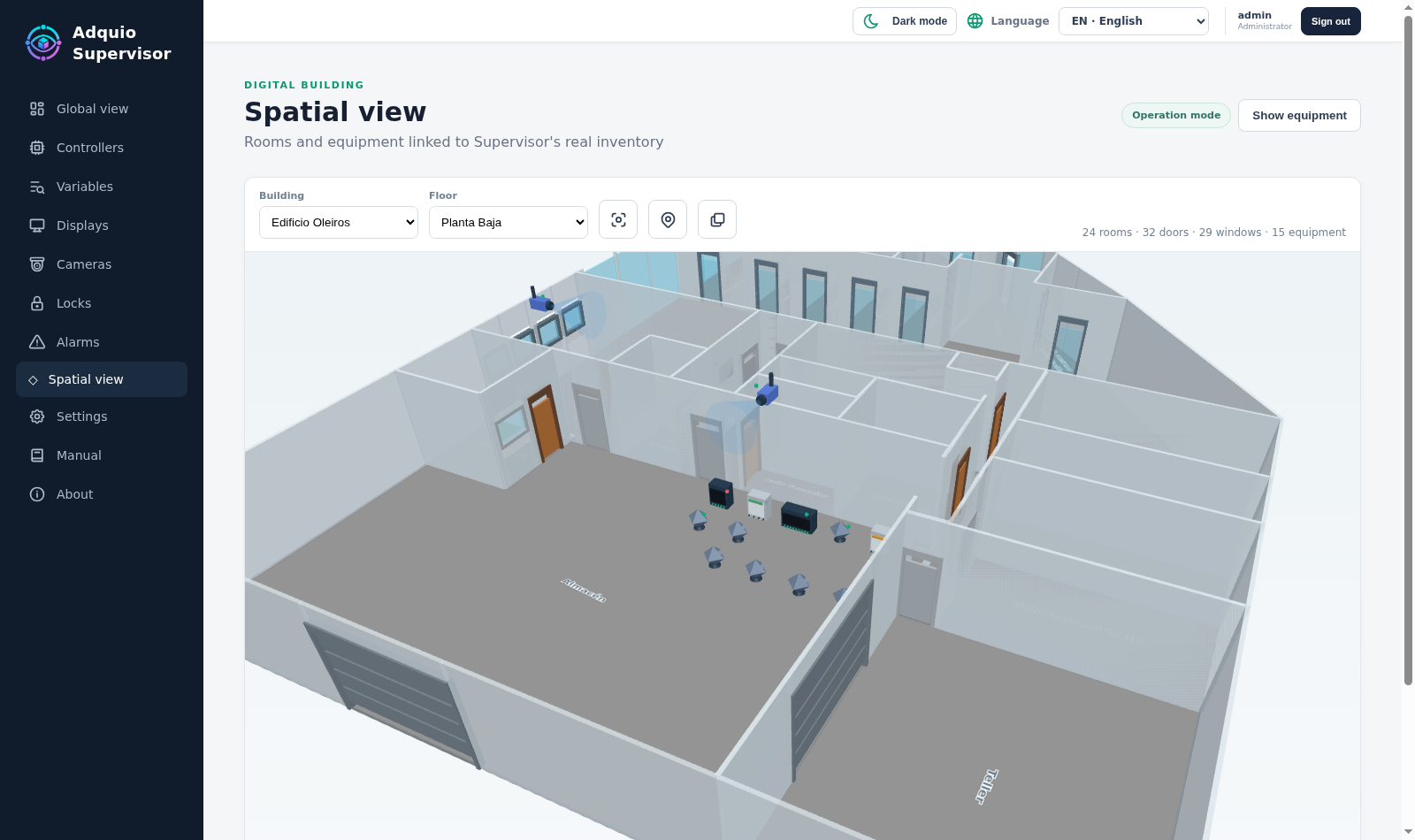
When the installation provides the relevant variables, the floor plan can reflect lighting, brightness, colour, colour temperature, presence, faults or missing data.
Create the floor plan and place your devices
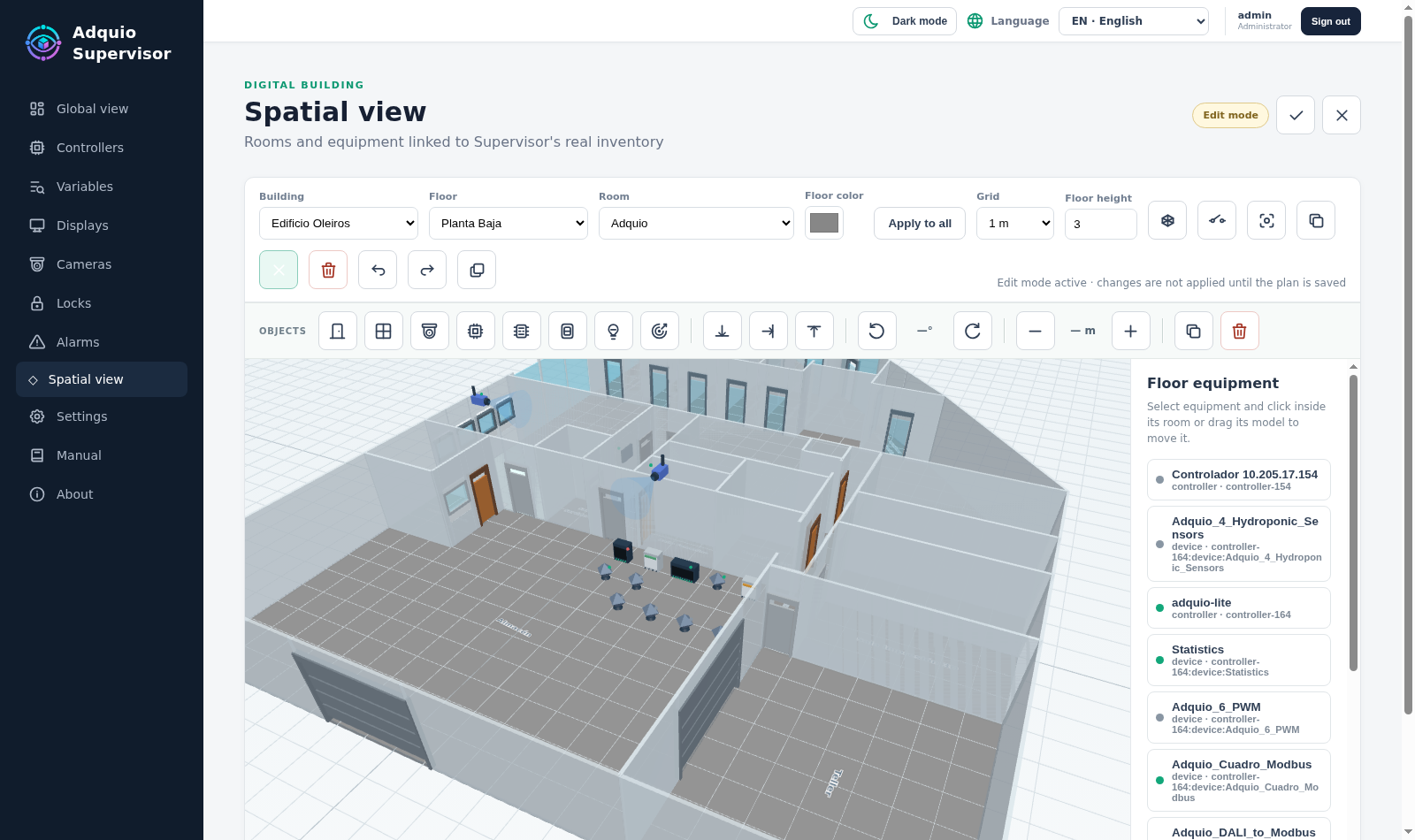
An integrated editor for your installation
Draw and adapt rooms, organise floors and place equipment in its real location. Copy similar floors to make it easier to represent buildings with repeating layouts.
Combining the floor plan, device status and operational data provides a foundation that can gradually evolve into a digital twin useful for everyday work.
Your ecosystem’s equipment, in one platform
Controllers and expansions
Check the status of automation equipment and its relationship with the structure of the installation.
Displays
Locate panels and access the remote functions available to authorised users.
Cameras
View cameras integrated through Adquio VisionCore and check their connectivity.
Locks
Monitor Adquio DoorLink access points and perform the available operations according to your permissions.
Gateways and Matter devices
Bring in information from Adquio MatterLink and your installation’s integrations.
Other network equipment
Register BMS, SCADA, gateways, servers and other devices accessible through a network address.
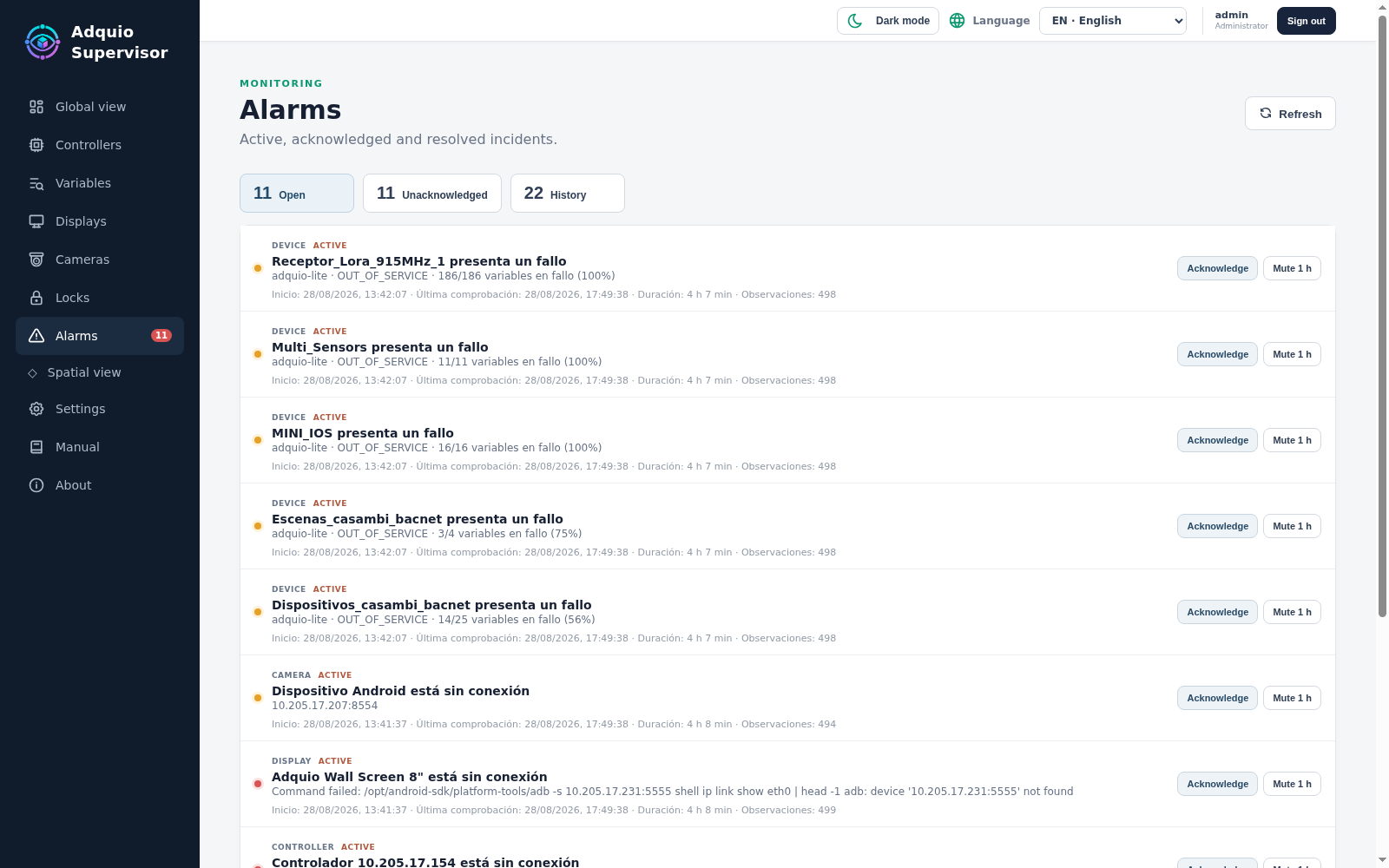
Alarms that help you locate the problem
Prioritise what needs attention
Bring incidents together in one view, including their source, severity, acknowledgement and recovery. Status changes help you detect disconnections and recoveries without reloading the page.
Supervisor distinguishes an integration service outage from an actual device disconnection, giving you more context when investigating the cause.
Find the variables you need
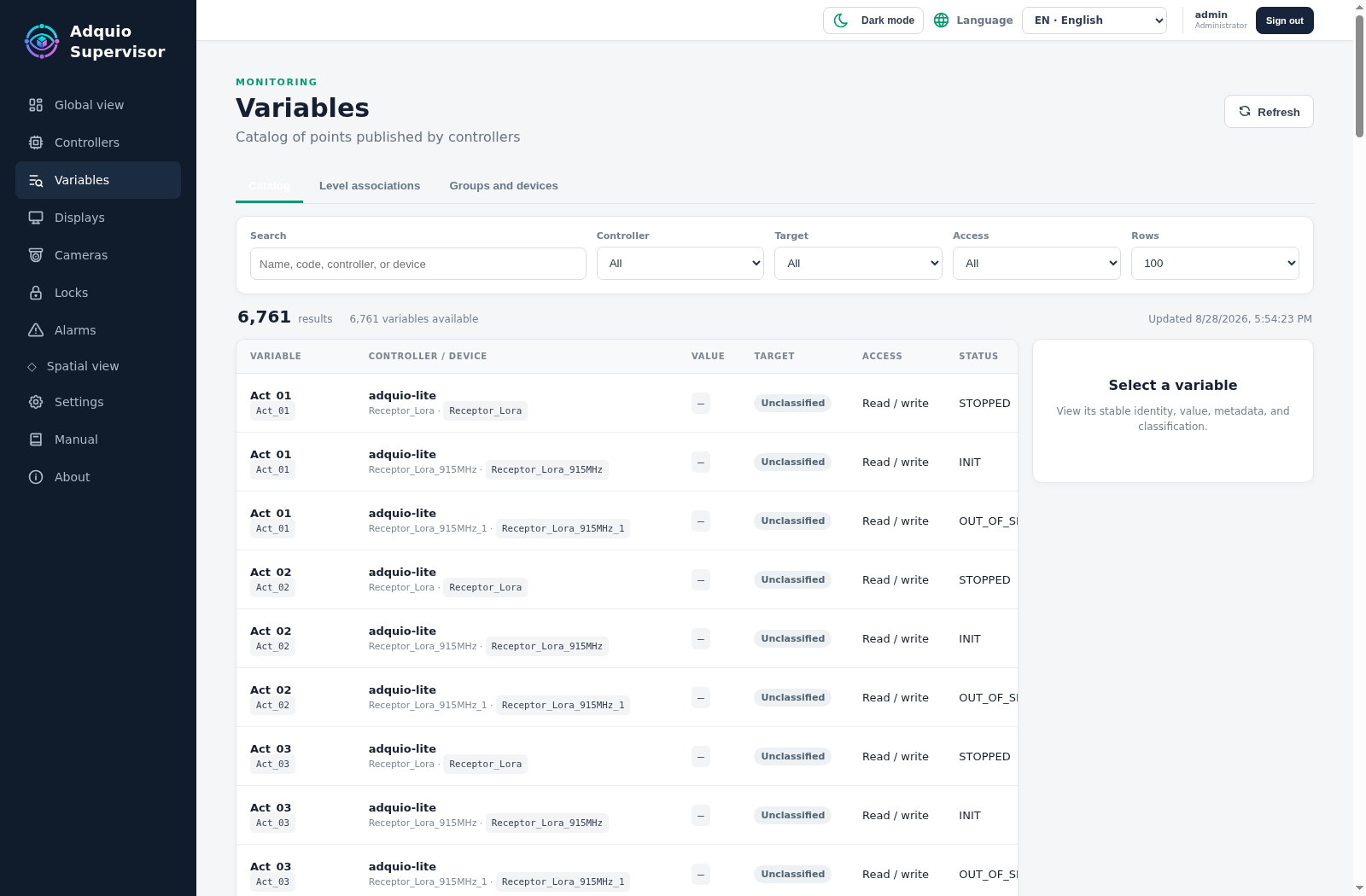
Data connected with its context
Search and filter variables, equipment and locations to find relevant information without manually browsing the entire installation.
Grouping elements lets you relate devices and groups, helping you represent DALI or Casambi lighting systems and other installations managed together.
DoorLink, VisionCore and MatterLink connected with monitoring
Adquio DoorLink
Bring access control into your overall building view. Discover DoorLink
Adquio VisionCore
Connect cameras with the technical monitoring of your installation. Discover VisionCore
Adquio MatterLink
Add the Matter functions integrated into your Adquio ecosystem. Discover MatterLink
Explore the interface
Current screenshots of the English interface. Click each image to enlarge it.
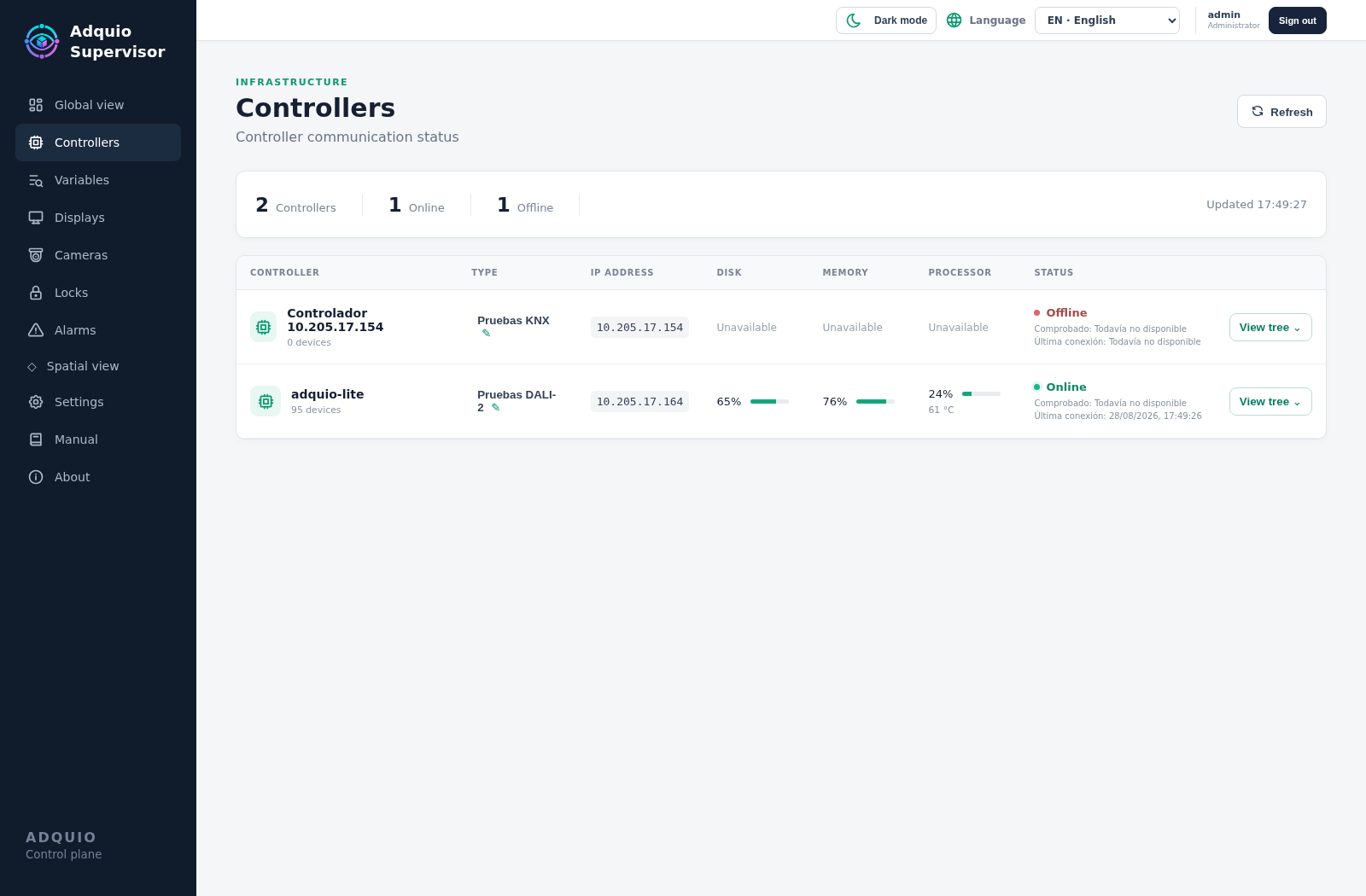
Controllers
Identify automation equipment and check its status.
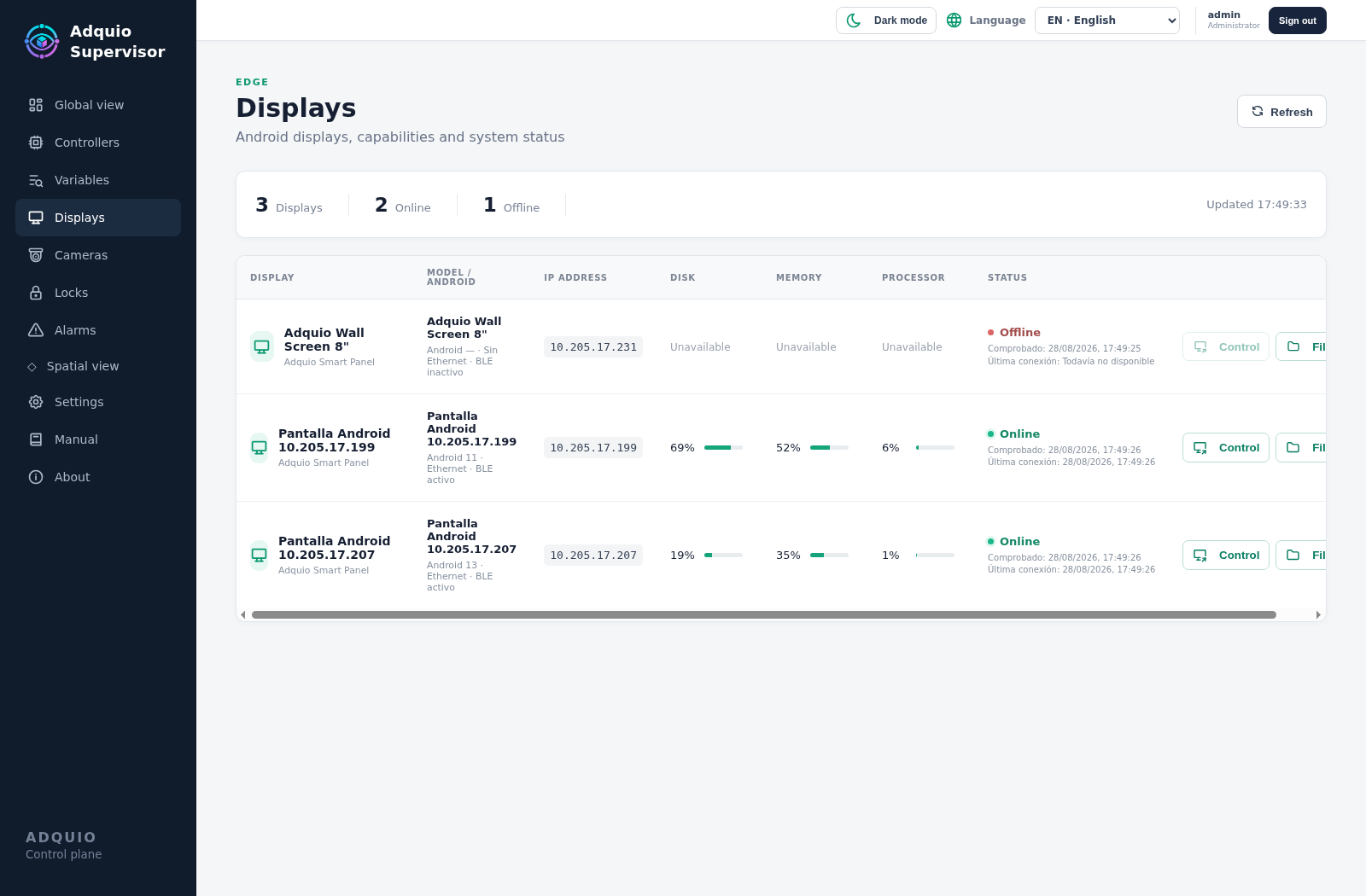
Displays
Locate the panels that form part of your installation.
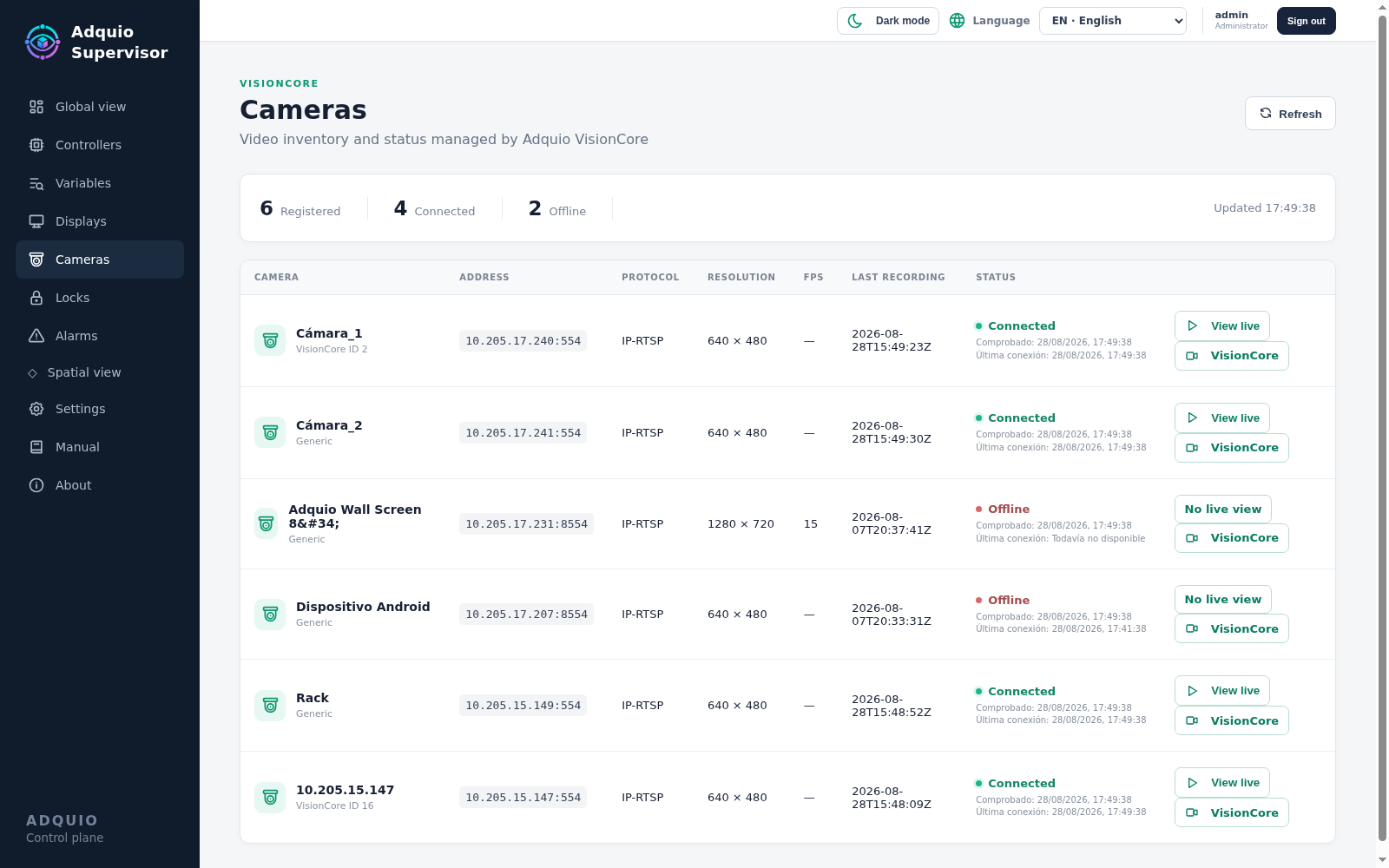
Cameras
Bring together camera information from VisionCore.
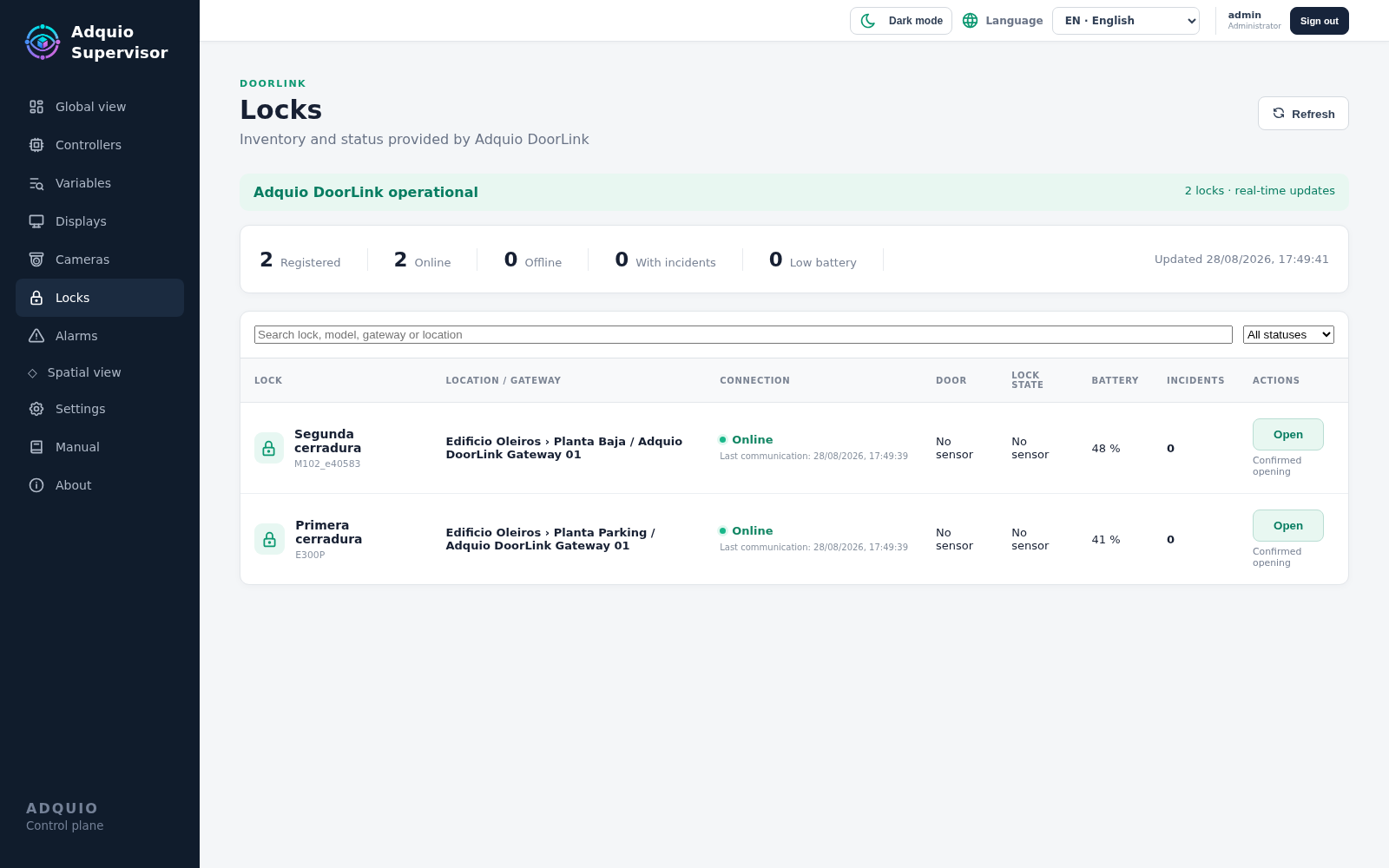
Locks
View access points integrated through DoorLink.
The right access for each person
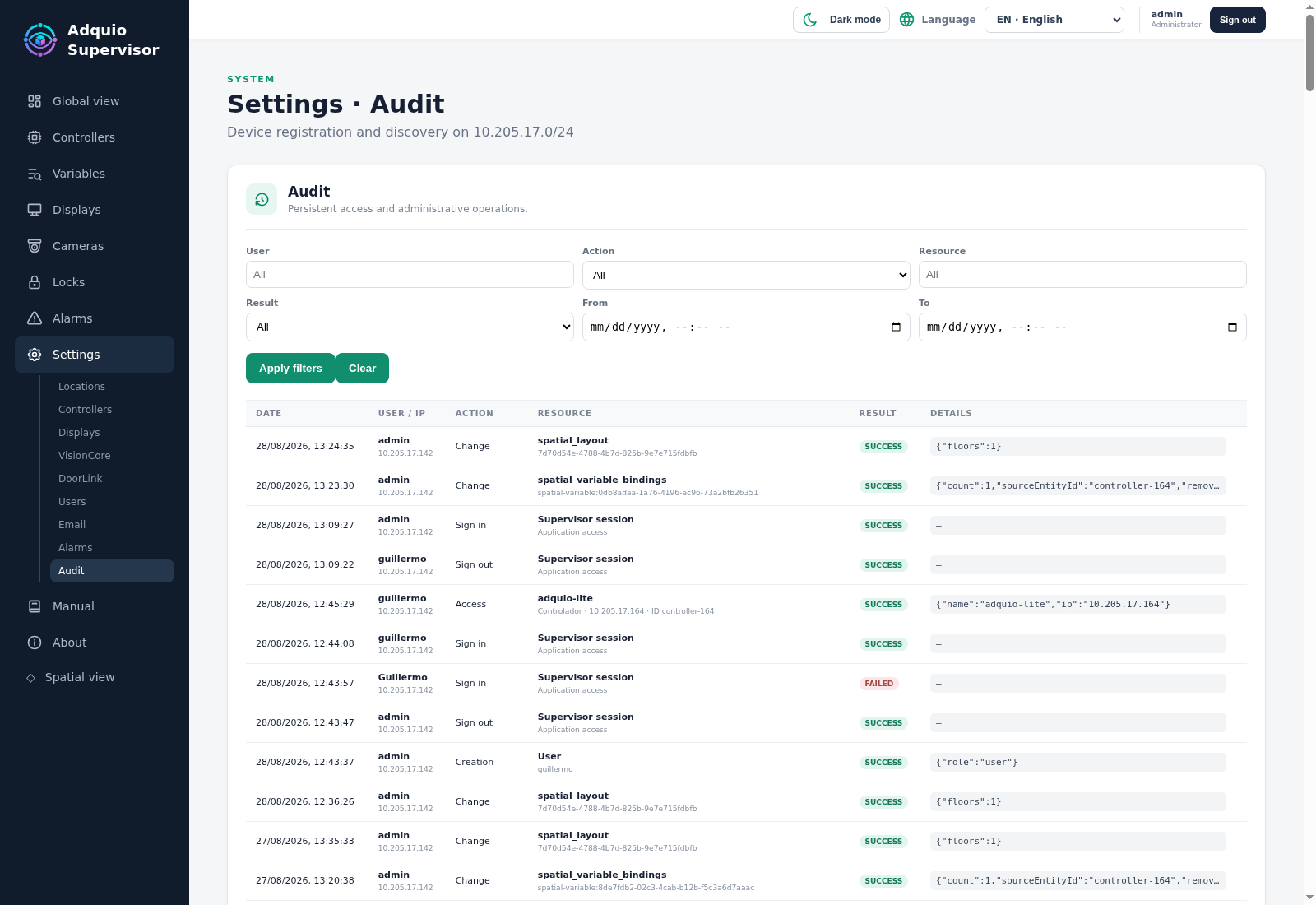
Users, permissions and activity logs
Each person accesses the functions appropriate to their role. Relevant actions are logged to make it easier to track access, changes and operations.
The interface adapts to desktop, tablet and mobile devices, supports multiple languages and provides access to integrated documentation while you work.
A tool for the people who operate and maintain buildings
Hotels and residential buildings
Organise rooms, apartments, shared areas, access points and technical equipment.
Offices and shopping centres
Bring floors, rooms and large areas together in one monitoring structure.
Campuses and education centres
Locate equipment and incidents across buildings, floors and classrooms.
Industry and logistics
Monitor automation, technical rooms, cameras, access points and auxiliary systems.
Maintenance teams and integrators
Review information before an intervention and provide a shared view of the installation.
Managers, reception and security
Access the status information, alerts and operations appropriate to each responsibility.
From technical installation to a shared view
01 · Organise
Define locations, buildings, floors and rooms, and associate equipment with them.
02 · Represent
Build the spatial view, place devices and link the available data.
03 · Monitor
Check status and alarms, and perform the available actions according to your permissions.
Frequently asked questions
What equipment can I monitor?
Controllers, expansions, displays, cameras, locks, gateways and other connected equipment. The information and actions available depend on the device and its integration.
Does it replace DoorLink, VisionCore or MatterLink?
Supervisor brings information and operations from these solutions together in a shared experience. Each product retains its specialised role within the installation.
Can I operate devices?
Yes, when the equipment and integration support that operation and the user has permission. For example, a user may open a lock, access a display or view a camera.
Do I need a building floor plan ready in advance?
The integrated editor lets you draw and adapt rooms, organise floors and place equipment. The spatial representation is built around the needs of your installation.
Can I use it from a tablet or mobile phone?
Yes. The interface adapts to different screen sizes so you can check the installation from the office or during an intervention.
Can it handle multiple locations?
Equipment is organised by location, building, floor and room. This structure provides a consistent way to view installations across different sites.
Are all variables automatically represented on the floor plan?
The representation depends on the variables provided by the installation and how they are linked to floor plan elements. Lighting status, presence and other supported conditions can be displayed.
Product brochure
Adquio Supervisor
Explore its benefits, applications and integration possibilities.
PDF · English · 2 pages · 1.6 MB
A complete view for your next installation
Tell us what equipment you need to monitor and how your building is organised. We will help you create a shared, visual view that supports its daily operation.
