

Adquio VisionCore
Video surveillance connected to your building.
View cameras, browse recordings and connect video events to Adquio automation through a web interface.
See what is happening. Find what matters. Act with Adquio.
Monitor live
Arrange cameras in grids and save the views each monitoring station needs.
Find any moment
Search recordings by camera and date, review events and adapt recording schedules to your installation.
Connect video and automation
Map camera events to Adquio variables to incorporate them into your building’s control logic.
A complete view of your installation
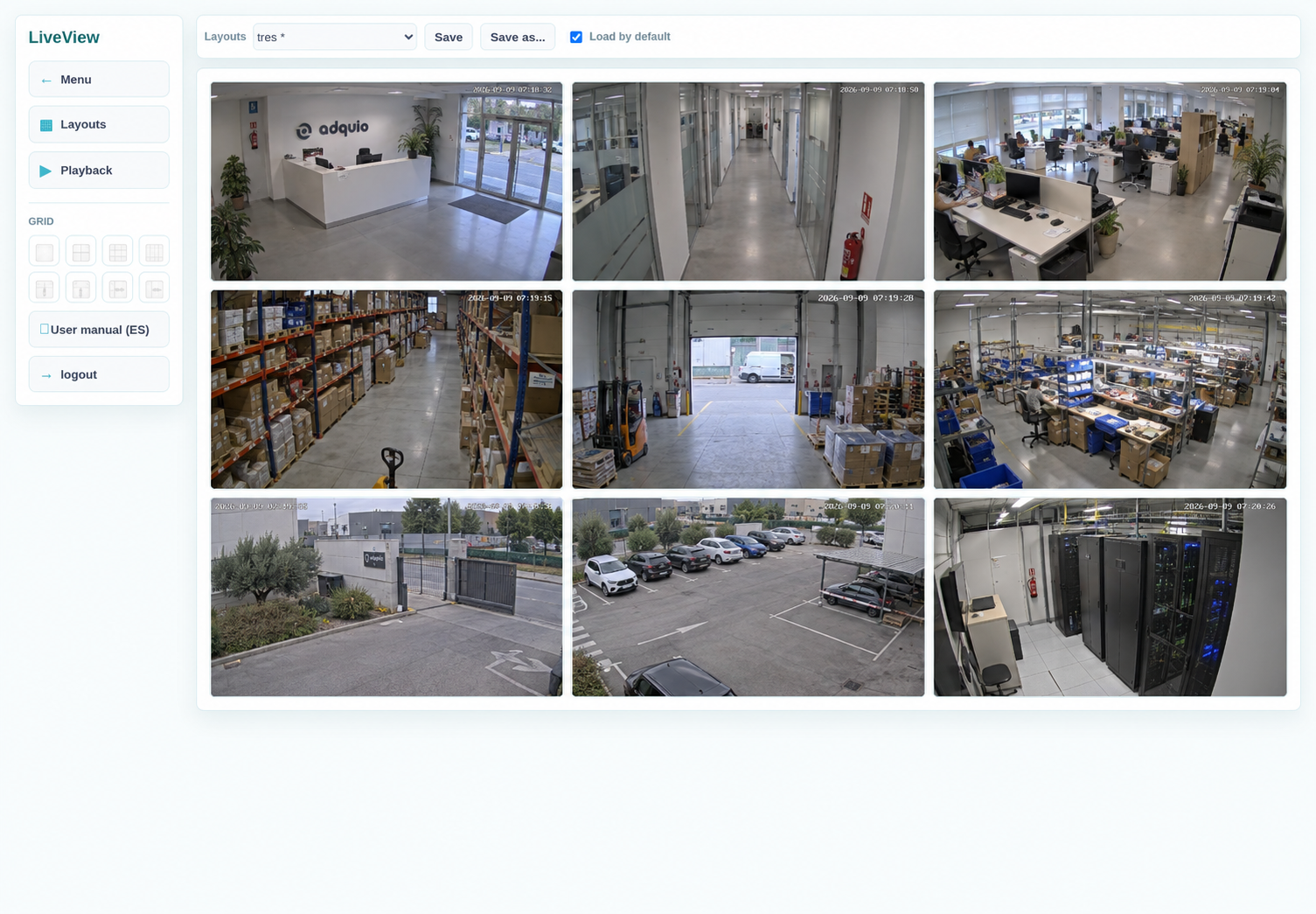
Arrange cameras in grids of 1, 4, 9 or 16 positions, or adjust rows and columns. Select the sources you want to monitor and save your layouts for later use.
From video to action
VisionCore brings video sources and their events together. Its integration with Adquio lets this information contribute to the automation you define for your project.
01 · Cameras and displays
Compatible IP cameras and Android displays running Adquio RTSP Camera send video over the network.
02 · Adquio VisionCore
Centralises live video, recordings, schedules and the detection settings for each camera.
03 · Viewing and control
Users view video according to their permissions. The Adquio bridge updates variables linked to events.
Find the recordings you need
From an event to its recording
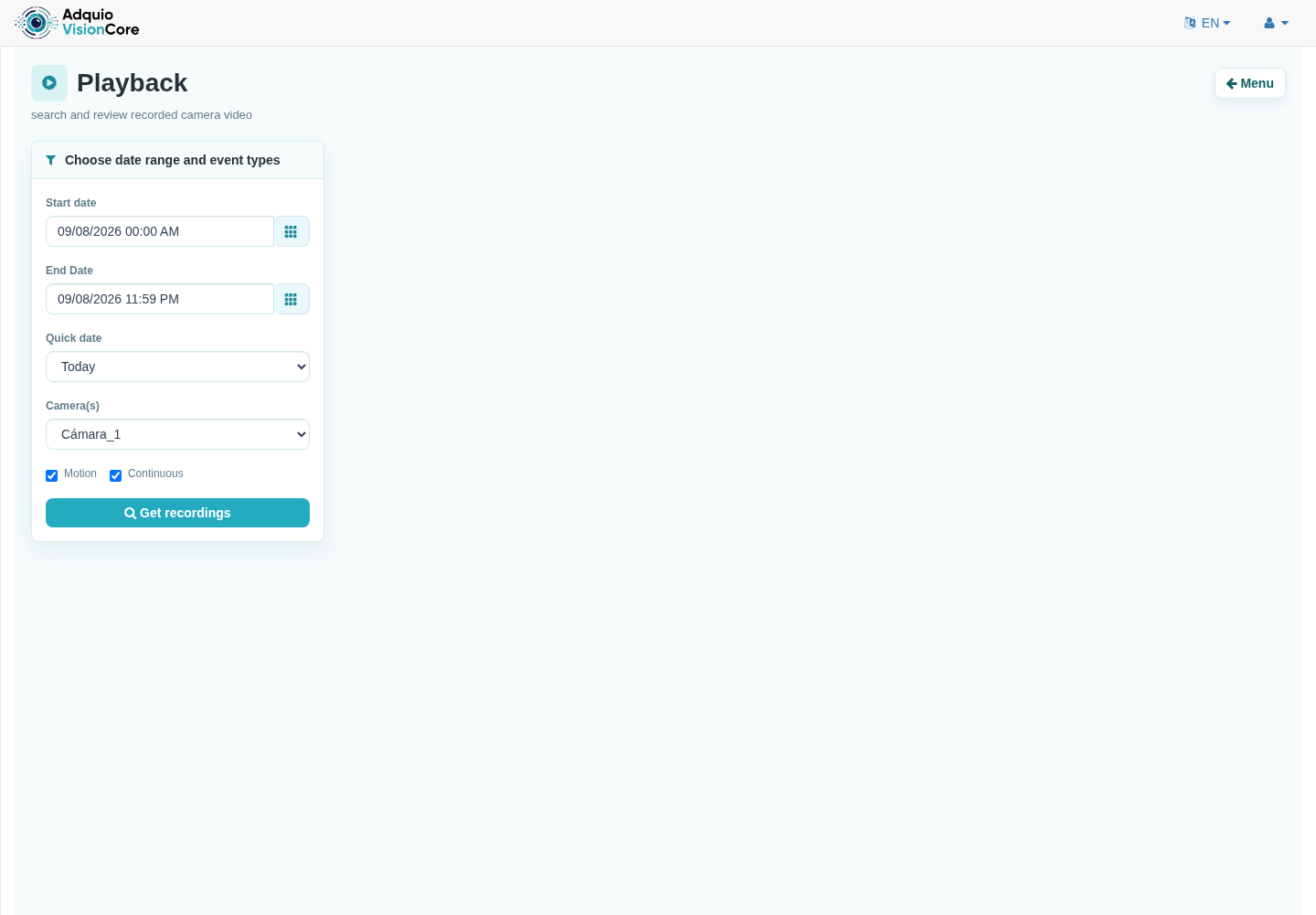
Select cameras, dates and filters to locate the video you want to review. Browse available recordings and play the moment of interest in your browser.
Record to suit your building
Define a global schedule or a separate schedule for each camera. Combine the available modes and adjust video retention to your storage capacity and required recording period.
Detect movement where it matters
Adjustable zones and sensitivity
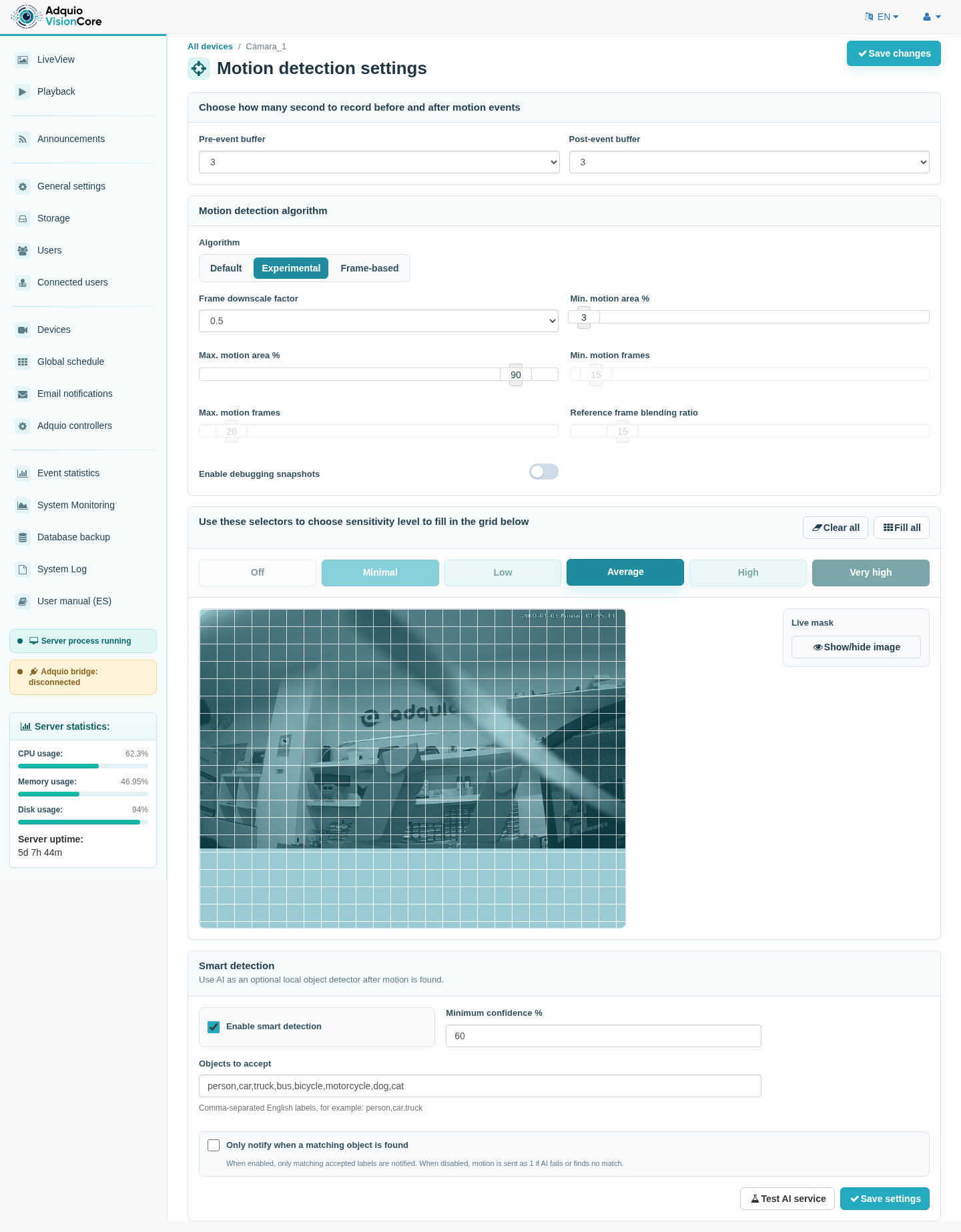
Configure detection areas, their sensitivity and the seconds of video to retain before and after an event. Adapt each camera to its scene.
Optional object analysis
Integration with CodeProject.AI lets you filter events by objects such as people or vehicles, with a configurable confidence threshold. It requires the corresponding service and model; performance depends on the equipment and scene.
Visual information becomes part of your automation
Link each event to a variable
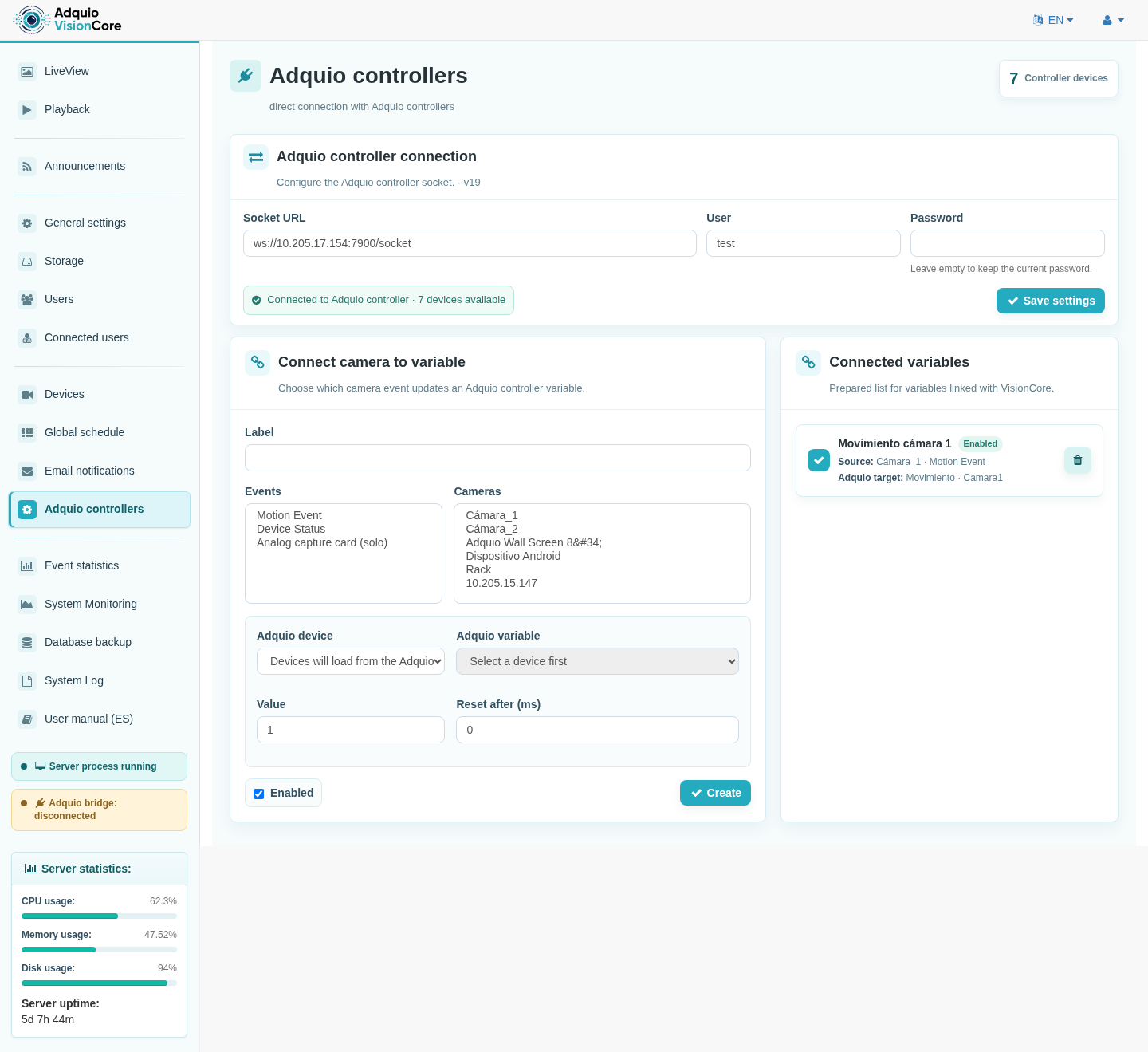
Select the cameras and events of interest, the Adquio device and the destination variable. Define the value to send and, where applicable, its reset time.
For example, a detection can provide an input for lighting logic or a notification in a supervision system. The resulting actions are configured in the Adquio project.
Compatible with different video sources
IP cameras
ONVIF discovery and RTSP or MJPEG source configuration. Available profiles, audio and PTZ control depend on each camera.
Android displays
Adquio RTSP Camera lets you use the camera on a compatible display as a video source while it continues to show other applications.
Panels and WebView
VisionCore’s dedicated viewer lets you embed a camera in a compatible WebView, respecting the configured access controls and permissions.
Tools for everyday operation
Users and permissions
Assign access to cameras and features so each person can view or manage what they need.
Email notifications
Configure notification rules for events that require follow-up.
Storage
Manage recording destinations and retention limits to suit your installation.
System status
Review resources, statistics and logs to check server operation.
Configuration backups
Back up and restore the configuration database. Recordings require their own backup strategy.
Integrated manual
Read web interface documentation in Spanish, English and six other languages.
Explore the interface
Screenshots of the English interface. Click an image to enlarge it.
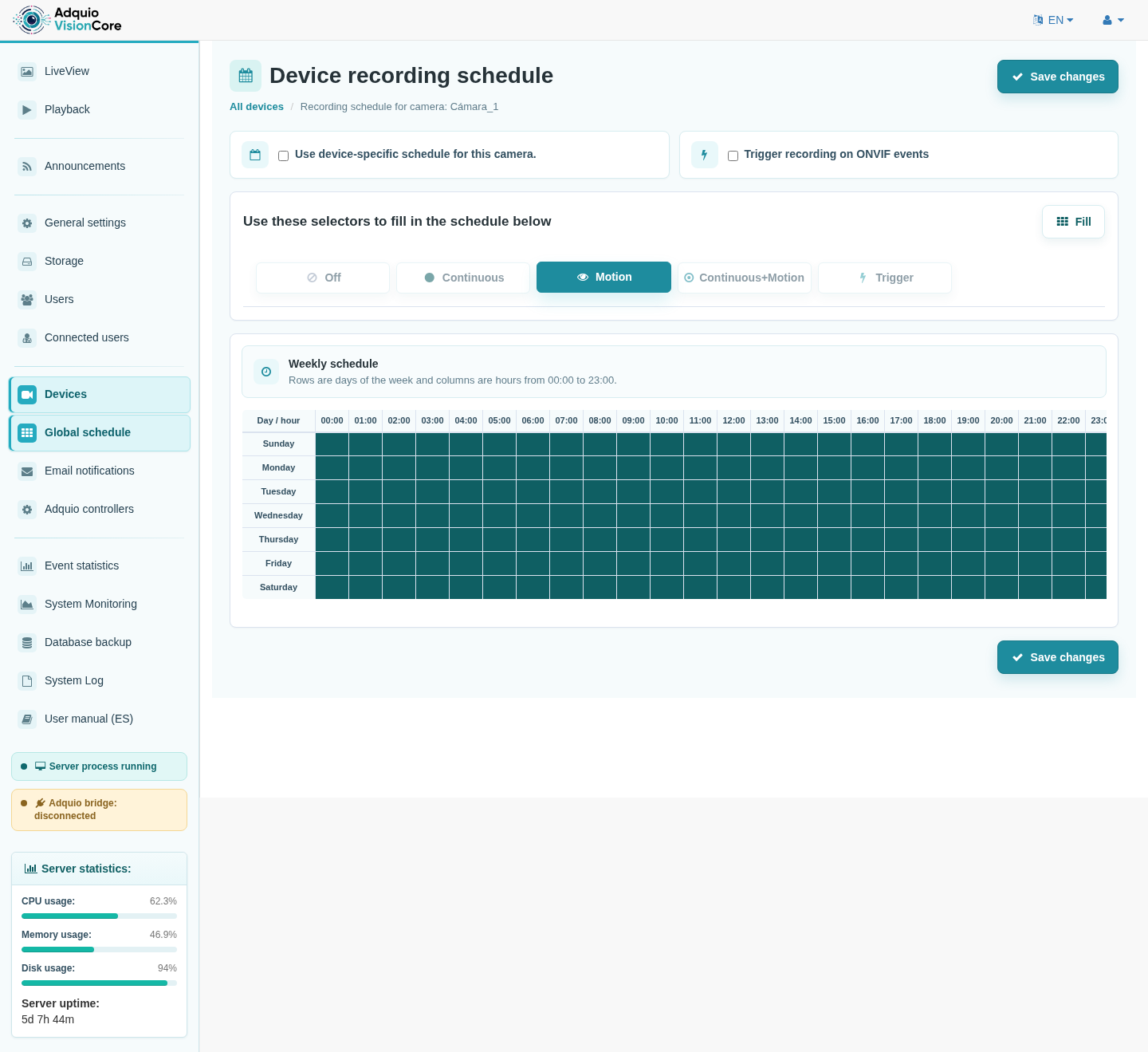
Per-camera schedules
Adapt recording to the operating hours of each area.
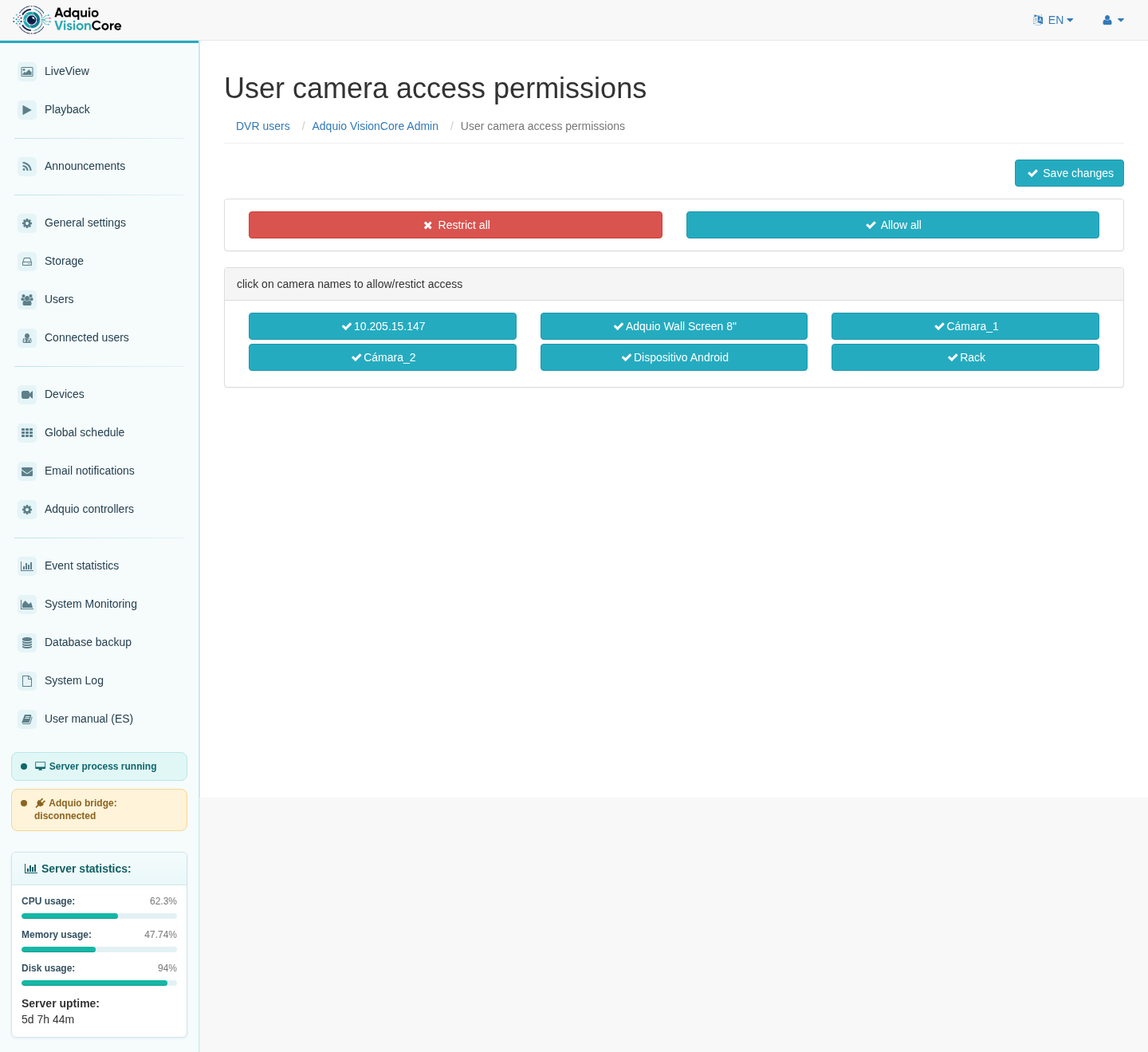
Access permissions
Organise which cameras each user can view.
Who is it designed for?
Offices and buildings
Monitor shared areas and integrate events with building automation.
Retail
View live video and review recordings from configured areas.
Industrial facilities
Observe areas and review events to support operation and maintenance.
Integrators
A platform that connects cameras, visualisation and variables within the Adquio ecosystem.
What you need for your installation
| Video sources | Compatible IP cameras or Android devices with an accessible camera and Adquio RTSP Camera. |
| Server and storage | Equipment sized for the number of cameras, resolution, frame rate, retention period and enabled analysis. |
| Network | Connectivity between cameras, the server, viewing stations and the Adquio controller when using the integration. |
| Smart detection | CodeProject.AI service and a compatible model when object analysis is enabled. |
| Adquio integration | A reachable controller and event mappings to devices and variables configured for the project. |
Frequently asked questions
Can I use cameras I already own?
Yes, if they provide compatible sources and protocols. Validate the model, firmware and required features before designing the installation.
How many cameras does it support?
Capacity depends on the equipment, resolutions, frame rates, storage and analysis services. Each project requires its own sizing assessment.
Is artificial intelligence required for recording?
No. Object analysis is an optional feature that complements motion detection and requires its own service.
Can I use the camera on an Adquio display?
Yes, on compatible Android models with a camera accessible to the application. Adquio RTSP Camera can stream in the background while another application is in use.
Does VisionCore directly control building systems?
The integration bridge updates Adquio variables linked to events. Actions affecting lighting or other systems are defined in the project’s control logic.
Connect your building’s video to Adquio
Tell us which areas you want to monitor and how you want to integrate their events. We will help you define the solution for your installation.
