
Adquio KNX Gateway
Your KNX installation, integrated into the Adquio ecosystem.
Connect KNX and Adquio through a local gateway. View telegrams, map group addresses to devices and variables, and synchronise states, setpoints and commands in both directions.
From KNX to Adquio in three steps
01
Connect your installation
Find the KNX/IP interface or router on your network and configure the connection using UDP Tunneling or multicast Routing.
02
Observe and map
Identify telegrams, select the DPT and link each group address to an Adquio device and variable.
03
Synchronise in real time
Choose the direction for each mapping: KNX to Adquio, Adquio to KNX, or both directions.
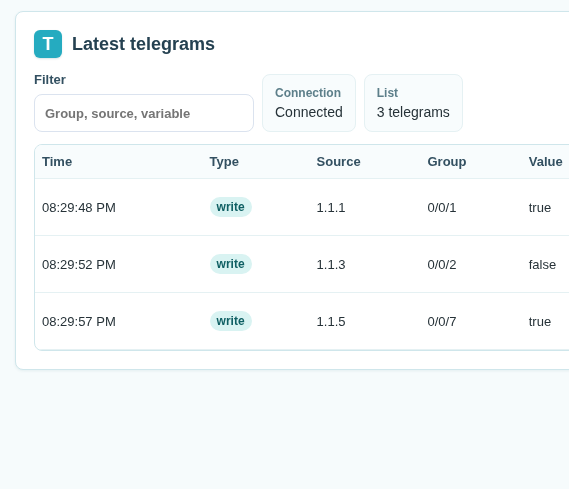
See what is happening in your KNX installation
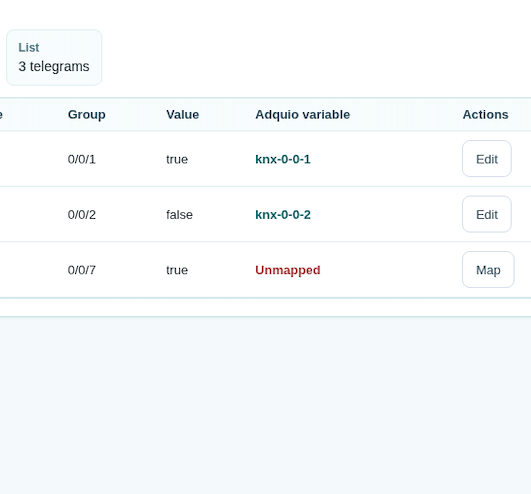
Check the time, telegram type, source address, group and value. Filter activity and see which addresses are already mapped to Adquio.
The latest values, writes and errors for each mapping help you check the integration and investigate issues from one interface.
Clear mappings, less repetitive work
Give KNX groups meaningful names and define their relationship with Adquio devices and variables. When saving, you can create or update these elements automatically through the Adquio API.
Real-time synchronisation keeps values connected. Echo protection prevents an update from being repeatedly forwarded between the two systems.
Everything you need to operate and maintain the gateway
KNX/IP connectivity
Interface discovery, UDP Tunneling, multicast Routing and connection testing before saving.
Ethernet and WiFi
Browser-based configuration, DHCP or a static IP, and a rescue IP to recover local access.
Users and roles
Individual accounts and administrator or user roles to manage access to the gateway.
Backup and restore
Import and export JSON mappings, or save a complete backup of configuration, users and mappings.
Service continuity
Automatic reconnection and retention of recent history and synchronisation status across restarts.
A manual in your language
An interface in 13 languages and an integrated manual, accessible from the local network even without Internet access.
Who is it designed for?
Integrators and installers
Bring KNX installations into the Adquio ecosystem and simplify commissioning with visible telegrams and editable mappings.
Maintenance teams
Check connections, values and errors to review the integration and restore its configuration.
Building managers
Integrate states and commands from your KNX installation into Adquio while retaining the existing bus structure.
Compact hardware for your installation
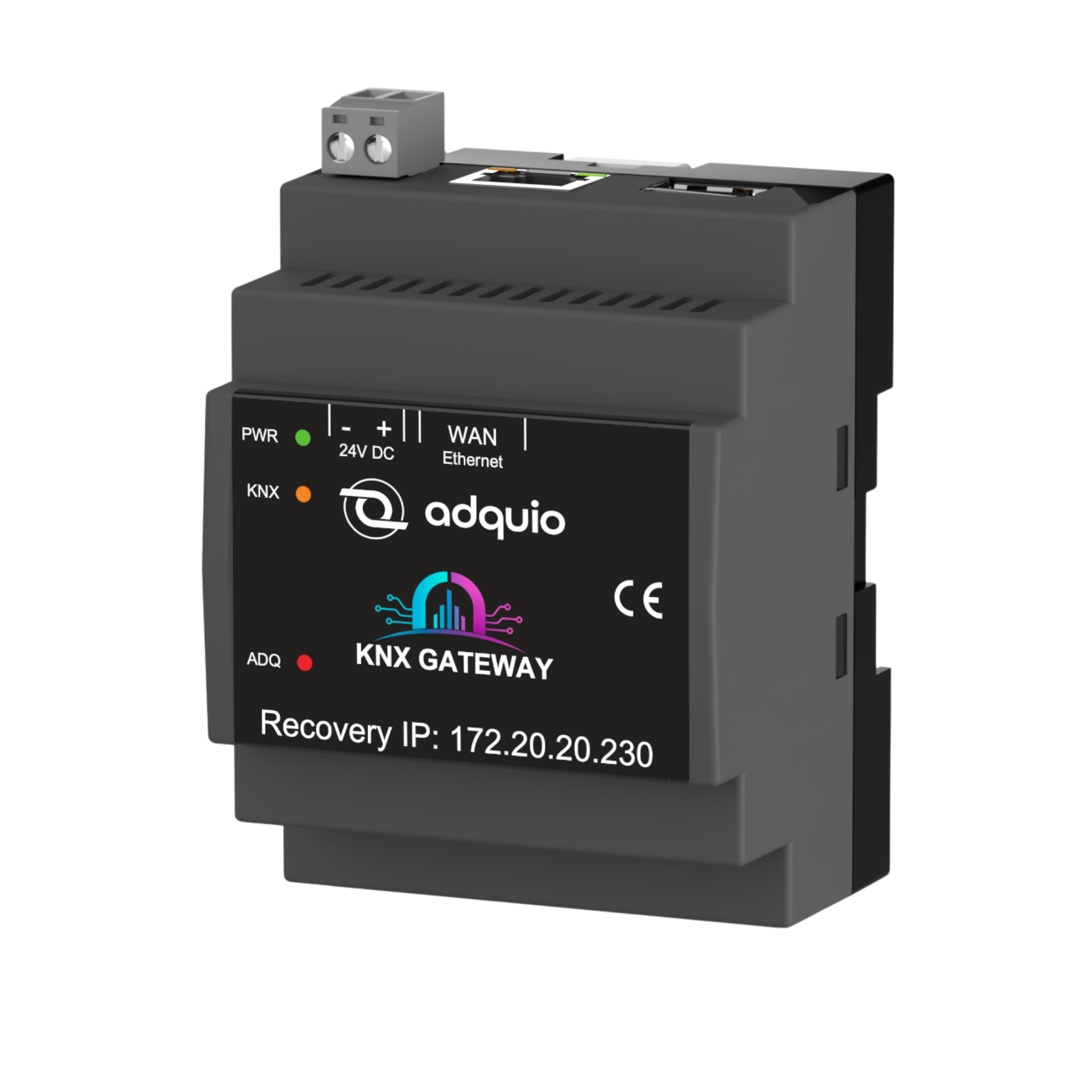
Adquio KNX Gateway uses the same hardware platform as Adquio Mini, with dedicated software for integrating KNX/IP with Adquio.
| Power supply | 24 V DC nominal · 28 V DC maximum · reverse-polarity protection |
| Platform consumption | 90–150 mA at 24 V DC, according to the Adquio Mini datasheet |
| Processor and memory | Quad-core ARM Cortex-A7 · 512 MB DDR3 · 16 GB storage |
| Network connection | 1 Ethernet 10/100 Mb/s · 2.4 GHz WiFi |
| Enclosure dimensions | 70 × 90 × 56 mm (width × height × depth); overall height shown in the drawing: 106 mm |
| Mounting | Horizontal on a 35 mm DIN rail; alternative screw mounting |
| Enclosure and protection | Dark grey ABS UL-94-HB · IP20 |
| Operating temperature | 0 to +60 °C, mounted horizontally on a DIN rail |
| Storage and transport | −40 to +70 °C |
| Humidity | Up to 95%, non-condensing |
PDF datasheet
View the device specifications and KNX Gateway functions.
Frequently asked questions
What do I need to connect the gateway?
A KNX/IP interface or router reachable from the gateway network, plus the Adquio connection details needed to configure devices, variables and synchronisation.
Does it connect directly to the KNX bus cable?
Bus access is provided through a KNX/IP interface or router. Adquio KNX Gateway connects over the IP network.
Can I restrict communication to one direction?
Yes. Each mapping can use KNX → Adquio, Adquio → KNX or bidirectional synchronisation.
How are KNX values interpreted?
Each mapping uses a DPT: the KNX data type used to encode and decode the corresponding value.
Is Internet access required to manage the gateway?
The web interface and manual are available on the local network. For integration, the gateway must be able to reach the configured KNX/IP interface and Adquio services.
Can I save and restore the configuration?
Yes. You can export mappings or create a complete backup containing configuration, users and mappings, then restore it from the web interface.
Connect your KNX installation to Adquio
Tell us about your project and we will help you plan the integration.
