Coming home, tapping a button on the screen and disabling the indoor cameras. Going out and re-enabling them from the same screen, from your phone or through a scene in the installation.
The new integration between Adquio and VisionCore brings cameras into the home’s automation logic. The controller can decide when they should operate and request a photograph when an event occurs.
This opens up two particularly interesting possibilities. Privacy can become an everyday feature of the home, and taking a photograph can become one of the actions performed by a programmable controller.
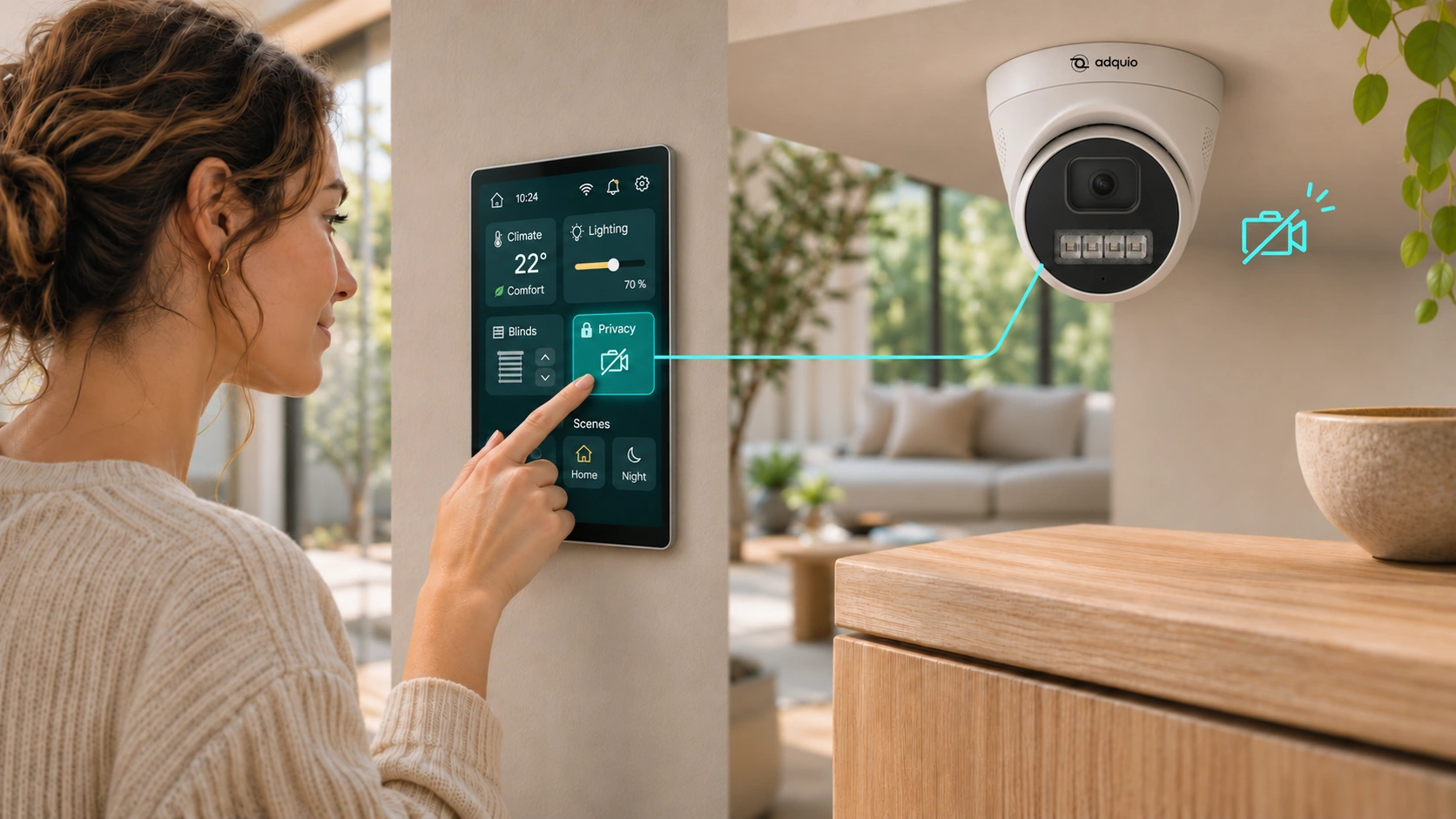
A privacy button on the screen
One simple application is to add a button called ‘Privacy’ to the home’s control screen.
When pressed, an Adquio scene writes the value 0 to the enable variable of each indoor camera. For example, a camera with the ID 16 is controlled using camera_16_enable.
VisionCore receives the command, disables the camera and stops capturing and recording its video. It also closes any open live streams and blocks requests for new photographs from that camera.
The button can act on all indoor cameras at once. Outdoor cameras can continue operating according to the configuration chosen for the home.
The screen should show the outcome of the operation. While confirmations are arriving, it can display ‘Applying privacy’. Once all selected cameras confirm that they have been disabled, it can show ‘Privacy enabled’. If any confirmation is missing, the screen should indicate this so the user knows the status of the installation.
To re-enable the cameras, another tap or a ‘Leave home’ scene writes the value 1 to those same variables.
This feature controls how cameras are used within VisionCore. Earlier recordings remain available to view.
Privacy as part of the home
That button is just one way to use the integration.
An arrival scene can switch on the entrance lighting, adjust the heating or cooling and disable the indoor cameras. A departure scene can switch off lights, reduce heating or cooling and re-enable the cameras.
More specific behaviour can also be defined. At night, cameras in private areas could remain disabled while those covering certain entrances stay active. A home with guests could have a scene that adjusts the cameras to suit the areas being occupied.
These rules should reflect clear decisions made by the people living in the home. The privacy status should be visible, and activating it should be easy to understand and use.
Separating the command from its confirmation helps achieve this. Adquio requests a state through enable, and VisionCore reports the applied state through enabled. Camera availability is reported separately through online.
enable
Requested command
Adquio requests that the camera be enabled or disabled.
enabled
Applied state
VisionCore confirms whether the camera is enabled.
online
Connectivity
Reports whether the camera is available.
This allows the screen to distinguish a camera that has been deliberately disabled from one that is enabled but has a connection problem.
The controller can now request a photograph
For the first time in VisionCore, the controller can directly request a photograph as part of its program.
The mechanism is simple. Adquio writes 1 to the relevant camera’s photo variable. VisionCore attempts to capture the image, saves it to the recording drive and resets the variable to 0.
A second variable, photo_status, reports whether the capture is in progress, has been saved or has failed.
This makes it possible to build a complete sequence within the controller. A condition triggers the photograph request, and the result allows the automation to continue.
A ‘Take photo’ button can also be added to a screen. Its action writes 1 to the capture variable of the selected camera. The screen can display progress and confirm that the image has been saved.
The photographs are available in VisionCore’s Photos section, where authorised users can view and download them.
An image linked to what happens
Combining this feature with sensors and installation states enables very practical applications.
A flood sensor can trigger a photograph of the affected area. A technical alarm can request an image of the plant room. Opening an external entrance can generate a capture from its camera.
In an industrial installation, a change in a machine’s state can be accompanied by a photograph of the process. For maintenance, an abnormal condition can leave a visual reference for later review.
Each application requires a camera positioned to observe the event and a definition of when it makes sense to request an image. The photograph thus becomes a piece of data linked to the operation of the installation.
Automation with a clear status
Privacy takes priority in these operations. A photograph request sent to a disabled camera returns an error and resets the command. The automation can report that outcome.
Camera IDs maintain a stable relationship with their variables, even if the displayed name changes. VisionCore synchronises these variables when cameras are added, renamed or removed, making the integration easier to maintain.
With these features, a screen can offer everyday controls such as ‘Privacy’, ‘Leave home’ or ‘Take photo’. The controller can use those same actions within its scenes and programs, and receive confirmation of what VisionCore has done.
Bring video, privacy and control together
Discover Adquio VisionCore and the control interfaces in the Adquio ecosystem.