You do not need a single way to view your building. You need the right tool for each person’s work.
A maintenance manager wants to know which device has gone offline. The operations team needs to adjust the lighting on a floor. Management wants a dashboard with the building’s key indicators. And someone responsible for a chain of sites needs a shared view of all their facilities.
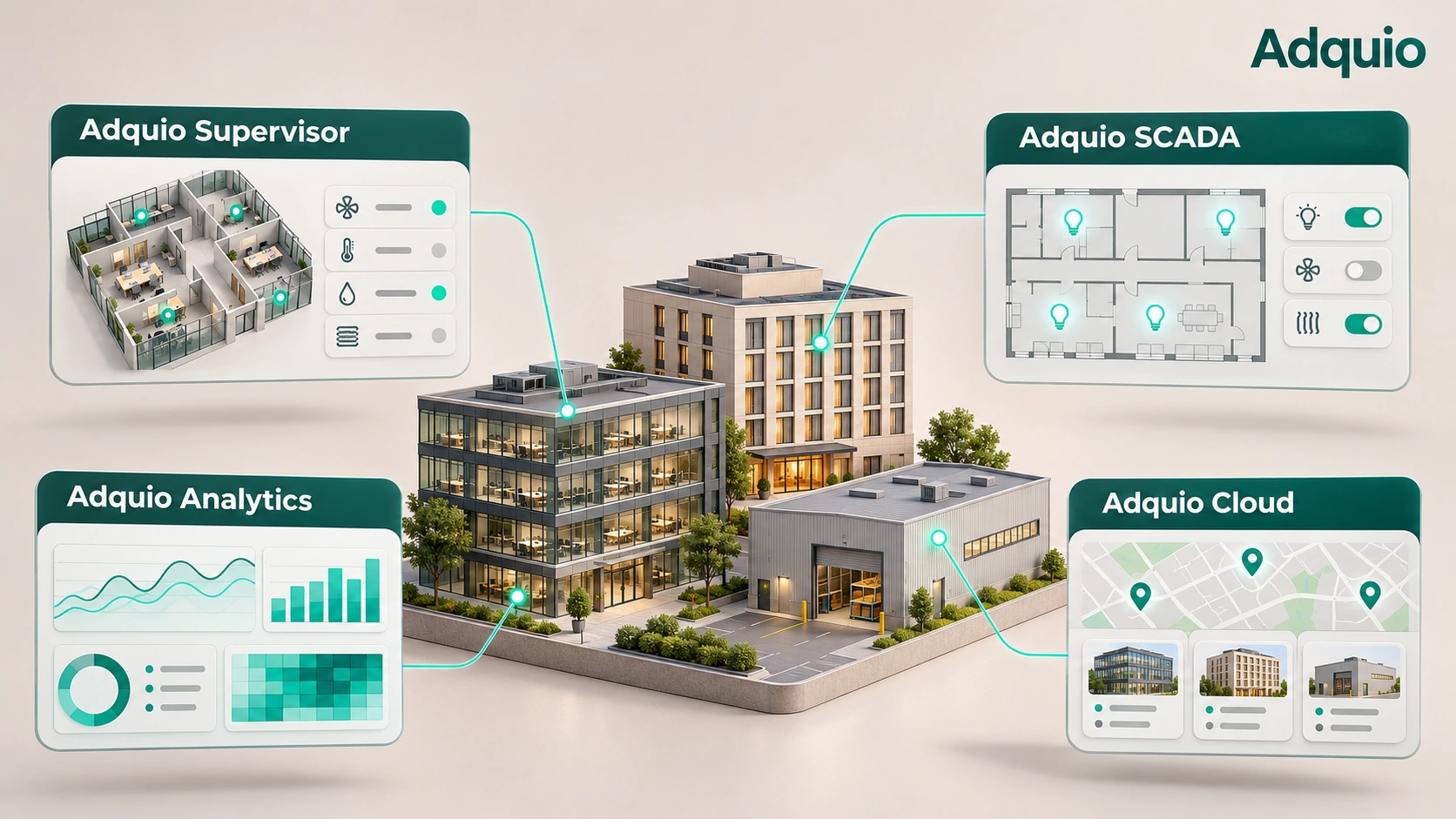
These needs are related, but each calls for a different experience. That is why Adquio Supervisor, Adquio Analytics, Adquio SCADA and Adquio Cloud BMS have distinct roles within the Adquio ecosystem.
The key is to understand what each solution contributes and how they can complement one another in the same project.
Adquio Supervisor: device status, with context
When you manage controllers, expansions, screens, cameras, locks and gateways, the first challenge is knowing what is installed, where it is and what needs attention. Adquio Supervisor provides a shared view of your technical ecosystem.
It organises equipment by location, building, floor and room. Its global and spatial views help connect an incident with the place where it occurs, rather than leaving you to search device lists without context.
Alongside status and alarms, you can access devices and use the operations offered by each integration. This can include controller access, remote screen interaction and file exchange, or the available camera and lock functions. Each action depends on the device, its integration and the user’s permissions.
Example. A screen stops responding. The technician locates it on its floor, checks its status and uses the available remote tools to investigate before travelling to the site.
Supervisor focuses on equipment and its context: locate, monitor and move from status to action.
Adquio Analytics: dashboards that explain your installation
Adquio Analytics specialises in custom dashboards. Its purpose is to present data in a useful way for each person: an energy manager, maintenance staff, the operations team or management.
It is developed in-house by Adquio. It brings charts, indicators, tables, heatmaps and other visualisations together in project-specific dashboards. You can explore historical data, compare variables and periods, and examine a trend at the level of detail you need.
DataSource collects and prepares historical measurements; Analytics presents them in dashboards. The editor lets you arrange panels, select available variables and adjust titles, sizes, thresholds and visualisations. Administrator and read-only access separate dashboard creation from day-to-day viewing.
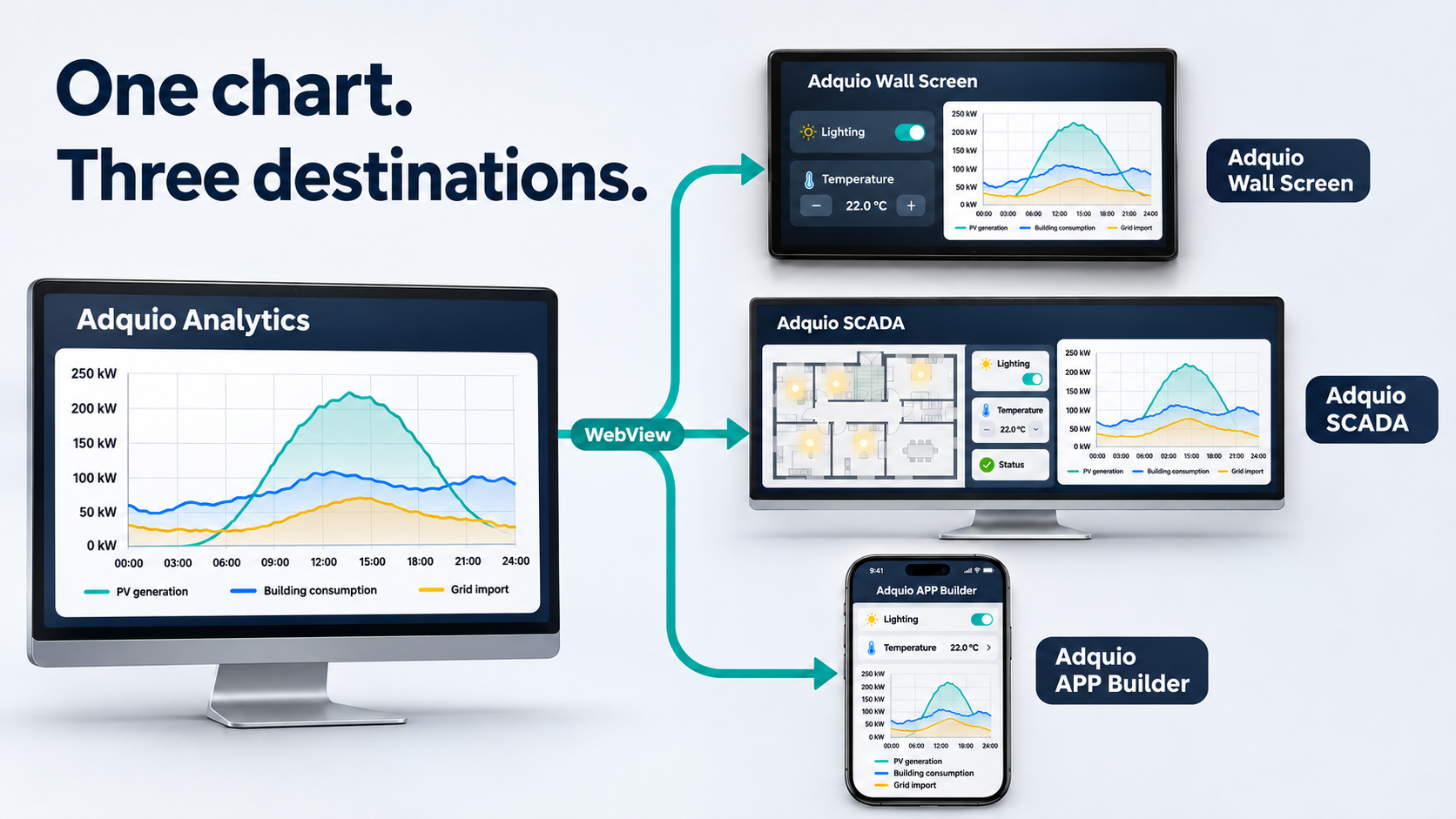
A dashboard can focus on energy, comfort, maintenance or any other area for which the installation provides data. You can also share an individual panel through a revocable link and embed it in a WebView-compatible interface, as shown in our example of integration with screens and SCADA.
Example. An energy manager brings demand, solar generation and export together in one dashboard. Maintenance uses another dashboard for temperature trends and equipment states, while management has a summary of the indicators it needs.
Analytics focuses on the dashboard: turning data into a clear, personalised view that supports decisions.
Adquio SCADA: view and control from the same interface
When you need to operate an installation through its floor plans, with controls designed for each area and function, Adquio SCADA provides a tailored visual control interface.
You can link controls and indicators to Adquio variables, display installation status and take action from a browser. The interface can combine plans, windows, controls and trend charts, as well as scene or group control and individual control of integrated elements.
The difference from Analytics is the interface’s main purpose. In SCADA, plans and controls organise day-to-day operation. In Analytics, dashboards organise how you view and analyse data. You can place an Analytics panel alongside SCADA controls whenever both perspectives are useful.
SCADA Server
A local platform for viewing and controlling the installation from a browser.
SCADA Cloud
The SCADA experience hosted on Adquio’s servers as a cloud service.
Example. An operator opens a car park plan, checks the lighting in each zone and adjusts a group of luminaires. A trend beside the controls helps them review how the installation has been behaving.
SCADA focuses on visual operation: see the status and take action through a custom interface.
Adquio Cloud BMS: multiple installations, centralised management
An organisation with several buildings, premises or sites needs more than access to a single location. Adquio Cloud BMS specialises in managing multiple installations from a centralised platform.
It brings information and operation from different systems and installations into a shared environment. The platform combines remote control, real-time data visualisation, historical data, reports and management functions tailored to the organisation and each user’s permissions.
Its main strength is the overall perspective: managing multiple locations while retaining the ability to examine an individual installation. This is particularly useful for organisations that need a common way to operate sites with different characteristics.
Adquio Cloud BMS also supports advanced formulas for scientific and thermodynamic calculations, as well as comparisons between installations. For example, energy consumption per square metre lets you compare sites of different sizes when consumption and floor-area data are available for a consistent period.
Adquio Cloud BMS and SCADA Cloud are different products. SCADA Cloud is the cloud-hosted SCADA visualisation and control solution. Adquio Cloud BMS is the centralised installation-management platform, with a BMS approach and support for managing multiple facilities across the organisation.
Example. A business manages offices and premises in several cities. Adquio Cloud BMS brings its installations together so the team can consult information and alerts and access the remote controls it needs for each site.
Adquio Cloud BMS focuses on the portfolio of installations: centralising their information, control and management.
The differences at a glance
The table summarises each solution’s main focus. Some functions overlap: having charts, status information or remote control does not mean two products serve the same purpose.
| Solution | Speciality | Question it helps answer | Where it stands out |
|---|---|---|---|
| Adquio Supervisor | Equipment and incident monitoring | Which device needs attention, and where is it? | Technical operations and maintenance |
| Adquio Analytics | Custom dashboards | What is happening with my indicators, and how are they changing? | Data visualisation, tracking and analysis |
| Adquio SCADA | Visualisation and control through plans | What is happening in this area, and how can I act? | Operating the installation through custom interfaces |
| Adquio Cloud BMS | Managing multiple installations | How can I manage all my sites together? | Centralised building and installation operations |
On mobile, swipe the table horizontally to view all columns.
These specialities complement one another. The right combination depends on what each person needs to see and do.
How to combine them in a project
There is no mandatory sequence, and not every project needs all four solutions. Start with the main requirement and add other perspectives where they bring value.
Building operations and maintenance
SCADA gives operators the installation’s plans and controls. Supervisor helps maintenance teams locate equipment and incidents. Analytics brings indicators and trends together in dedicated dashboards.
An organisation with multiple sites
Adquio Cloud BMS centralises installation management. Analytics dashboards and the operation and monitoring tools are selected according to each team’s needs and the project architecture.
The same incident may benefit from several perspectives. Supervisor helps locate it on a specific device; SCADA lets you consult and act on available controls; Analytics shows how indicators have evolved; and Adquio Cloud BMS provides the organisational perspective when multiple sites are involved.
The architecture, shared data and available operations depend on each project’s integrations. The examples above are illustrative scenarios.
Start with what your team needs
Do you need to locate equipment and incidents, design dashboards, operate through floor plans or manage multiple installations? Tell us how your team works, and we will help you choose the right combination.