
Gateways and integration
Adquio MatterLink
Integrate compatible Matter devices and share selected Adquio functions with other ecosystems. Configure communication and permissions for each project.
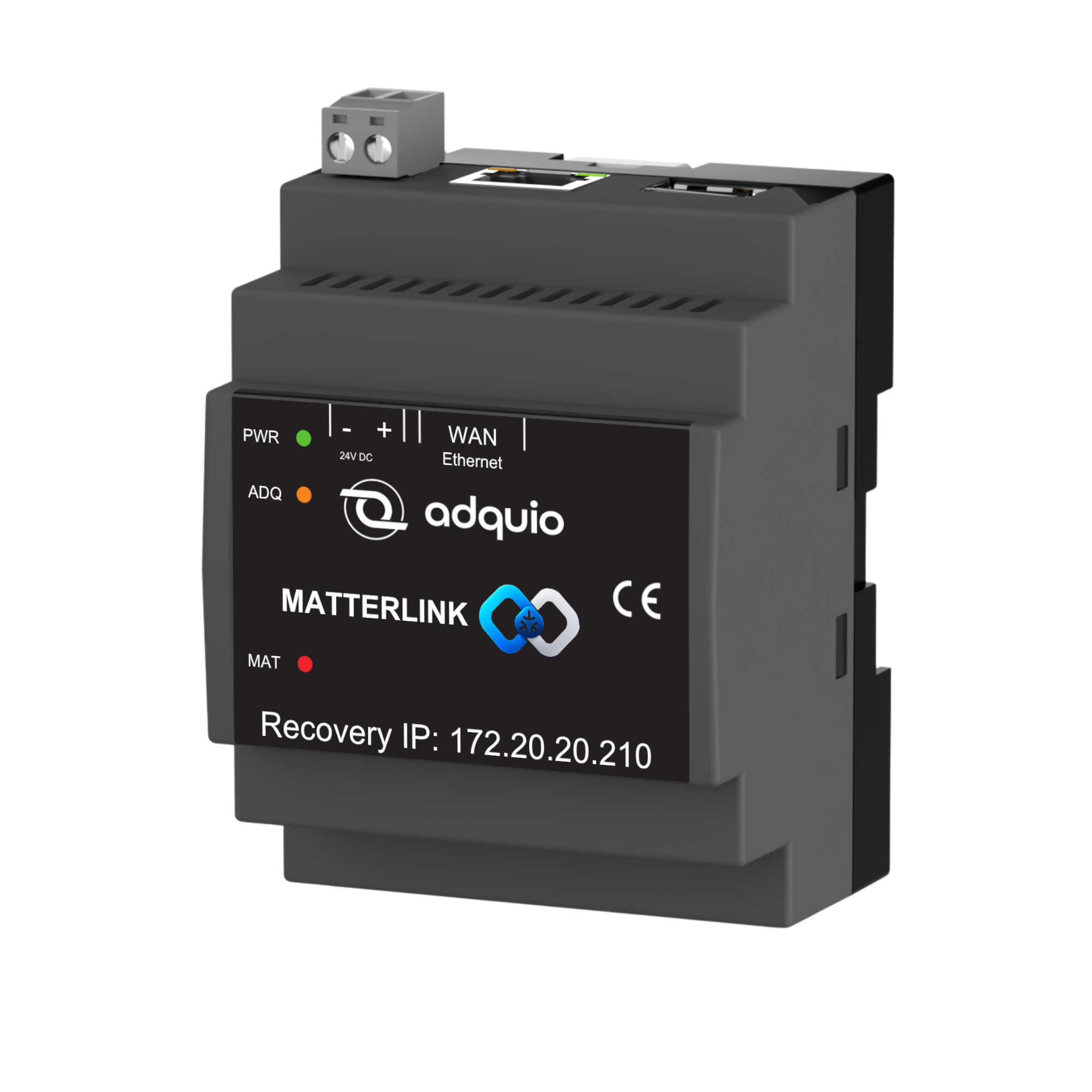
Two directions, one connected installation
Matter → Adquio
Add compatible Matter devices and bring their states, measurements and control functions into Adquio variables.
Adquio → Matter
Select variables from equipment already integrated into Adquio and expose their functions through the MatterLink bridge.
Keep what already works
Add a Matter interface to functions in your existing installation without changing the original equipment’s firmware.
Explore the interface
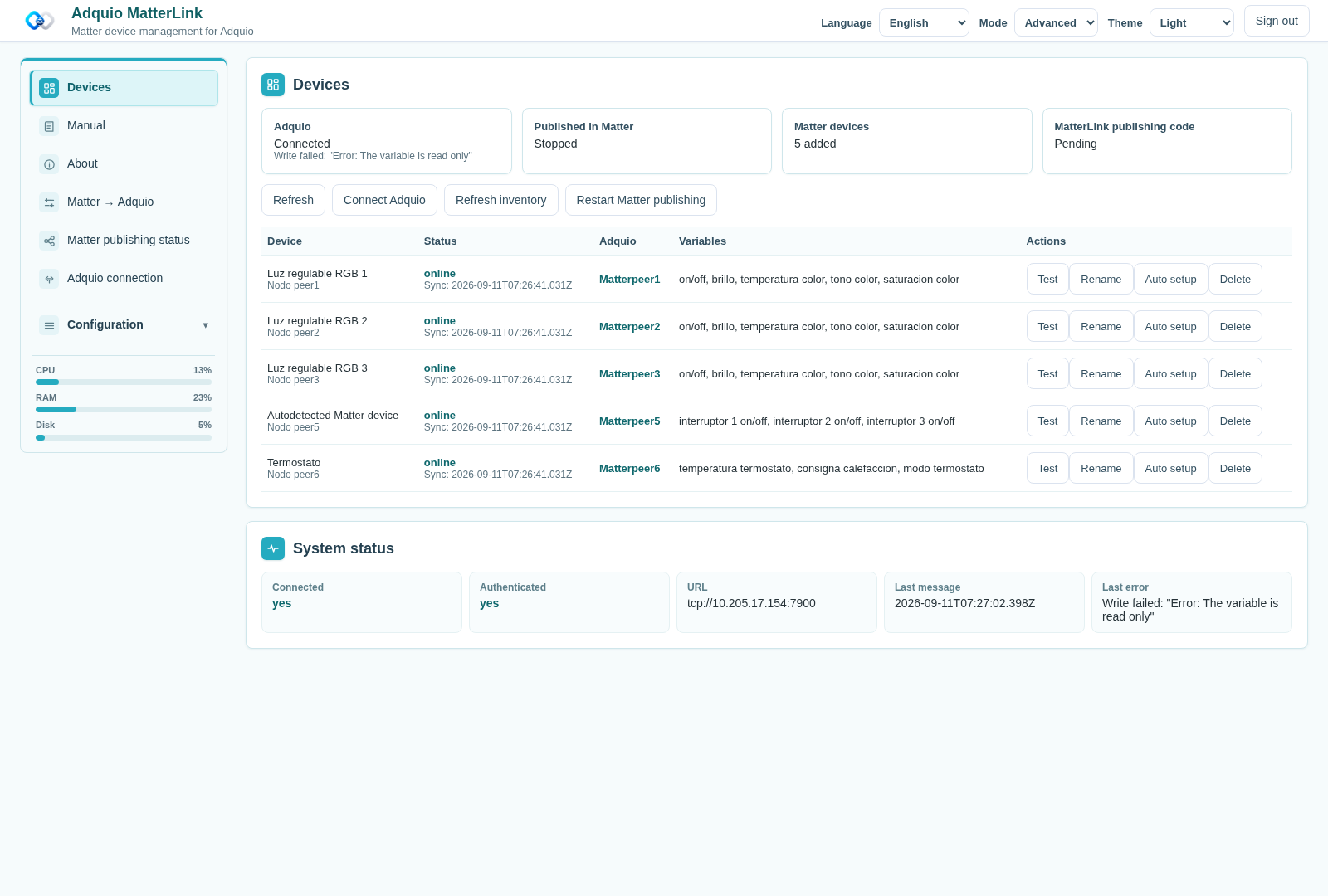
Add devices from your phone
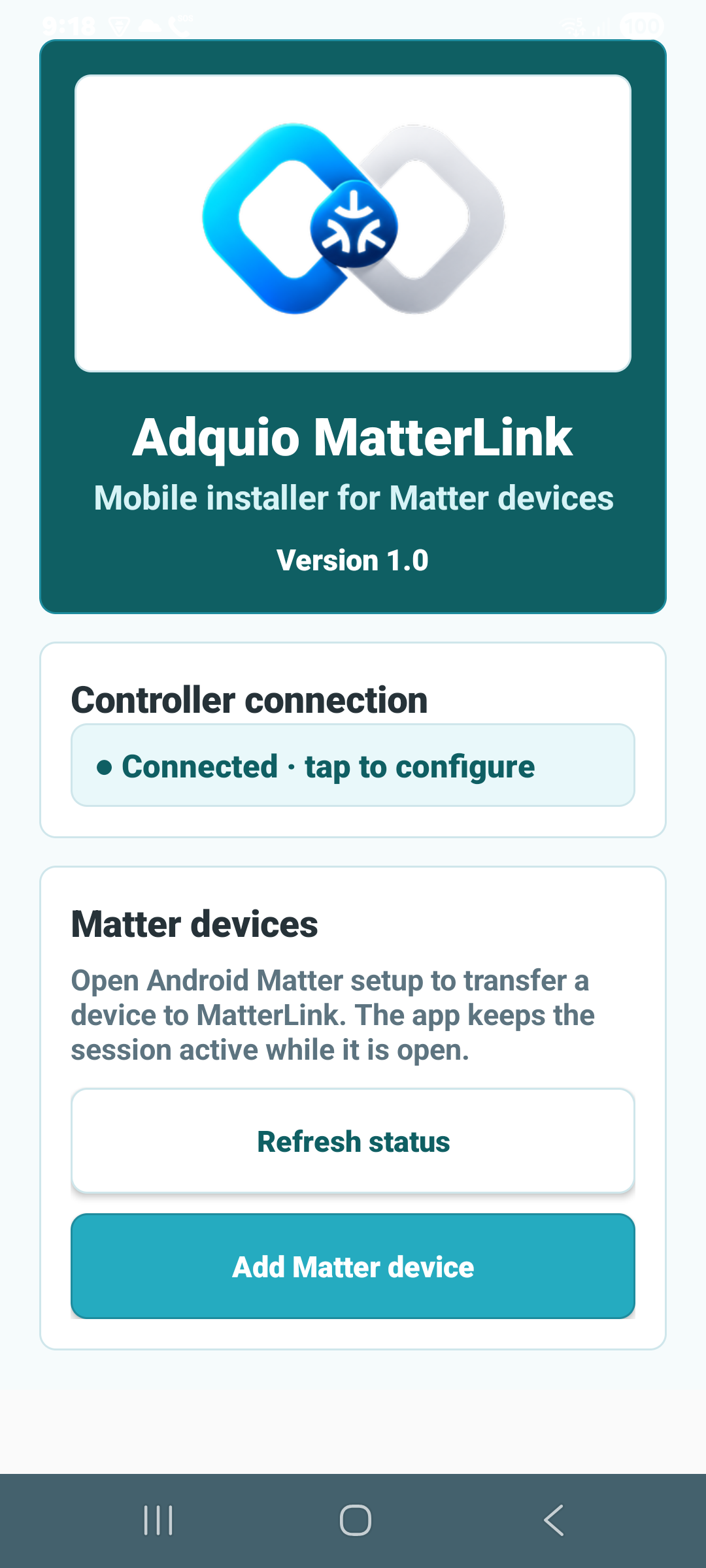
The MatterLink app for Android and iOS guides controller discovery, connection and the launch of the phone’s Matter setup assistant. The web interface then lets you review added devices and their relationship with Adquio.
01 · Connect to MatterLink
Find the gateway from the app, check its address and sign in with your credentials.
02 · Follow the Matter assistant
Start commissioning from your phone and follow the instructions for your compatible device.
03 · Review the variables
MatterLink analyses capabilities and prepares compatible variables. Review names, units and permissions before using them.
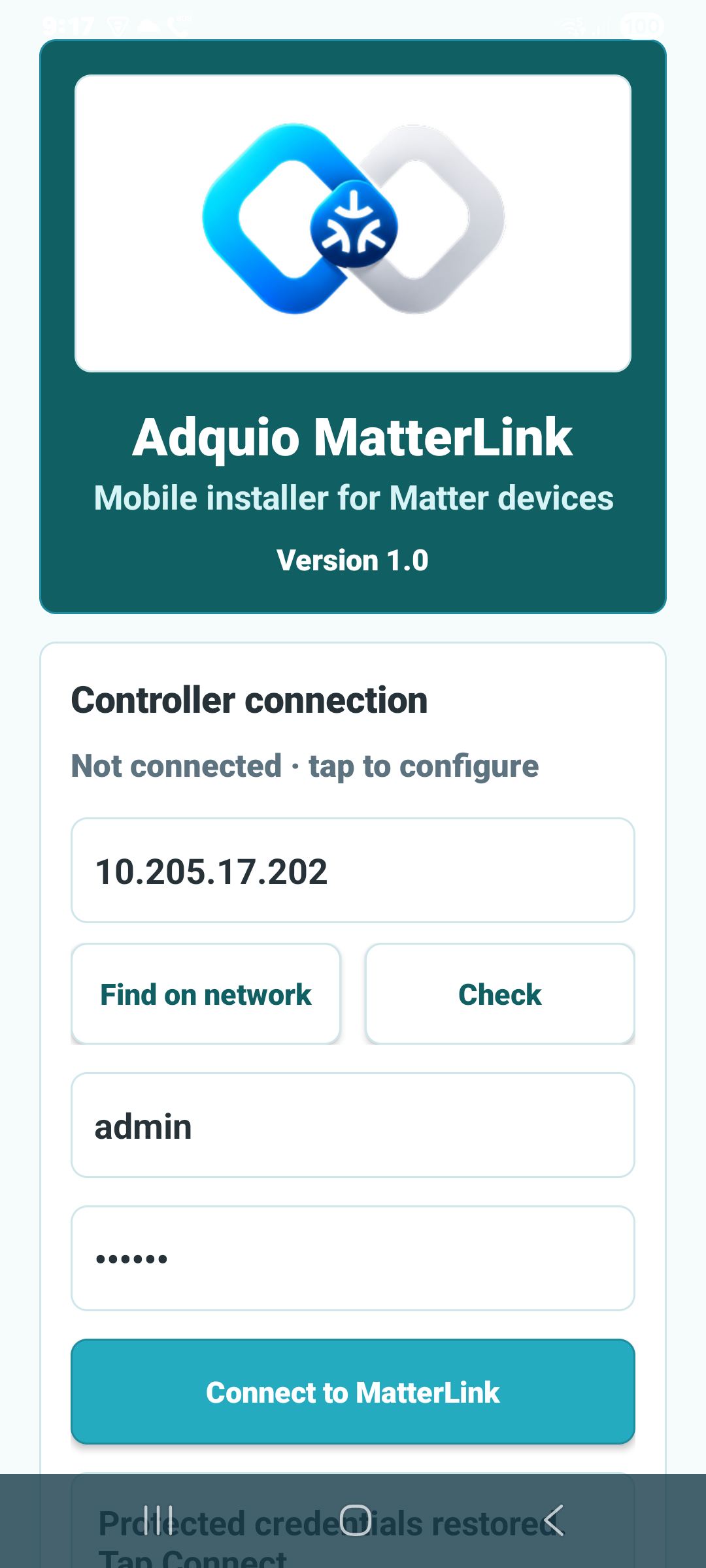
Less repetitive setup, greater clarity

Capability analysis helps create variables with appropriate names, types, units and permissions. You can also review manual configuration and adjust the code, name, prefix and instance.
If a device has already joined MatterLink but its Adquio setup is incomplete, Auto setup lets you retry that step without commissioning the physical device again.
Work with each device’s capabilities
Lighting
On/off, dimming, colour and colour temperature when exposed by the device.
Climate control
Read states and operate modes and setpoints on compatible thermostats.
Sensors
Temperature, humidity, occupancy and boolean states to enrich automation.
Electrical measurements
Power, voltage, current and energy, depending on the device’s available capabilities.
Multiple endpoints
Distinguish functions within a single node, such as multiple switches in one device.
Reading and writing
Send readings to Adquio and forward supported writes to the corresponding Matter device.
Available functions depend on what each device exposes through Matter. Compatibility is assessed by model and capability.
An installation you can monitor and maintain
Unified inventory
Review nodes, connectivity, links to Adquio, variables and actions from Devices.
Users and auditing
Manage administrative access and review sign-in events and account changes.
Backup and recovery
Save and restore configuration, mappings, users and Matter state.
Network and diagnostics
Configure Ethernet or Wi-Fi and inspect resources, values, permissions and diagnostic information.
Adaptable interface
Basic and advanced modes, light and dark themes and an interface adapted to smaller screens.
Thirteen languages
The web interface and apps support thirteen languages. The integrated manual guides configuration and everyday use.

Adquio MatterLink
Connect Matter with Adquio, in both directions.
Adquio MatterLink connects compatible Matter devices to Adquio variables and publishes selected installation functions to compatible Matter ecosystems. Commissioning starts in the mobile app; the web interface lets you configure and monitor the integration.
Product brochure
Adquio MatterLink
Explore its benefits, applications and integration possibilities.
PDF · English · 2 pages · 1.4 MB
What to check before integrating Matter
Your choice depends on the functions you want to exchange and the devices involved in each direction.
01
Which device you will add
Check the Matter capabilities exposed by the model: lighting, thermostats, sensors or electrical measurements. Compatibility is reviewed per device and function.
02
Which functions you will publish
The bridge represents selected Adquio variables using implemented types: on/off, temperature, humidity and occupancy. Check support in the receiving ecosystem as well.
03
How it fits the project
You need an accessible Adquio controller, a suitable network and the mobile app for commissioning. Integrated variables can then participate in the installation control and monitoring.
The gateway connecting Adquio and Matter
MatterLink brings integration into your installation: add compatible Matter devices to Adquio and publish selected functions to Matter ecosystems. Configure and review connections, variables and published functions through its web interface.
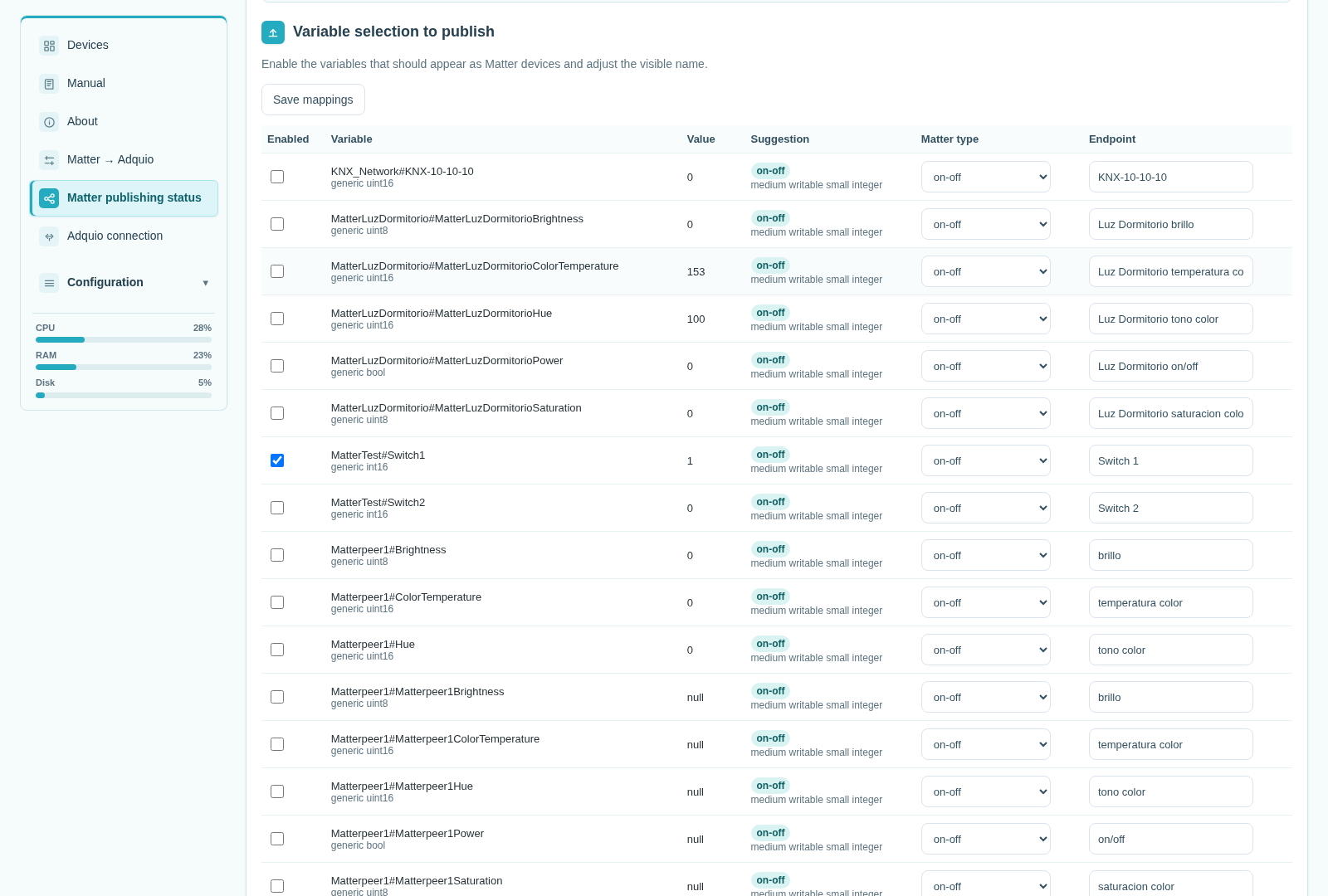
Bring Adquio functions into your Matter ecosystem
Choose the variables to publish and the names users will see. MatterLink represents these functions through its bridge, which pairs with a Matter controller using a QR code or manual code.
Implemented publishing types include on/off, temperature, humidity and occupancy. Availability in Apple Home, Google Home or Home Assistant depends on each ecosystem’s support for the published types.
Publishing is selective: you decide which installation functions are presented to the external ecosystem.
Visibility for Adquio Supervisor
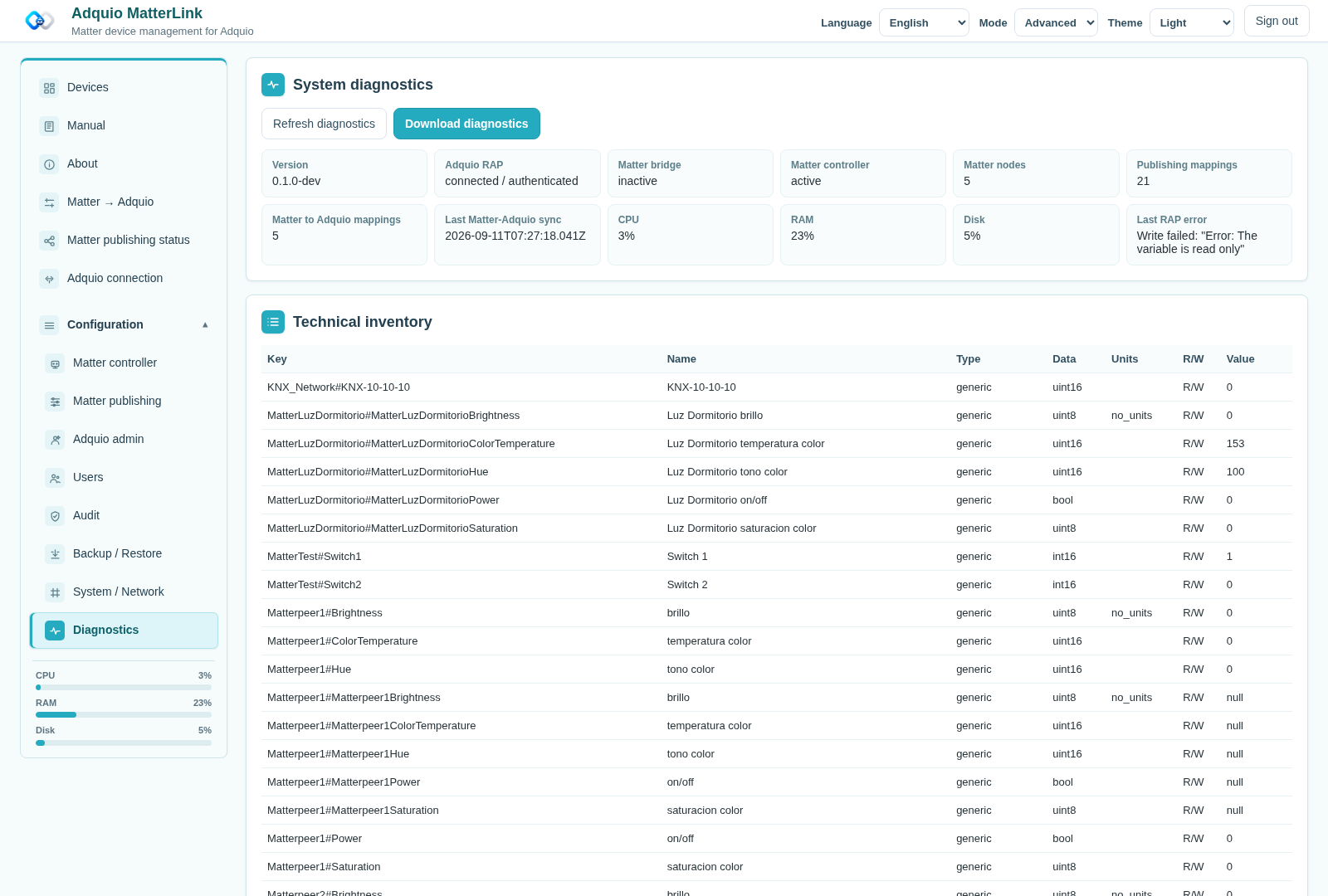
MatterLink provides service identification and an authenticated inventory and status API. Stable identities, mappings and events allow gateway information to be integrated into installation monitoring.
Check connectivity and values to distinguish Matter status, the Adquio connection and bridge publishing.
Where can you use MatterLink?
Existing buildings
Publish functions from relays and sensors already integrated into Adquio to compatible Matter ecosystems.
Homes and offices
Add Matter devices to the same control and monitoring logic as the rest of your installation.
Phased projects
Add equipment and publish functions by area, according to the needs of each stage.
Connect your next project with MatterLink
Tell us which devices you want to add and which installation functions you want to publish. We will help you plan the integration with Adquio.
Frequently asked questions
Does MatterLink integrate devices in both directions?
Yes. It can bring Matter devices into Adquio and represent selected Adquio variables through its Matter bridge. Each direction uses the corresponding supported functions.
Are devices added from the browser?
Device commissioning starts from the Android or iOS mobile app and the phone’s Matter assistant. The web interface lets you review, configure and operate devices that have already been added.
Can I publish any variable as any Matter type?
Publishing uses the implemented bridge types. Choose a representation compatible with both the variable and the receiving ecosystem.
Do I need to change my existing equipment’s firmware?
Representing functions from equipment already integrated into Adquio through MatterLink does not require changing the original equipment’s firmware.
How many devices does it support?
The available documentation does not specify a validated maximum. Sizing and compatibility are assessed for each project.
What do I need to get started?
A MatterLink gateway, a reachable Adquio controller, a suitable network and compatible devices. Commissioning uses the mobile app and requires the connectivity conditions of the device and Matter ecosystem involved.

Connect your project with the Adquio ecosystem.
Plan your integration with our engineering team and find the right solution for your installation.
