
Monitoring and analytics
Adquio SCADA Server
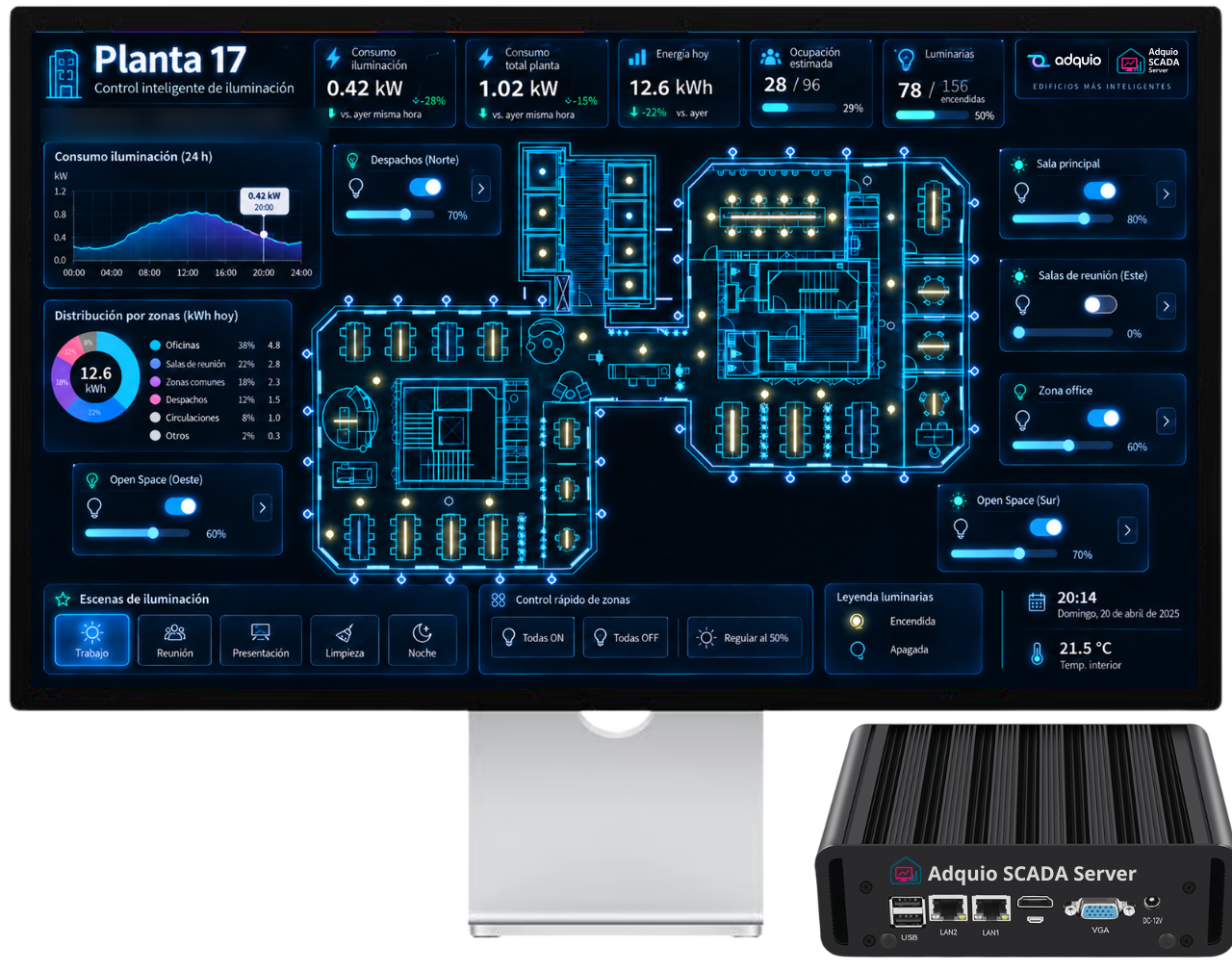
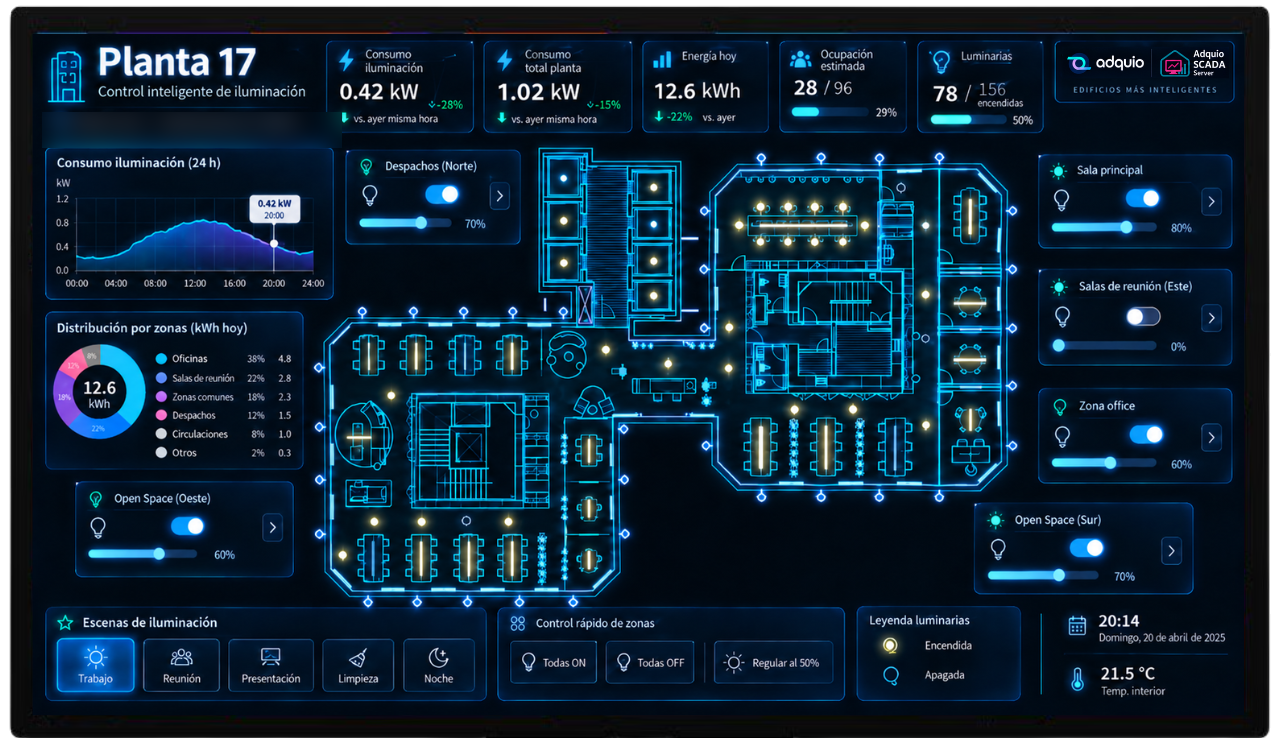
Create supervision and control interfaces that run within the installation. Combine floor plans, states, controls and trends with your equipment’s variables.
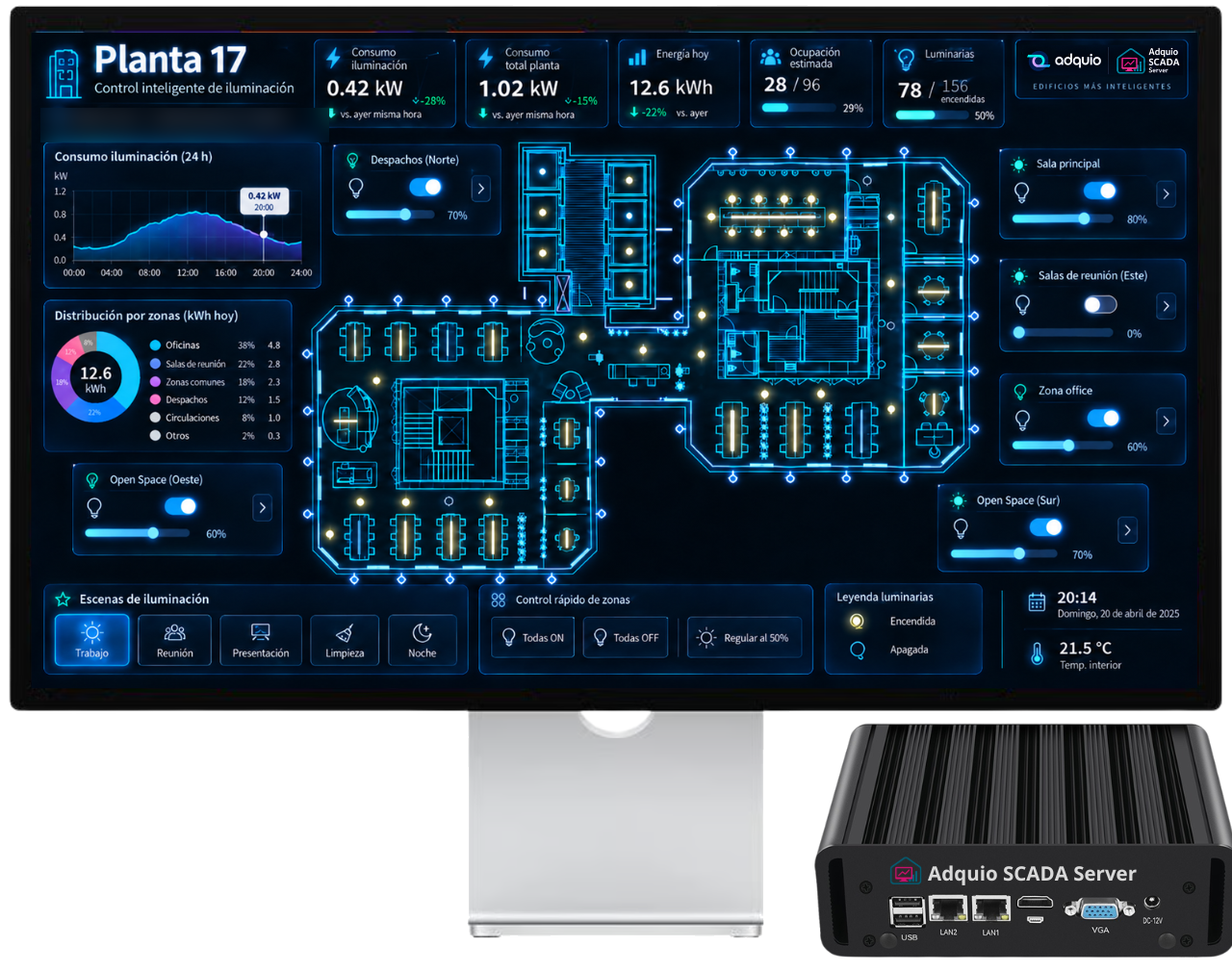
From controller data to building operation
A local interface for viewing the installation status and taking action in the same place.
01
Connect the variables
Adquio controllers bring together data from integrated equipment. Link these variables to the controls, indicators and elements on your SCADA screens.
02
Design the operator view
Organise floor plans, windows and controls by installation zone. Combine lighting control by group or scene with individual luminaire control.
03
Review changes over time
Display trends alongside the controls. Shared Adquio Analytics panels can also be embedded through a WebView, as shown in this integration example.
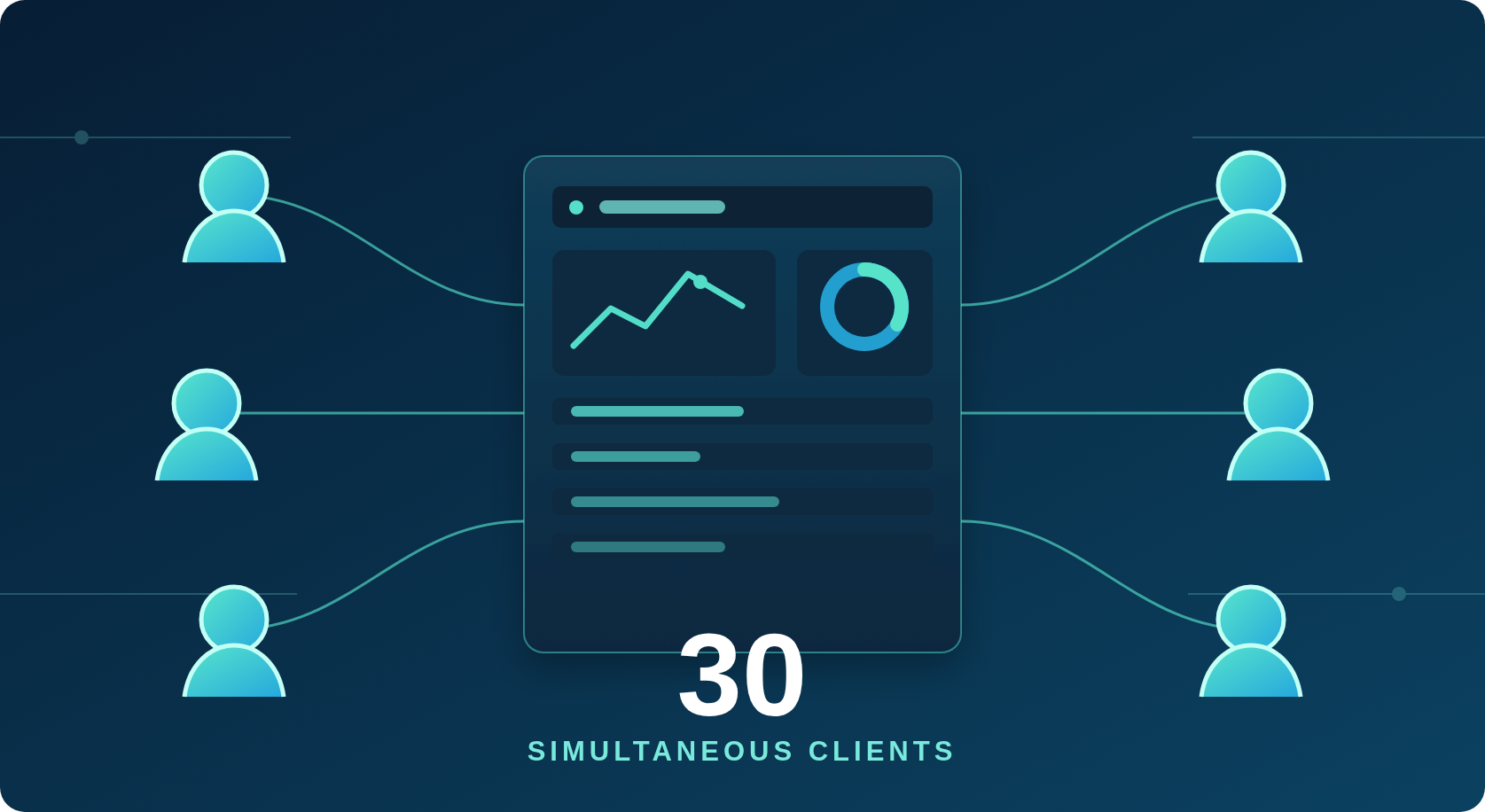
Up to 30 concurrent users
Do you have several users that are going to control different aspects of your installation? With Adquio SCADA Server you can do it without problems, you have up to 30 users who can work at the same time on one or several SCADAs, without any restriction. In addition, they will not need anything special to do so, just a web browser.
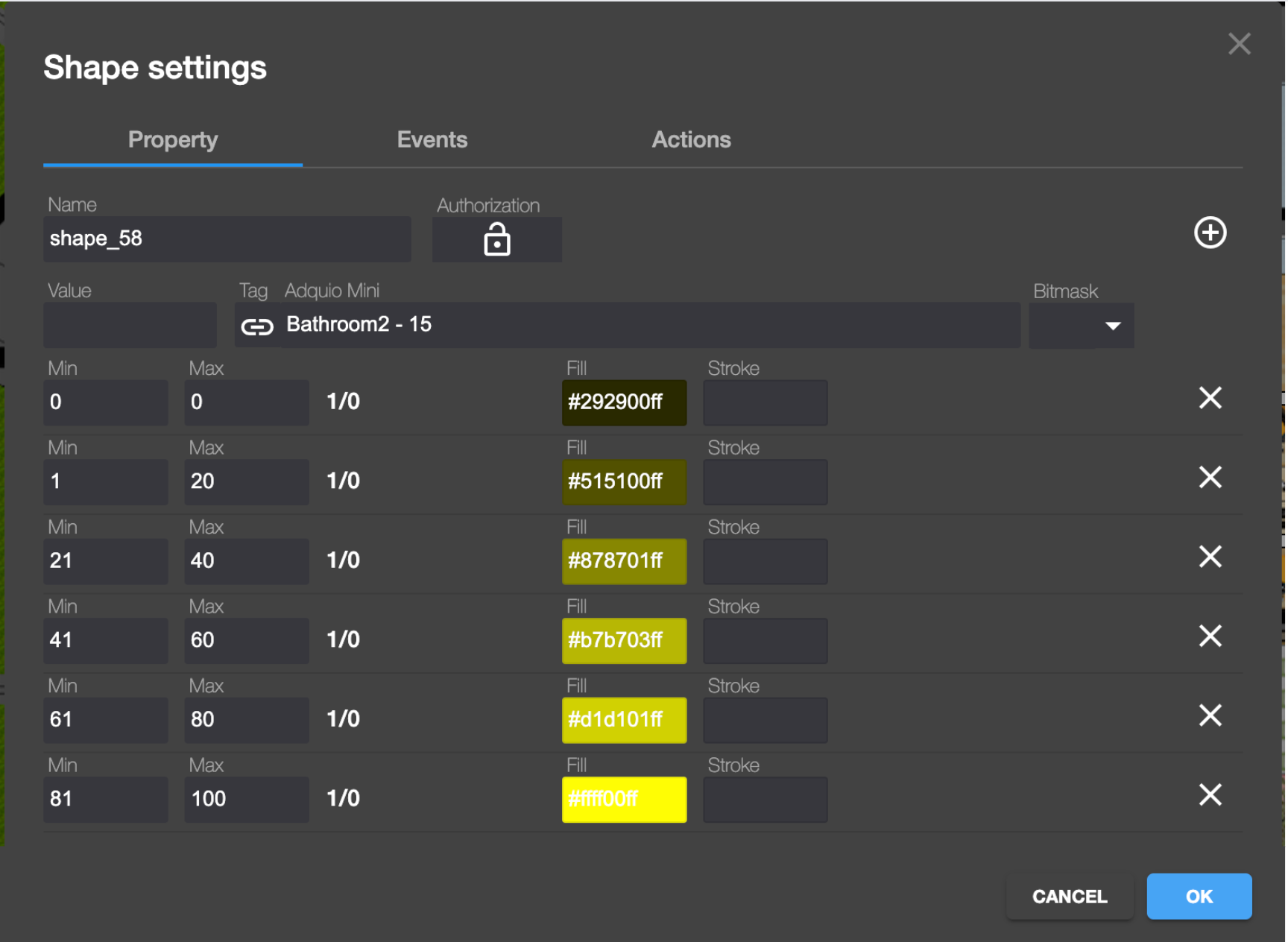
Connect your controls to your variables and enjoy hundreds of possibilities
Adquio SCADA Server allows you to perform an infinite number of actions based on the values of your variables, we will provide two simple examples.
- Show on your plan the dimming level of a luminaire. Adquio SCADA Server allows you to assign different colors to your controls according to different ranges in the values of your variables, so you can show the exact dimming level of your luminaires on the map.
- You can move the controls according to the content of a variable, allowing your imagination to run wild.
All the controls you need to make your designs
When you are designing what you need are powerful tools that allow you to realize your ideas. With Adquio SCADA Server you have all the tools you need to develop your creativity. Objects, shapes, backgrounds, controls, alignments, grid, etc. You can draw, you can upload your images and you have available as many pop-up windows as you need.
Adquio SCADA Server is not only a SCADA, it also allows you to place trend graphs on your plans, so you can show historical consumption, temperatures, luminosity, etc.

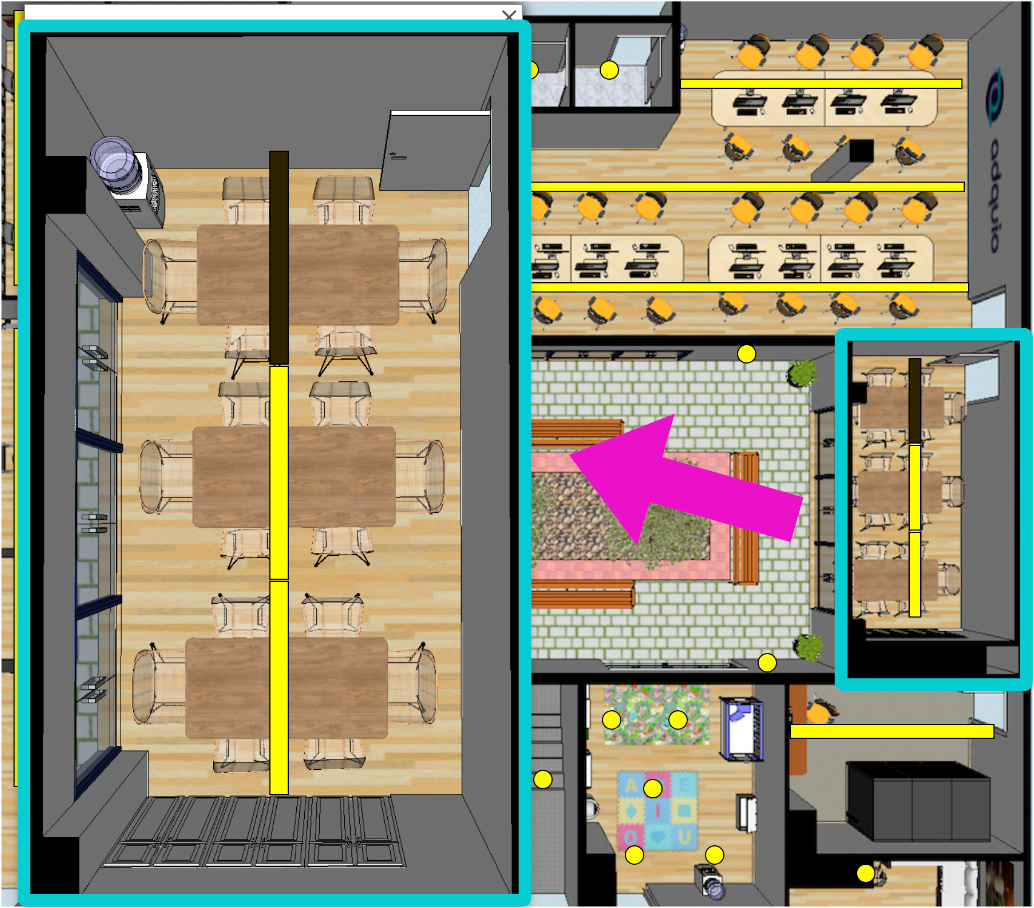
Simultaneous control at scene/group and individual level
The most common in lighting installations is to control the luminaires by means of groups or scenes, and if in some cases you need to reach the level of individual control, you can do it, since Adquio SCADA Server allows you to control your installation at a general level, but also in detail.
You click on a room, it expands and you can now control its luminaires independently.
Do you want to see a short video presentation?
In this short video we show you very quickly how our new Adquio SCADA Server works. Don’t miss it, we hope you like it.
Adquio SCADA Server: Complete control and visualization of your facility
Adquio SCADA Server is a local web-based SCADA platform for monitoring and controlling installations from a browser. Create interfaces on your floor plans, connect controls to Adquio variables and combine real-time data with trend charts. It supports up to 30 concurrent users with no monthly fees; annual maintenance is optional.
Adquio SCADA Server is a product, no monthly fees.
Adquio SCADA Server is a product that you buy and enjoy, you don’t have to worry about recurring payments.
An annual maintenance service is available only if you wish, which entitles you to new versions and support outside the warranty period.
Supervisor, Analytics, SCADA or Adquio Cloud BMS: what do you need?
Each solution has its own speciality. Combine them to give each person the information and tools they need.
Adquio Supervisor
Equipment and incidents
Locate devices, check their status and access the available operations according to the integration and your permissions.
Adquio Analytics
Custom dashboards
Bring charts, indicators and historical data together in dashboards tailored to each project and user profile. Developed in-house by Adquio.
Adquio SCADA
Visualisation and control
Operate the installation through plans, controls and custom interfaces. Available as Server and Cloud.
Adquio Cloud BMS
Managing multiple installations
Centralise information and operation across multiple buildings or sites from a shared platform.
Adquio Cloud BMS and SCADA Cloud are different products: the former specialises in managing multiple installations; the latter is the cloud-hosted version of SCADA.
Prepare your project
Review the available documentation and work with the Adquio team to size and integrate your installation.
Related articles
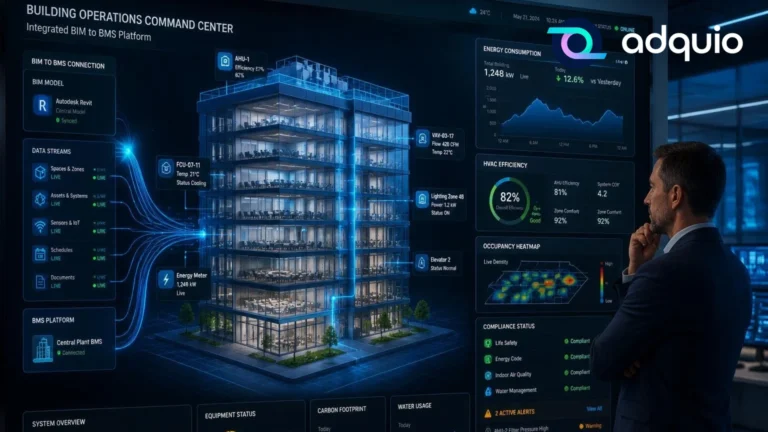
What is SCADA and how is it used in buildings? Discover how to see and control everything happening in your building
A simple guide to understanding how SCADA lets you visualise and control lighting, HVAC, energy and other installations from a single screen.
Read article ↗
The 5 Myths We Still Believe About Smart Buildings
Smart buildings have evolved tremendously in recent years. Today, they are capable of generating more data, integrating more systems, and providing more information…
Read article ↗
The market is changing: the opportunity is no longer in hardware alone
For years, selling hardware has been an essential part of the business for smart lighting installers and integrators. But the market is entering…
Read article ↗Connect your project with the Adquio ecosystem.
Plan your integration with our engineering team and find the right solution for your installation.
