Imagine having a digital counterpart of your building on your computer. One where you can explore its floors, locate its systems, check temperatures and consumption, and find out whether equipment is failing.
Now imagine something even more interesting.
That counterpart is not simply a drawing.
It changes when conditions in the real building change.
If a machine stops working, you can see it.
If a room’s temperature rises, the information updates.
If equipment consumes more energy than usual, you can examine its behaviour.
And if you need to locate a fault, you can find the corresponding device within the digital representation.
This is what a building digital twin makes possible.
Although the name may sound futuristic, its principle is very simple:
Create a digital representation connected to the real building to better understand how it works.
“A floor plan shows you where things are. A digital twin helps you understand what is happening to them.”
First, what exactly is a digital twin?
A digital twin is a virtual representation of a building, installation or physical system that exchanges information with its real-world counterpart.
In other words:
It is a digital counterpart that knows the state of what it represents.
Consider an office building.
It has several floors, meeting rooms, HVAC equipment, lighting, electricity meters, sensors and other technical systems.
We can create a digital representation of that building and link its spaces and equipment to real information.
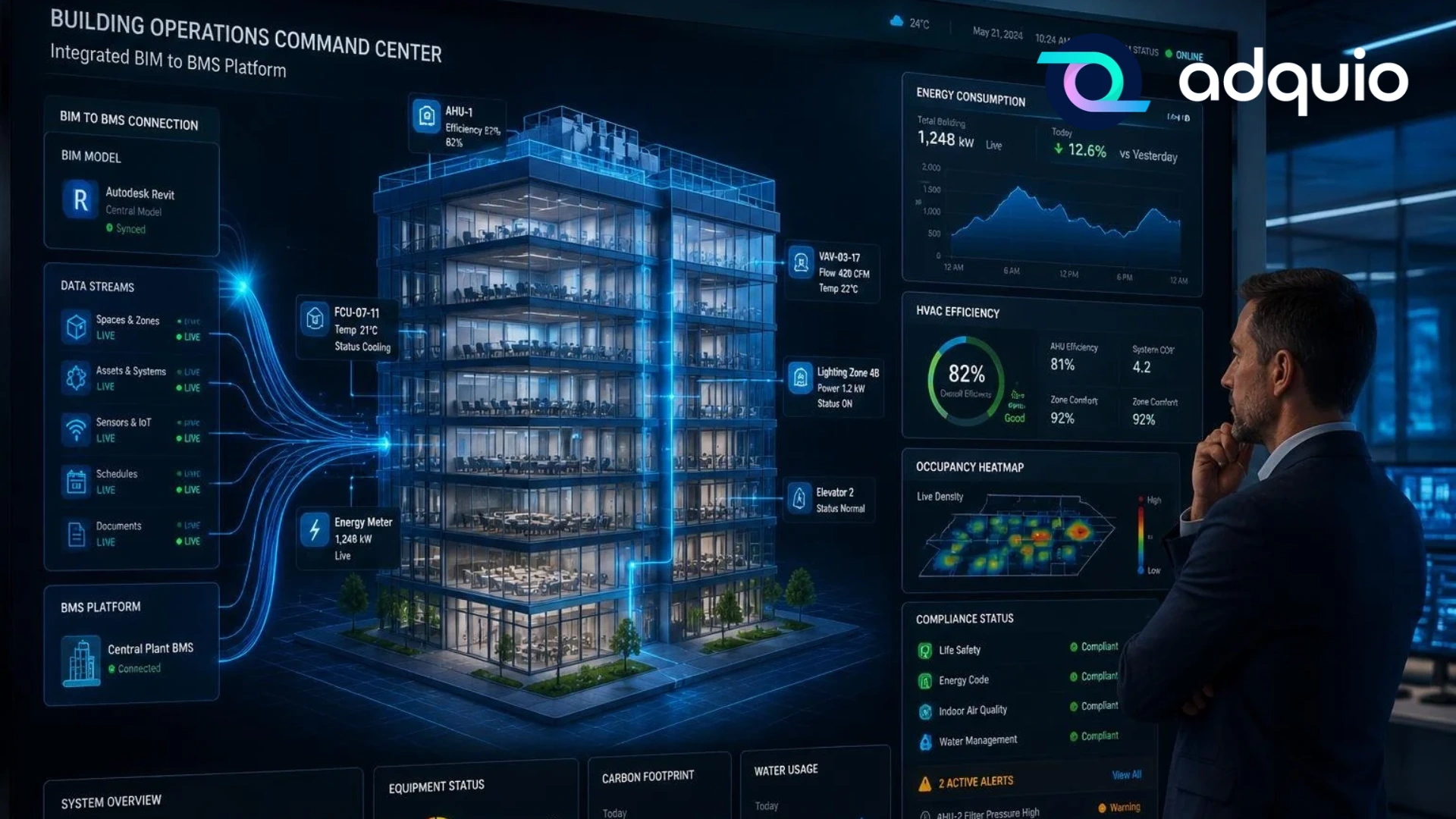
Selecting a room could show its temperature.
Selecting an HVAC unit could reveal its operating state.
Selecting a floor could display its consumption or incidents.
The information comes from devices and systems connected to the building.
What matters is that the digital model is updated at a frequency appropriate to its purpose.
The physical building and its digital representation are no longer two independent worlds.
A simple example: a five-storey building
Imagine you are responsible for maintaining an office building.
It has five floors, several HVAC units, hundreds of luminaires and many sensors.
One Monday morning, someone reports that an area on the third floor is too hot.
Without a centralised system, you may need to consult several applications or visit the installation to begin diagnosing the issue.
Now imagine having a digital twin.
You open your browser and a representation of the building appears.
You select the third floor.
You can see the different rooms, their associated equipment and temperatures.
One area is registering 28 °C against a setpoint of 22 °C.
You select the corresponding HVAC unit and see that it has an alarm.
Now you know where to start investigating.
Perhaps some checks can be carried out remotely.
Or perhaps a technician needs to be sent.
But you already have valuable information before travelling.
You did not have to walk through the building to discover where the problem was.
This is one of the most practical advantages of a digital twin.
Is a digital twin simply a building in 3D?
No. This is probably the most common misconception.
A three-dimensional model can represent a building’s architecture perfectly.
We can view it from different perspectives, explore its floors and identify rooms.
But if that model receives no information from the real building, it remains a static representation.
It can be very useful for architecture, design or documentation.
However, it does not by itself provide the dynamic capabilities of a digital twin.
The difference can be summarised like this:
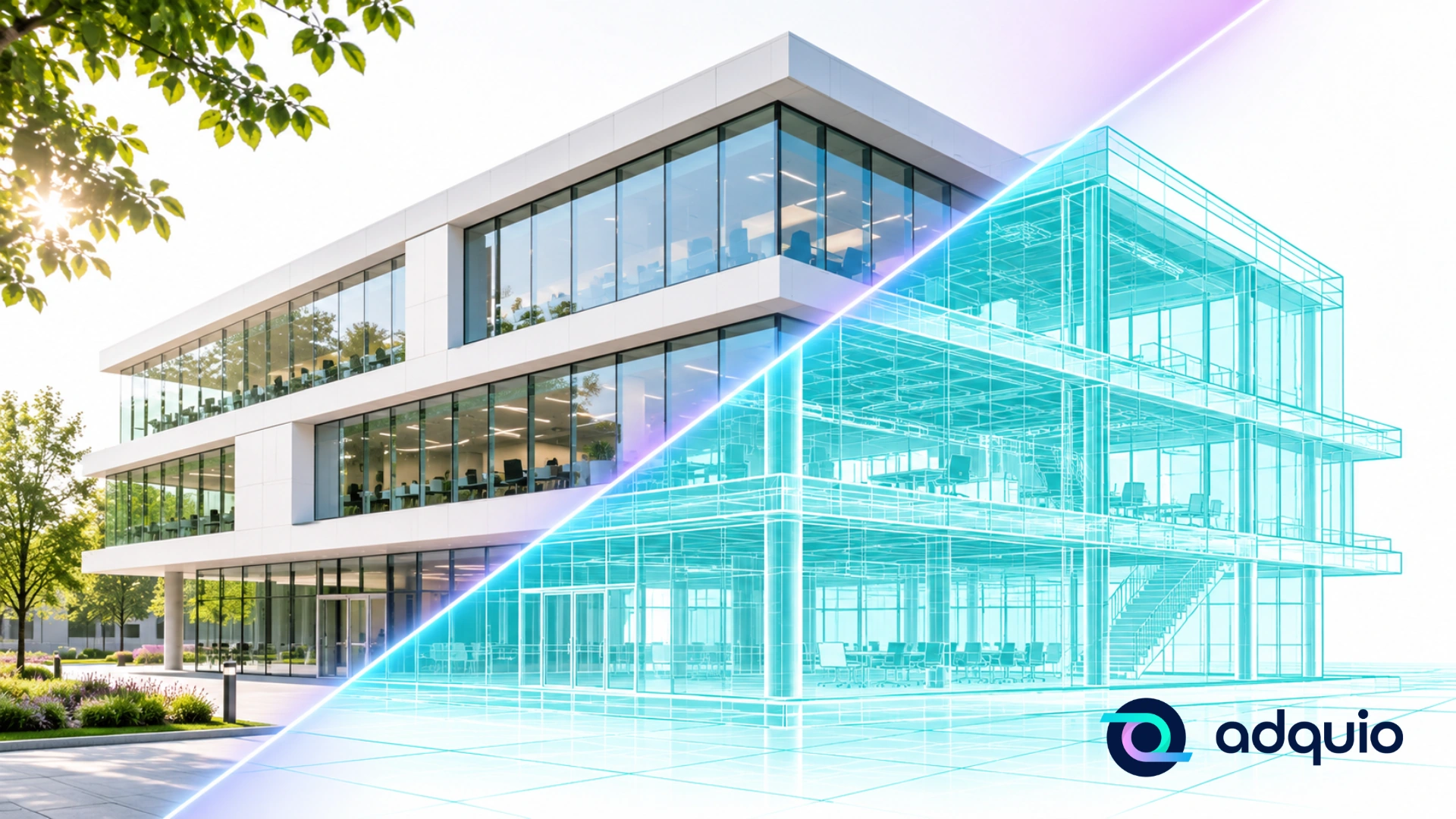
A 3D model shows you what the building looks like.
A digital twin can show you how it is operating.
There is another important point: a digital twin does not always need a three-dimensional representation.
It can use floor plans, diagrams, equipment maps or different interfaces.
What truly matters is the connection between the physical system and its digital representation.
What is the difference between BIM and a digital twin?
BIM stands for Building Information Modeling.
It is a methodology for organising information about a building’s elements during design, construction and management.
A BIM model can contain highly detailed information.
For example, equipment locations, dimensions, materials, technical characteristics and relationships with other elements.
This is extremely useful for architects, engineers and construction companies.
But a BIM model does not necessarily know what is happening in the building right now.
For example, it may show where an HVAC unit is located and describe its characteristics.
A connected digital twin can add operating information:
Is it switched on?
What temperature is it registering?
Does it have an alarm?
How has it operated over the past few days?
BIM and digital twins are therefore not opposing technologies.
They can complement each other.
BIM can describe what is installed. A digital twin can help us understand how it is operating.
Where does a digital twin get its information?
Information can come from many devices and building systems.
For example:
- Temperature, humidity and air quality sensors.
- Electricity meters and other measurement systems.
- Lighting controllers.
- Heating, ventilation and air conditioning equipment.
- Presence sensors.
- Monitoring and alarm systems.
- Access control devices.
- Video systems and other connected equipment, where integration is appropriate.
Each system provides information about part of the building.
The challenge is to bring it together, organise it and link it to the corresponding spaces and equipment.
For example, a controller can provide a temperature variable.
But for that information to be truly useful, we need to know which room it belongs to.
The same applies to alarms.
Knowing that a device has generated an incident is not enough.
We also need to know which device it is, where it is located and what it does.
The real value appears when data has context.
What can a digital twin do?
The possibilities depend on how far the system has been developed.
Not all digital twins have the same capabilities.
1. Show the building’s state
Different floors, rooms and equipment can be visualised.
Devices can display their states and available values.
For example, temperatures, lighting levels, consumption and alarms.
This gives us a clearer view of what is happening.
2. Locate faults
Imagine a sensor stops communicating.
Instead of searching for its technical address among hundreds of devices, we can locate it in the building’s representation.
This makes maintenance easier.
Especially in large buildings or installations with many devices.
3. Analyse historical information
Alongside the current state, we can examine how particular variables have changed over time.
For example, an area’s temperature over a week.
Or a floor’s electricity consumption over the past month.
This helps identify trends and behaviour that are not always visible from current values alone.
4. Improve maintenance
Knowing equipment states, locations and histories helps us organise interventions more effectively.
For example, detecting an alarm, consulting available data and preparing a technical visit.
With more advanced analytics systems, models can also be developed to identify abnormal behaviour and help anticipate certain failures.
But showing alarms, detecting anomalies and predicting failures must be distinguished.
They are different capabilities, and not all digital twins provide all three.
5. Study potential improvements
Some digital twins include simulation models.
These allow a building’s possible behaviour under particular changes to be studied.
For example, the potential effect of changing HVAC schedules or energy strategies.
However, reliable simulations require suitable models and sufficient data.
A visual representation of the building is not enough.
Can a digital twin help save energy?
Yes, especially when it combines energy and operating information.
Imagine a building where certain rooms remain heated or cooled for many hours while empty.
With information about temperatures, schedules, occupancy and consumption, we can identify opportunities for improvement.
Different periods can also be compared to assess the results of changes.
For example, changing a lighting strategy and analysing how its consumption evolves.
Or discovering equipment operating outside its intended schedule.
The digital twin helps relate that information to the real building.
It does not save energy simply by existing. It helps reveal where and how we can improve.
Combined with automation systems, certain actions can also be carried out in a controlled way.
Is a BMS the same as a digital twin?
Not exactly, although the two can be closely related.
A BMS, or Building Management System, is designed to monitor and coordinate technical building services.
It can control lighting, HVAC, equipment and other technologies.
A digital twin adds a connected representation of the building or its systems, relating physical data, states and context.
In certain applications, it also includes analysis and simulations.
A simple explanation is:
The BMS helps manage the building. The digital twin helps us understand its state and behaviour through a connected representation.
In practice, the two concepts can share many functions.
A BMS can provide much of the information needed to build a digital twin.
And a digital twin can rely on a BMS to obtain information or carry out certain actions.
There is no compulsory choice between one and the other.
What is the difference between SCADA and a digital twin?
SCADA allows installations to be monitored and controlled through visual interfaces.
For example, it can display a floor plan with luminaires, sensors and HVAC equipment.
It can also provide controls, alarms and charts.
A digital twin can use information from SCADA and relate it to a digital model of assets and spaces.
More advanced projects may also incorporate simulations or specific analysis.
But the boundary is not always clearly defined.
A modern SCADA can provide many functions that form part of an operational digital twin.
What matters is therefore not debating the name given to a screen.
It is understanding what information we have, how it relates to the building and what we can do with it.
Does a building need to be new to have a digital twin?
Not at all.
This is one of the most interesting ideas.
A building constructed twenty years ago may have equipment that still works perfectly.
It might have a KNX installation, HVAC controllers, electricity meters and different lighting systems.
If information from those devices can be accessed through compatible protocols or gateways, a connected digital representation can begin to be built.
There is no need to replace every device.
Nor is an extremely detailed 3D model essential from the start.
We can begin with a simple structure of buildings, floors, spaces and devices.
Then add variables, alarms and historical data.
And extend functions progressively.
A digital twin does not have to be built completely on day one. It can evolve alongside our needs.
Adquio: connecting installations to their digital representation
At Adquio, we have spent years developing technologies to integrate and monitor different building systems.
Our controllers connect devices using protocols such as Modbus, BACnet, KNX and MQTT, or lighting technologies such as Casambi, through the corresponding components.
This means information can be obtained from many existing installations.
But collecting data is only the first step.
It then needs to be organised, related to equipment and presented usefully.
This is where different tools in the Adquio ecosystem come in.
Adquio Supervisor: understand your building’s infrastructure
Adquio Supervisor provides a centralised view of equipment within the ecosystem.
It allows devices to be organised around the building’s structure and information about their operating states to be consulted.
For example, controllers, expansions, screens and other integrated devices.
It also offers operating information and tools for identifying incidents.
Its 3D digital representation links equipment and spaces with the building being managed.
This is particularly useful for maintenance staff.
Instead of working only with device lists, they can understand where equipment is and what is happening.
Supervisor brings technical infrastructure into an understandable representation of the building.
Adquio SCADA: visualise and control installations
With Adquio SCADA, monitoring and control interfaces can be created to suit each project.
For example, floor plans showing temperatures, lighting, equipment states and other real-time data.
Controls can also be added to act on particular systems.
This provides an essential operating layer for building management.
It can complement the digital representation used to locate and understand devices.
Adquio Analytics: understand how the building changes over time
Knowing the current state is important.
But many decisions require an understanding of what happened before.
Adquio Analytics provides historical data, dashboards and trend analysis.
For example, comparing energy consumption across different floors.
Or reviewing how an installation’s temperature has changed over particular periods.
This information can enrich the building’s digital view and help reveal opportunities for improvement.
Adquio Cloud BMS: manage buildings through a common platform
When an organisation has several buildings, another need appears.
Knowing what happens in each installation is not enough.
An overall view is also needed.
Adquio Cloud BMS centralises information from different installations and supports their management.
This enables buildings to be compared, data consulted and different locations monitored.
Information from each building can therefore form part of a wider management structure.
A complete example: a hotel with a digital twin
Imagine a hotel with 150 rooms.
It has Casambi lighting, HVAC, environmental sensors, electricity meters and different technical systems.
Management wants to improve maintenance and better understand how the property operates.
How could the project be approached?
First, we connect the systems.
We use the necessary controllers and gateways to receive information from the different systems.
Then, we organise the devices.
We create a structure representing the hotel, its floors, rooms, common areas and technical equipment.
Next, we add monitoring.
We use Adquio Supervisor to check equipment states and make devices easier to locate.
Then we add operational control.
Adquio SCADA allows us to view installations and act on authorised functions.
Finally, we add data analysis.
With Adquio Analytics, we can study consumption, temperatures and other historical variables.
The result is a set of tools that helps build a much more useful digital representation of the hotel.
The maintenance manager can locate equipment and check incidents.
Management can analyse consumption.
And authorised staff can monitor and control the corresponding systems.
Adding a calibrated simulation model would allow more sophisticated digital twin capabilities to be developed.
The physical building remains the same. What changes is our ability to understand and manage it.
How much does creating a digital twin cost?
It depends on what needs to be represented and which functions are required.
Representing a small building’s technical equipment has a different scope from developing a detailed hospital model with thousands of devices and complex simulations.
Cost also depends on the existing infrastructure.
If controllers, sensors and equipment already provide information, a significant part of that investment can be reused.
If devices need adding, integrations developing or three-dimensional models creating, the project will be broader.
It is therefore advisable to begin with specific objectives.
For example, making equipment easier to locate, centralising alarms or analysing consumption.
Then expand the system progressively when its benefits are clear.
The best digital twin is not necessarily the most complex. It is the one that provides useful information for managing the building better.
What does a building actually need to have a digital twin?
It can be summarised in five elements.
A representation of the building. This can be a structure of spaces and equipment, floor plans or a three-dimensional model.
Information from the installations. Sensors, controllers and other systems must provide the necessary data.
Connectivity. Mechanisms are needed to exchange information between devices and digital platforms.
Data organisation. Each variable must be linked to the corresponding equipment, space or installation.
Tools for using the information. Monitoring, analysis, alarms and, where required by the project, control and simulation.
Not every project needs every advanced function from the outset.
But the better connected and organised these elements are, the more useful the digital representation will be.
Are digital twins the future of buildings?
Buildings generate ever more information.
Luminaires, sensors, HVAC equipment, meters and control systems can provide operating data.
The challenge is no longer only obtaining it.
It is relating, understanding and using it.
Digital twins are a natural evolution of this idea.
They connect the building’s representation with its real behaviour.
They provide a foundation for better monitoring, maintenance, energy efficiency and decision-making.
Over time, they can also incorporate more advanced analytics and simulations.
But their real value is not in creating a spectacular representation.
It is in giving the people responsible for the building the right information when they need it.
Your building already exists physically. Now it can exist digitally too.
For years, buildings have been managed using plans, separate applications, spreadsheets and maintenance visits.
Each tool showed only part of the picture.
Today, we can move towards a more connected view.
A representation where equipment is organised, its states can be checked and its information relates to the spaces it occupies.
Where an incident is more than an alarm code: it is a problem located in a particular installation.
And where historical data helps us understand how the building is operating.
That is what makes a digital twin interesting: turning a building’s scattered information into a connected, useful representation.
At Adquio, we develop the tools needed to move in that direction.
From technology integration to monitoring, control and data analysis.
Because we believe a smart building should not be a collection of systems working separately.
It should be a connected environment that is understandable and easy to manage.
Would you like to see inside your building without walking through it?
Discover how Adquio Supervisor, SCADA and Analytics can help you take the first steps towards a connected digital representation of your installations.
At Adquio, we help you make use of existing technology and turn its data into useful information.
Your building has a physical reality. Now you can start building its digital reality.
Connect your building with its digital representation
Tell us which systems you need to monitor and which data you want to understand better.