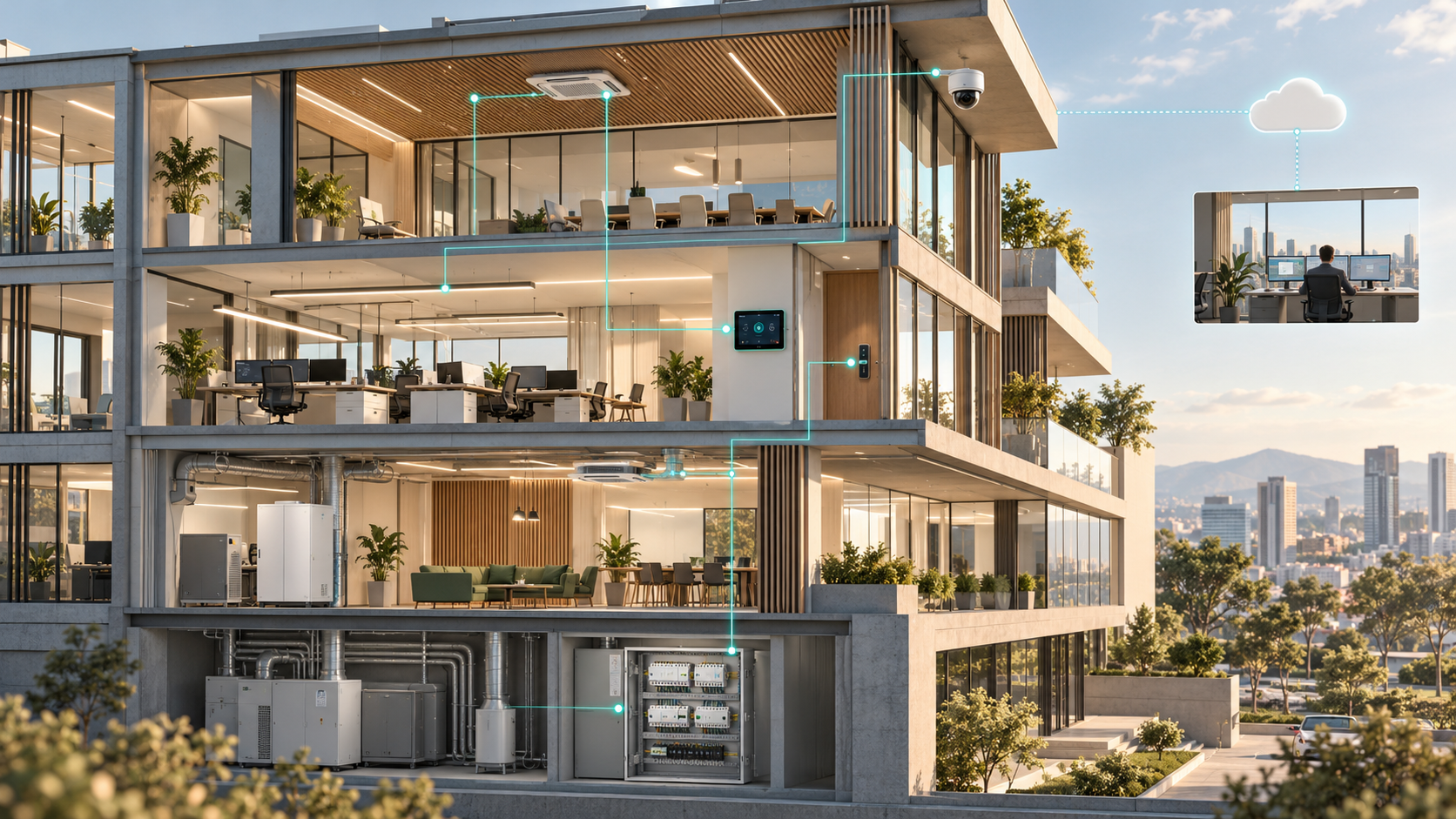
Imagine your building has an excellent KNX installation. It controls lighting, blinds, HVAC and numerous sensors. Everything works well. But one day you need to add Casambi lighting, new electricity meters or an energy management platform. Do you have to replace what already works?
The answer is no.
This is one of the most important ideas to understand when we talk about smart buildings.
Over the years, we have added different technologies to our buildings. Some are designed to control lighting, others to manage HVAC, measure energy or monitor technical systems.
The challenge arises when all these technologies need to work together.
Not because they are poor technologies, but because they communicate in different ways.
The solution is not to replace them. It is to connect them.
That is precisely what an open BMS makes possible.
“You do not need to replace your KNX installation to modernise your building. You need to connect it to everything else.”
First, what is KNX?
KNX is an open international standard for home and building automation.
It enables devices from different manufacturers to exchange information and work together.
For example, a KNX installation can include switches, presence sensors, thermostats, lighting actuators, blind controllers and many other automation devices.
They can all share information using the rules defined by the standard.
Imagine a KNX push-button in a meeting room.
Pressing it can switch on selected lights, lower the blinds and activate a scene.
Or a temperature sensor can provide information to the HVAC system to maintain a comfortable environment.
One particularly valuable feature of KNX is that it does not belong to a single manufacturer.
Many companies develop compatible devices, and a common engineering tool called ETS is used to configure installations.
For many years, KNX has demonstrated that equipment from different brands can work together within the same technology.
But what happens when we want to add equipment that does not use KNX?
The challenge: a building that speaks several languages
Imagine an office building that uses KNX to control blinds, lighting and some HVAC equipment.
Over time, new investments are made.
Casambi lighting is installed in selected areas.
Electricity meters using Modbus are added.
The central HVAC system supports BACnet communication.
And the owner wants to introduce new Matter-compatible sensors.
Each of these systems can work perfectly well on its own.
But the building now contains different technologies that do not necessarily communicate with one another.
The maintenance manager needs several applications to find out what is happening.
One for lighting, another for consumption and another for HVAC.
When they want to create an automation involving several systems, they discover that those systems need to be integrated.
The building has many smart systems, but it does not yet operate as one smart system.
This is where an open BMS can make a difference.
What does an open BMS actually mean?
BMS stands for Building Management System.
Its role is to monitor, control and coordinate different building services.
An open BMS is an architecture designed to interoperate with different technologies, manufacturers and systems through documented interfaces and integration mechanisms.
This allows equipment already installed to be combined with new solutions.
For example, an open BMS can receive information from a KNX installation, incorporate readings from Modbus meters and coordinate BACnet equipment.
It can also integrate lighting platforms, sensors and other devices through compatible gateways or APIs.
This brings a fundamental advantage:
The building should not have to adapt to a single brand. The management platform should be able to adapt to the building’s technologies.
That does not mean any device can connect automatically.
Every integration requires its capabilities, protocols and communication conditions to be checked.
But an open architecture makes it considerably easier for installations to evolve.
A simple example: KNX and Casambi working together
Imagine a hotel where blinds and part of the HVAC system use KNX.
The hotel upgrades the lighting in its common areas and installs Casambi luminaires.
The new lighting offers scenes, dimming and wireless control.
But management wants the different systems to work together.
For example, activating a room’s “Event” mode should close the blinds and set a particular lighting scene.
With suitable integration between KNX, Casambi and the automation system, this is possible.
One command can activate the Casambi scene and send the corresponding instructions to the KNX devices.
The same can happen in the other direction.
For example, an event generated in KNX can trigger an automation affecting Casambi lighting.
Two different technologies, one experience for the user.
And there is no need to replace the blinds, KNX actuators or Casambi luminaires.
We make use of both installations.
What are the benefits of integrating KNX into an open BMS?
1. Protect the investment already made
A KNX installation can represent a significant investment.
Sensors, actuators, wiring, programming and commissioning form part of an infrastructure that can keep working for many years.
When extending the building’s capabilities, it makes little sense to replace equipment that works correctly simply because a new management platform is being introduced.
An open BMS allows that infrastructure to be retained and its data and functions to be used.
Monitoring can therefore be modernised without rebuilding the whole installation.
2. Control every technology from the same screen
Imagine opening a screen and seeing a complete floor plan of your building.
Each room shows its temperature.
You can check the position of KNX blinds.
View the status of Casambi lights.
See electricity consumption from Modbus meters.
And check the operation of BACnet HVAC equipment.
All through a common interface.
For the user, the result is especially straightforward: there is no need to know which protocol each device uses.
They simply select the room or system they want to check.
3. Create automations across different systems
This is one of the most interesting possibilities.
A KNX sensor can provide information that is then used to act on a system outside KNX.
For example, a presence sensor can report that a room is occupied.
The automation system can use that signal to activate a Casambi scene or change the operation of HVAC equipment integrated through another protocol.
The process can also work in reverse.
A condition detected in an external system can send commands to KNX devices.
In this way, automation is no longer limited by the boundaries between technologies.
4. Incorporate energy information
Many buildings need a better understanding of their consumption.
They may already have a KNX installation, while their electricity meters use Modbus.
Instead of treating the two systems separately, all the information can be brought into a common platform.
This makes it possible to relate consumption to schedules, occupancy or operating states.
For example, we can analyse whether an area is using HVAC while its blinds could help make use of, or reduce, solar gain.
Or compare lighting consumption at different times.
The purpose is not simply to collect more data.
It is to use that information to understand the building better and make more efficient decisions.
5. Make maintenance easier
When systems are disconnected, finding a fault can require checking several tools.
With a centralised platform, technical staff can consult information from several building services in one environment.
For example, they can check whether a sensor is communicating, whether equipment responds or whether a variable has an unexpected value.
This supports diagnosis and can reduce unnecessary technical site visits.
How does KNX connect to a BMS?
This is the technical part, but it can be explained simply.
KNX devices have their own way of exchanging information.
Their communication mechanisms include what are known as group addresses.
A group address links particular device functions.
For example, it can represent a light’s switching command, a blind position or a temperature.
For an external system to understand that information, a compatible interface or gateway is needed.
In traditional KNX installations, a KNX/IP interface or KNX/IP router provides access to KNX communication over an Ethernet network.
An integration system can then interpret the messages and relate them to its own variables.
Consider a simple example.
KNX sends a value representing a room’s temperature.
The integration system interprets that value and turns it into a variable the BMS can understand.
The reading can then be displayed on a screen, used in an automation or recorded for analysis.
The process can also work in the other direction.
The BMS can generate a command that is translated into KNX format and delivered to the corresponding device.
The gateway acts as a translator between the KNX installation and the rest of the building.
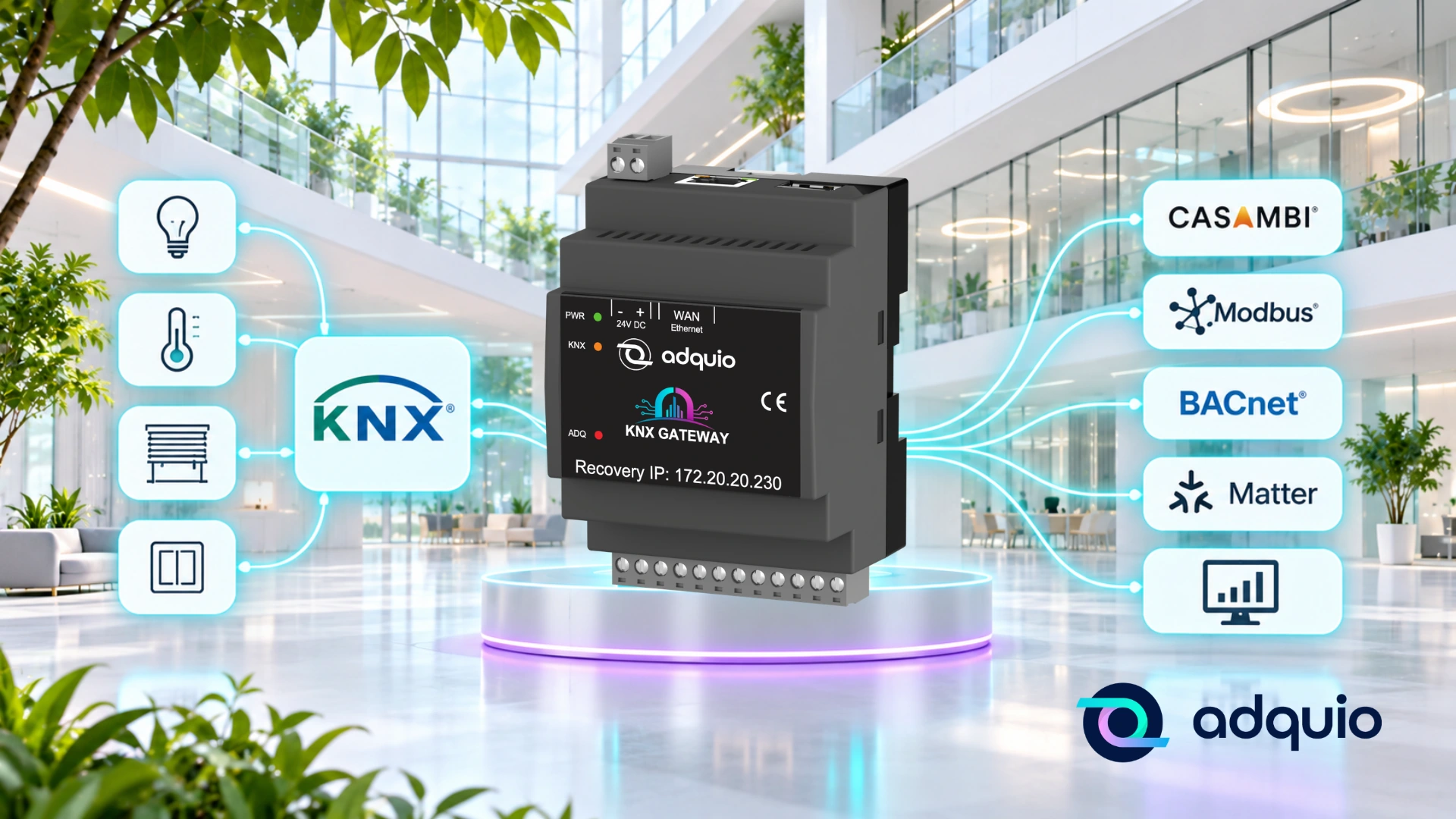
Adquio KNX Gateway: connect KNX to the Adquio ecosystem
We developed Adquio KNX Gateway to make this integration easier.
It is a gateway designed to connect KNX installations with Adquio controllers and systems.
Its purpose is simple:
Allow KNX to become part of wider building management without replacing the existing installation.
Adquio KNX Gateway uses KNXnet/IP communication through a KNX/IP interface or router available in the installation.
Through this connection, it can receive and send information from and to KNX devices.
What makes it particularly useful is how it simplifies the integrator’s work.
Step one: connect
The gateway can discover KNX/IP interfaces or routers on the network and configure communication.
It supports KNXnet/IP Tunneling and Routing, depending on the infrastructure used.
This establishes communication between the gateway and the KNX installation.
Installation requirement: Adquio KNX Gateway requires a KNX/IP interface or router; it does not connect directly to the KNX bus cable.
Step two: observe and map
Once communication is established, KNX telegrams can be viewed.
These messages include information such as source addresses, group addresses and transmitted values.
The integrator can observe what happens in the installation and map group addresses to variables in the Adquio ecosystem.
For example, a group address carrying a temperature can be mapped to a variable called “Meeting Room Temperature”.
Each value is interpreted using its KNX data type, known as a DPT.
This turns technical information into understandable variables.
Step three: synchronise
Once mappings are defined, Adquio KNX Gateway can exchange information in real time.
Each mapping can be configured to suit the project:
- From KNX to Adquio, to receive states and values.
- From Adquio to KNX, to send commands.
- In both directions, when bidirectional communication is required.
It also includes mechanisms to prevent values from being continually retransmitted between the two systems.
The result is a flexible, organised integration.
KNX continues working as KNX. Adquio uses its information to connect it with the building’s other technologies.
Does the entire KNX installation need to be reprogrammed?
This is a particularly important question.
In many cases, the answer is no.
If the installation already has the required group addresses and communication objects, that configuration can be used to integrate its functions.
Integration involves identifying the information to exchange and setting up the corresponding mappings.
Naturally, changes may sometimes be needed.
For example, when a function has no suitable communication object, or new group addresses need to be added.
In those cases, ETS may be needed to adjust the KNX configuration.
But integrating an installation should not be confused with reprogramming it completely.
In many projects, what is needed is an understanding of how the installation is organised and a way to connect its functions to the new system.
That is why keeping the ETS project and up-to-date group address documentation is recommended.
What happens after KNX is connected to Adquio?
This is where the most interesting possibilities begin.
Once KNX information is available in the Adquio controllers, it can be used alongside other technologies.
KNX and Casambi
KNX blinds, sensors and actuators can be coordinated with Casambi lighting installations.
For example, a lighting scene can form part of an automation that also controls KNX equipment.
KNX and Modbus
KNX information can be combined with electricity meters, HVAC equipment and other Modbus devices.
Energy and operating data can then be used in shared automations.
KNX and BACnet
Information can be exchanged with BACnet systems through the corresponding interfaces and gateways.
This is particularly useful in buildings where HVAC uses BACnet and other systems use KNX.
KNX and Matter
A KNX installation can also be combined with compatible Matter devices using Adquio MatterLink.
Sensors and devices using different technologies can therefore participate in a common automation architecture.
KNX and other monitoring systems
Integrated information can be used in Adquio tools and shared with compatible external systems through the available export mechanisms.
This makes it possible to extend the building’s capabilities progressively.
Adquio SCADA: see KNX on the building’s floor plans
Imagine a KNX installation with hundreds of devices.
The system works correctly, but the maintenance manager needs an easy way to check their states.
With Adquio SCADA, visual interfaces can represent the building through floor plans, zones and controls.
The available information can be displayed for each room.
For example:
Current temperature, lighting status, blind position or the operation of connected equipment.
Information from other technologies can also be included.
KNX devices, Casambi luminaires and Modbus equipment can therefore appear on the same screen.
For the operator, there are no longer separate protocols. There is a building they can understand and control.
With Adquio SCADA Server, this monitoring can operate locally.
Adquio SCADA Cloud provides a monitoring platform hosted in the cloud.
Adquio Analytics: turn KNX data into useful information
KNX can provide highly valuable information.
Temperatures, states, setpoints, positions and other parameters describe how the building operates.
But viewing a value in real time is not always enough.
Often, we need to understand how it changes over time.
For example, how a room’s temperature has changed over the past week.
Or how long a particular piece of equipment has been running.
With Adquio Analytics, collected data can be used to build dashboards, charts and indicators.
This makes it possible to study trends, compare periods and identify behaviour that may need attention.
Combining KNX data with electricity meters or other information sources provides a more complete picture of the building’s operation.
KNX provides installation data. Adquio Analytics helps turn it into information for making decisions.
What if the building already has another manufacturer’s BMS?
That does not mean it needs to be replaced.
At Adquio, we believe an integration should adapt to the project’s needs.
That is why controllers can share information through different protocols and interfaces.
For example, through Modbus TCP, MQTT or BACnet/IP, with the necessary components.
This allows Adquio to act as an integration system between KNX and an existing BMS.
Imagine a building with a BMS already managing HVAC and energy.
The owner wants to incorporate a KNX installation that currently operates independently.
With Adquio KNX Gateway and an Adquio controller, KNX information can be collected and selected variables made available to the BMS through the appropriate protocol.
The customer keeps their management platform and extends its capabilities.
We do not require the building to change its BMS to incorporate KNX. We make it possible for both to work together.
A complete example: modernise an office building without replacing KNX
Imagine an eight-storey office building.
A KNX system was installed years ago to manage lighting, blinds and selected HVAC equipment.
The installation still works correctly.
But the owner now wants better monitoring, additional sensors and more detailed energy information.
They also want to manage different building services from a common platform.
How could the project be approached?
First, we study the existing KNX installation and check its available functions.
We review its documentation, group addresses and KNX/IP connectivity.
Then, we add Adquio KNX Gateway to establish information exchange with the Adquio ecosystem.
Next, we integrate the building’s other technologies using the necessary controllers and gateways.
For example, Modbus meters or new Casambi lighting installations.
After that, we design a SCADA interface where the maintenance manager can view all the building’s systems.
Finally, the relevant data is incorporated into Analytics to provide historical records and analysis tools.
What have we achieved?
The building retains its KNX infrastructure.
It gains a new monitoring layer.
It can incorporate different technologies.
And maintenance staff can work with an overall view.
We have not replaced the intelligence of each installation. We have enabled them all to communicate and collaborate.
Can it all work without the Internet?
Yes, provided the architecture is designed for it.
KNX can perform its local functions independently of the Internet.
Likewise, Adquio KNX Gateway can communicate with the KNX installation and Adquio services available on the local network without an external connection for that exchange.
This means correctly designed local automations can continue working during an Internet outage, as long as the necessary devices and networks remain operational.
Cloud-hosted services and certain remote access functions do require external connectivity.
It is therefore important to distinguish essential local control functions from additional services.
Integration should not create an unnecessary Internet dependency for a building to keep working.
Is integrating KNX with a BMS secure?
Security must be part of the project from the start.
A KNX installation may use mechanisms such as KNX IP Secure or KNX Data Secure, depending on its devices and configuration.
The installation’s security mechanisms and their compatibility with each integration component need to be checked.
The IP network must also be protected, users controlled, credentials managed correctly and authorised connections limited.
Adquio KNX Gateway includes user and role management, alongside configuration and maintenance tools.
But security does not depend on a gateway alone.
It depends on how the entire architecture is designed and administered.
In critical applications, it is also necessary to define which functions may be controlled externally and which must remain under dedicated local systems.
When is it worth integrating KNX into an open BMS?
This integration can be particularly valuable in several situations.
When a building already has KNX and monitoring needs to be modernised without replacing equipment.
When KNX needs to connect with Casambi lighting, Modbus systems, BACnet or Matter devices.
When a single interface is needed to manage all building services.
When KNX data needs to be incorporated into energy analysis tools.
When a KNX installation needs to be integrated into an existing BMS.
Or when several buildings are managed and a centralised view is required.
Integration can begin with a few variables and expand progressively.
There is no need to connect the entire building on the first day.
The important thing is to define the information needed and the improvements to achieve.
The future of KNX is not isolation. It is being part of a fully connected building.
For many years, KNX has demonstrated the value of open standards and interoperability between manufacturers.
But buildings continue to evolve.
New technologies, devices and requirements for monitoring, analysis and energy efficiency appear.
The response should not be to keep replacing existing installations.
It should be to enable them to work with new ones.
A KNX installation does not lose value when other technologies appear. It can become even more valuable when connected to them.
At Adquio, we share this philosophy.
That is why we develop solutions such as Adquio KNX Gateway, which bring KNX into an open automation ecosystem.
An ecosystem that also accommodates Casambi, Modbus, BACnet, MQTT, Matter and other technologies.
Where data can become charts, alarms and automations.
And where the owner can manage their installations without being limited to a single brand or platform.
Because a truly smart building is not one that uses a single protocol.
It is one where all its systems work together.
Have a KNX installation you want to connect to the rest of your building?
Discover Adquio KNX Gateway and how we can help integrate your installation into an open BMS platform.
At Adquio, we believe in making use of existing technology, connecting systems and helping buildings evolve.
Your KNX installation is already smart. Now it can become part of something much bigger.
Connect KNX to the rest of your building
Tell us about your KNX installation and the systems you need to integrate.