Expansions and modules

Adquio Multi IOs Pro

Expand signal integration with Adquio Multi IOs Pro. Bring connections and communications together to adapt control to your equipment’s needs.

Adquio Multi IOs Pro

MORE SIGNALS, ONE MODULE

Inputs, outputs and temperature for your installation

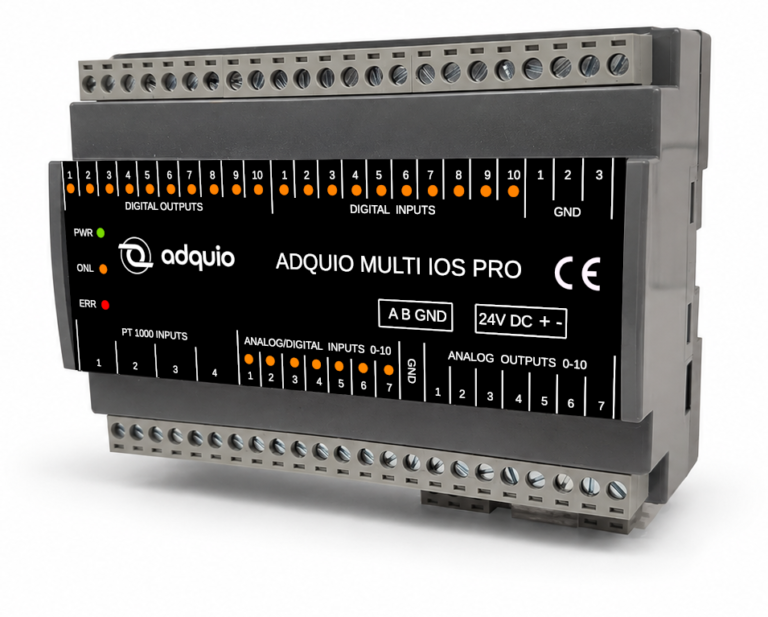
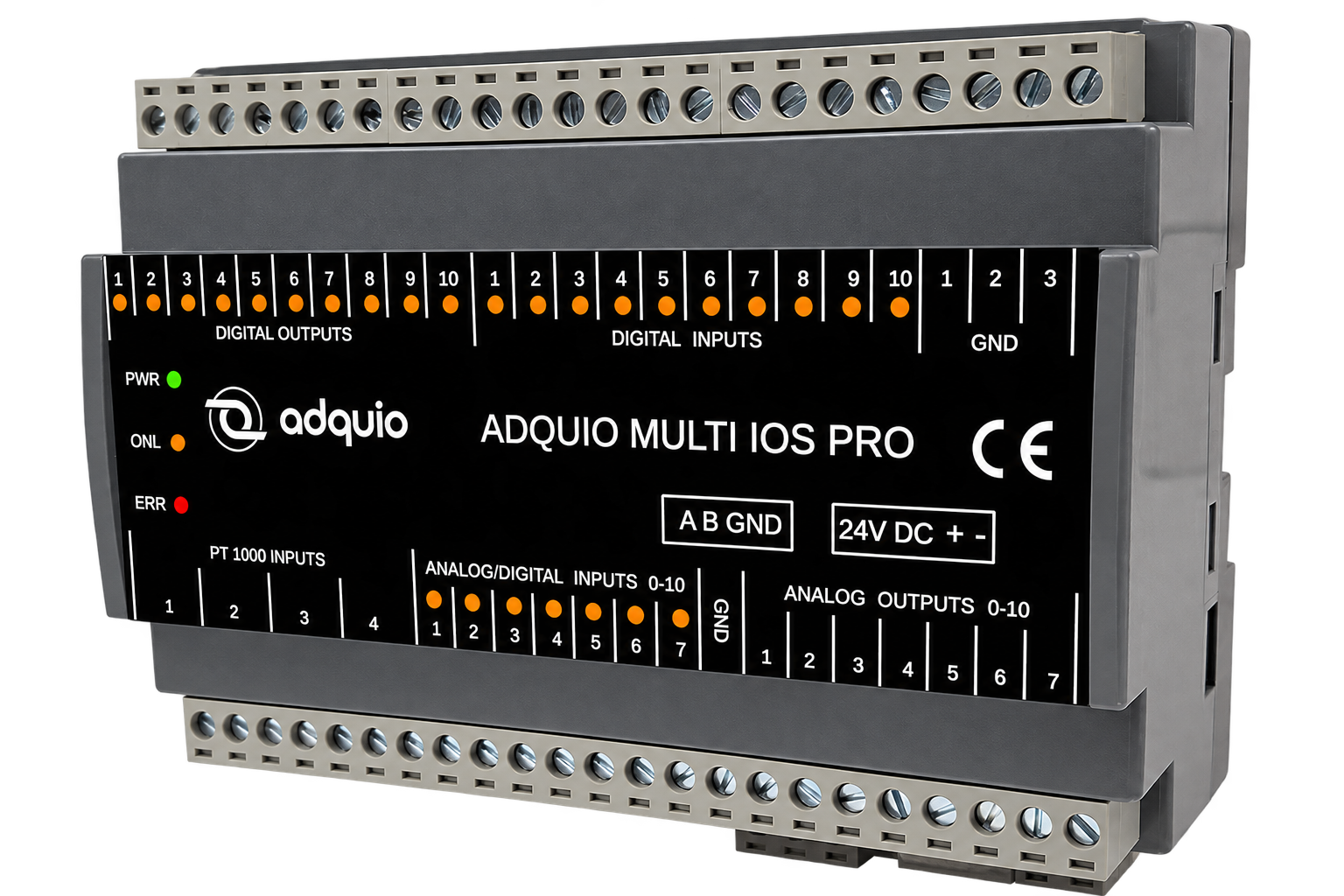
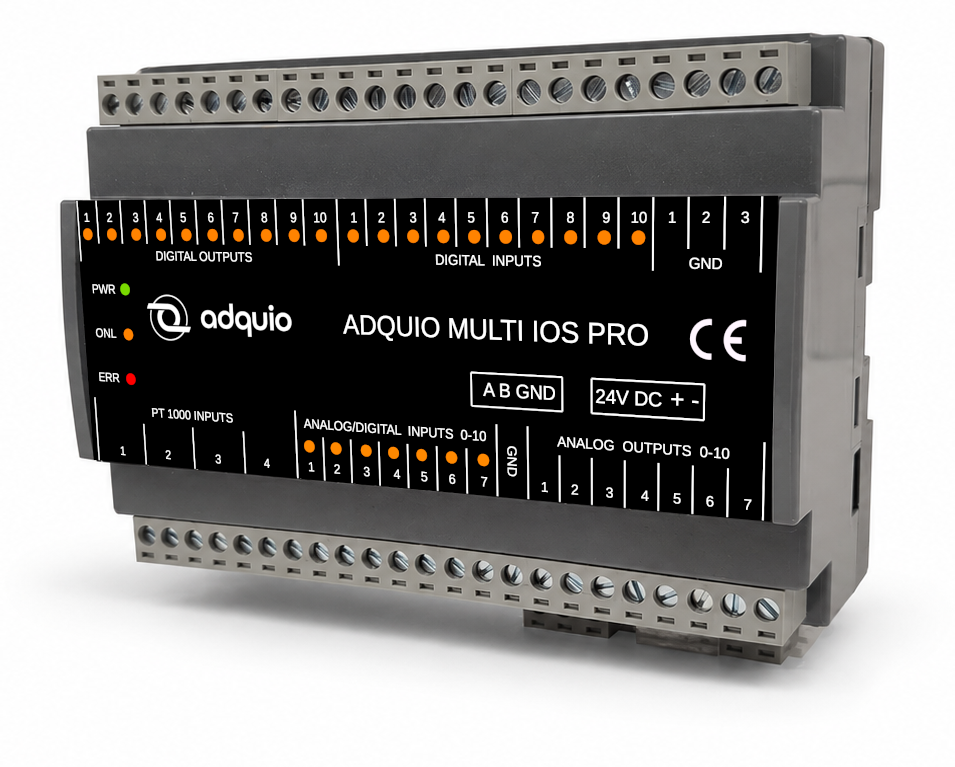
Adquio Multi IOs Pro combines ten dedicated digital inputs, ten digital outputs, seven configurable AI/DI inputs, seven analogue outputs and four two-wire PT1000 inputs.

Expand control for HVAC, machinery, electrical panels, measurement systems and distributed automation. Integrate temperatures, status, setpoints, levels, alarms and process signals via Modbus RTU.

Adquio Multi IOs Pro
10DI
10DO · 24 V
7AI / DI
7AO · 0–10 V
4PT1000
1RS-485

Centralise your machine’s signals

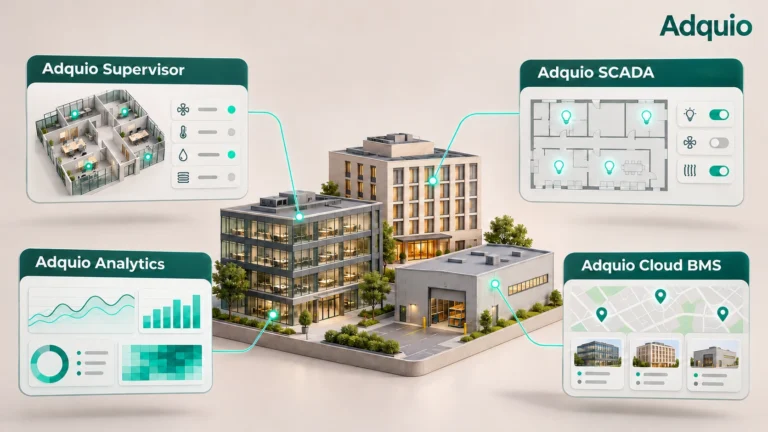
Bring sensors, status and actuators together in one module and connect them to an Adquio controller, a PLC or another compatible Modbus RTU master. Bring the variables into SCADA and BMS through the appropriate integration.
Combine dedicated and configurable channels

The ten DI inputs and ten DO outputs are separate from the seven AI/DI channels, seven AO outputs and four PT1000 channels. Configure the AI/DI channels for the signals you need to collect. The digital outputs use power transistors.

From field signals to useful information

The module collects measurements and status for the controller. Screens and platforms use this information; control commands return to the outputs to act on the installation.

Signals and actuators

PT1000 probes, analogue and digital signals, and commands to compatible actuators.

Adquio Multi IOs Pro

Adquio Multi IOs Pro

Concentrates the machine’s inputs and outputs and communicates them through Modbus RTU.

Adquio Mini

Adquio controller

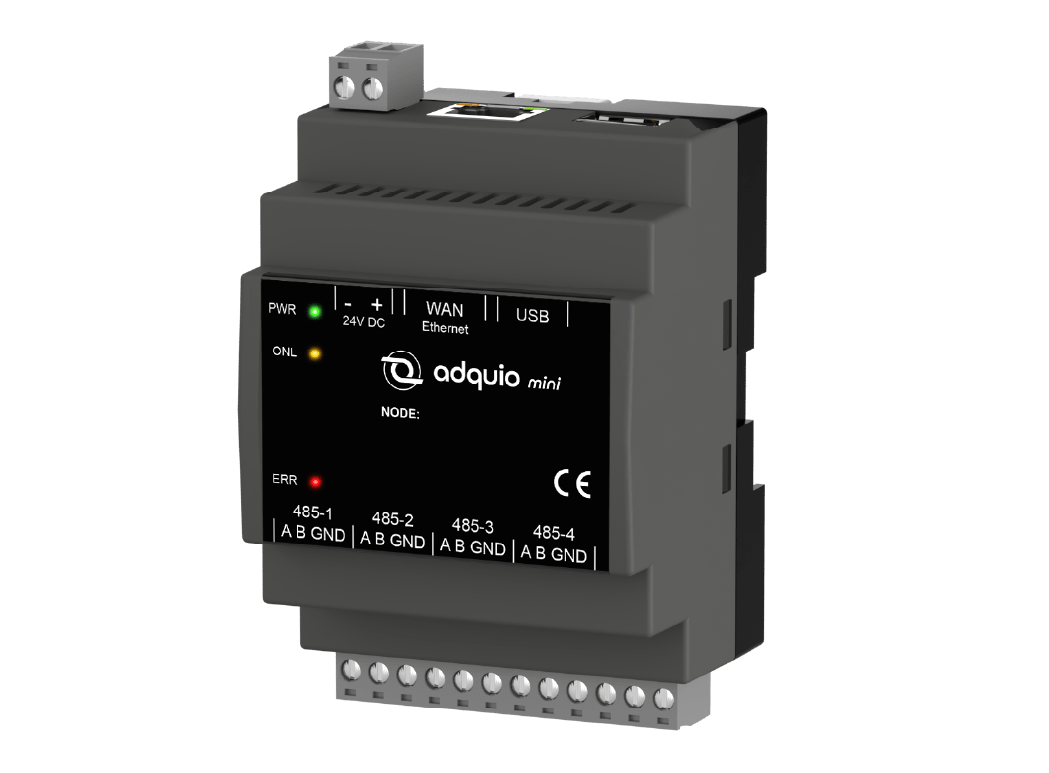
Use the signals in your automation logic. Example: Adquio Mini.

Adquio Analytics

Control and supervision

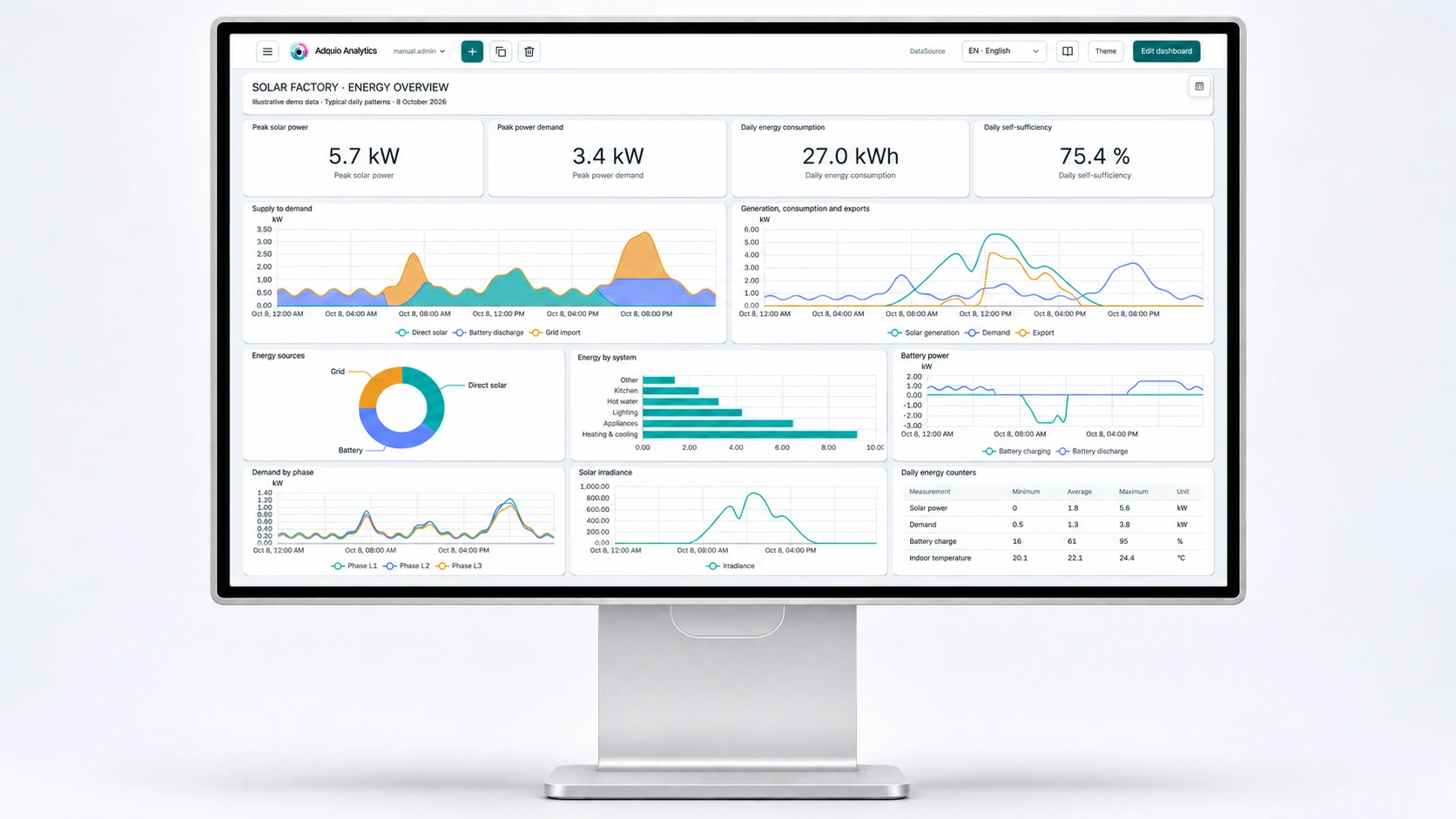
Bring status information and commands into your control interfaces and supervision tools.

Front connectors and top indicators

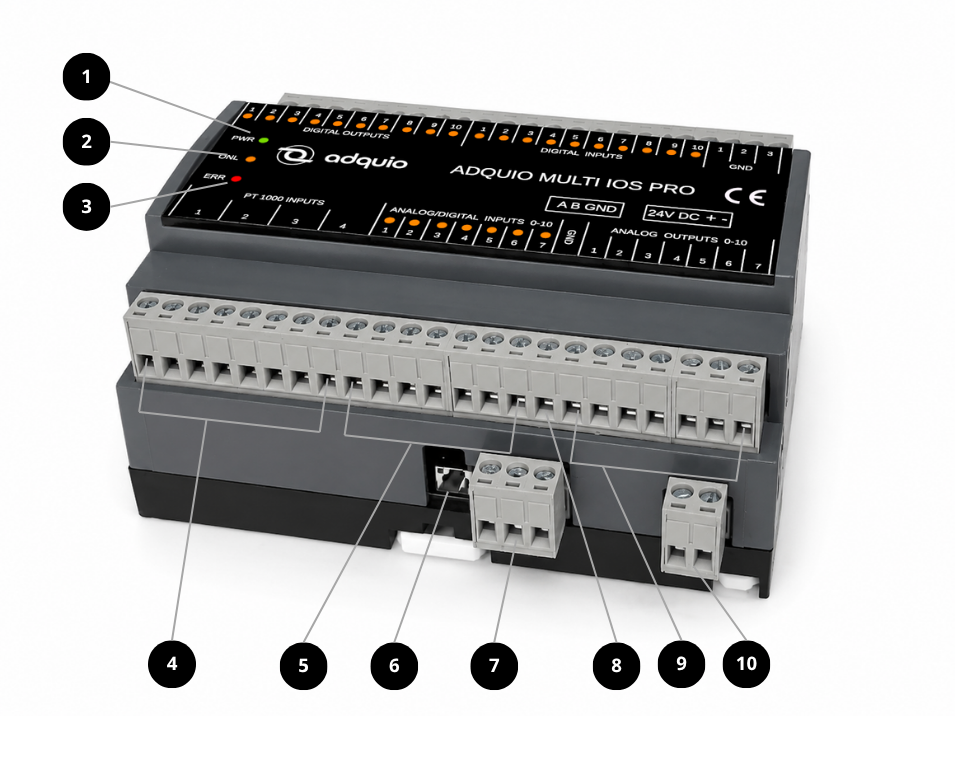
Front connectors and top indicators · Adquio Multi IOs Pro
  1. PWR power indicator.
  2. ONL indicator for communication with the master.
  3. ERR error indicator.
  4. Four pairs of terminals for four two-wire PT1000 probes.
  5. Seven AI/DI inputs configurable as 0–10 V or 0–24 V analogue inputs, or as digital inputs. In digital mode, the logic 1 threshold is approximately 4.8 V.
  6. Reset button to restore communication settings to 9600 bps, 8N1.
  7. RS-485 Modbus RTU slave port with A, B and GND terminals for connection to a compatible master controller.
  8. GND reference connection for analogue outputs.
  9. Seven 0–10 V analogue AO outputs.
  10. 24 V DC power connection. Observe +/− polarity.

Rear connectors

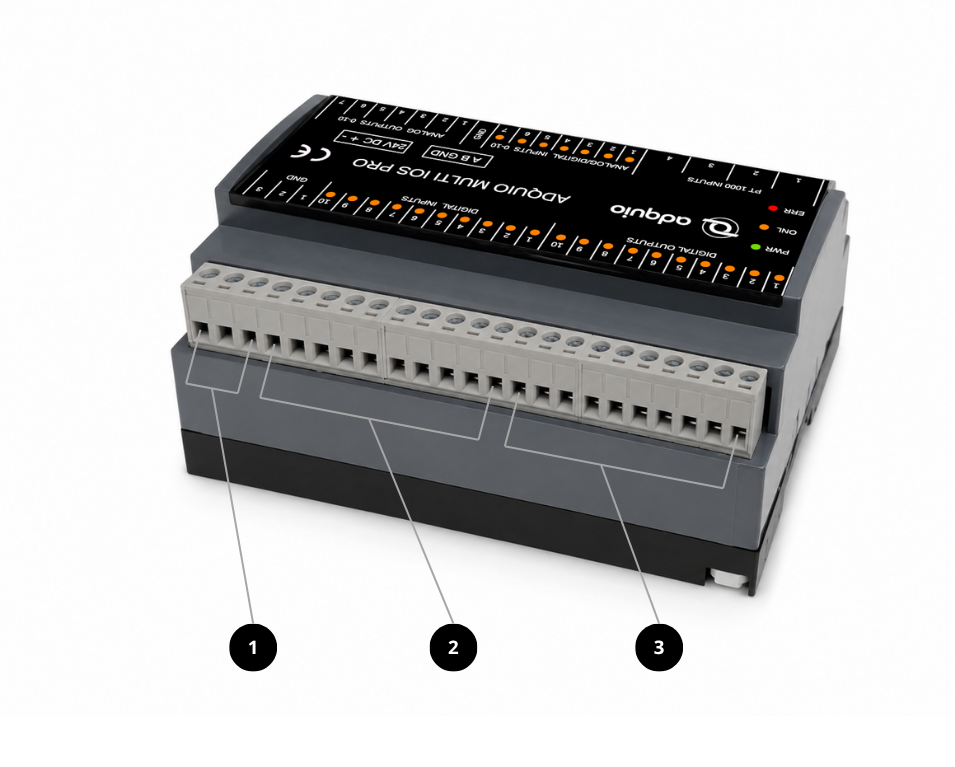
Rear connectors · Adquio Multi IOs Pro
  1. Common reference / negative GND terminals.
  2. Ten 0–24 V digital DI inputs.
  3. Ten 24 V power-transistor digital DO outputs for compatible relay actuation.

Technical specifications

Power supply

Nominal voltage24 V DC
Module consumption130 mA

Communication

Port1 · RS-485 slave
ProtocolModbus RTU
Reference baud rates9600 / 19200 bps
Communication reset9600 bps · 8N1

Dedicated digital inputs

Number of inputs10 · DI
Range0–24 V

Configurable AI/DI inputs

Number of inputs7
Analogue ranges0–10 V / 0–24 V
Digital logic 1 thresholdApproximately 4.8 V
4–20 mA signalsUsing an external DIN-rail converter

Temperature probes

Number of inputs4 · PT1000
Probe connection2 wires

Digital outputs

Number of outputs10 · DO
Voltage24 V
TechnologyPower transistors

Analogue outputs

Number of outputs7 · AO
Range0–10 V

Indicators

Status LEDs3 · PWR, ONL, ERR

Certifications

Safety and HealthEN ISO 13849-1: 2015
EN ISO 13849-2: 2012
EN 62061: 2005 + A1: 2013 + A2: 2015
EN 60950-1: 2006
EN 62311: 2008

Connect your project with the Adquio ecosystem.

Plan your integration with our engineering team and find the right solution for your installation.

Privacy Overview
Adquio

This website uses cookies so that we can provide you with the best user experience possible. Cookie information is stored in your browser and performs functions such as recognising you when you return to our website and helping our team to understand which sections of the website you find most interesting and useful.

Strictly Necessary Cookies

Strictly Necessary Cookie should be enabled at all times so that we can save your preferences for cookie settings.

Analytics

These cookies measure visits and contact enquiries using Google Analytics and Clientify analytics. They are only enabled if you accept them.

Advertising

These cookies enable Google advertising features and measure their performance. They are only enabled if you accept them.