
ADQUIO BUILDING OS · TECHNOLOGY
Understand how everything connects.
From field device to dashboard: an open architecture for connecting systems, executing control logic and turning facility data into useful information.
Discover what each layer does, how its components work together and which combination your project needs.
01 · ARCHITECTURE
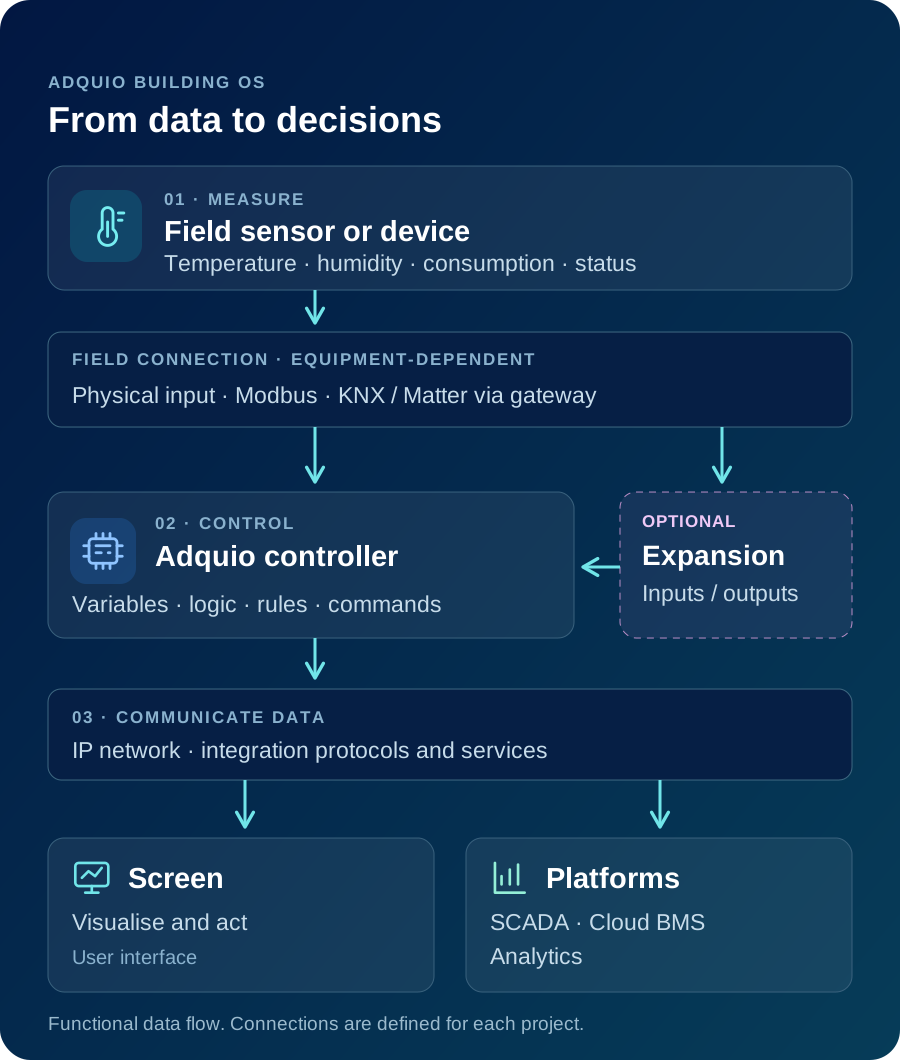
A shared architecture, from device to decision
Adquio Building OS connects the different layers of a facility: devices that provide information, equipment that executes control logic, and applications for monitoring, analysis and action. Every component has a role within the whole system.
A project can start with a single zone or system and expand its integrations over time. The architecture is defined around existing equipment, operational requirements and the needs of each user.
A common language
Variables from integrated systems make it possible to relate status information, measurements and commands within the same architecture.
Clear responsibilities
Field control, visualisation, technical monitoring and analysis are combined to meet the needs of the project.
Growth in stages
Add new zones, interfaces and services to an established foundation of control and integration.
IN PRACTICE
An example data journey
A probe measures temperature, the controller uses it in its logic, and a screen lets the user adjust the setpoint. The same data can feed an operational view and historical records to analyse how the room behaves.
02 · CONNECT
Integrate different technologies without starting from scratch
A facility may combine equipment from different generations and manufacturers. Adquio brings together their data and functions through suitable protocols, interfaces and gateways, retaining equipment that remains useful for the project.
Compatibility is reviewed for each device, its variables and the direction of communication: reading a meter is different from sending a setpoint or publishing data for an external BMS. The controller model and integration modules determine the available connections.


Connect KNX and Matter
Adquio KNX Gateway and Adquio MatterLink connect their respective ecosystems to Adquio, allowing data and commands to be exchanged according to the configuration.
Publish data through BACnet/IP
Adquio BACnet Exporter lets you select controller variables and expose them to systems that need to read them through BACnet/IP.

Extend a Casambi installation
Combine lighting control with remote access, energy measurement and integration with other building systems.
IN PRACTICE
An integration example
In an office with Casambi lighting and KNX equipment, suitable gateways and controllers bring their variables into Adquio and coordinate actions through a shared interface.
03 · CONTROL
From field data to action in the installation
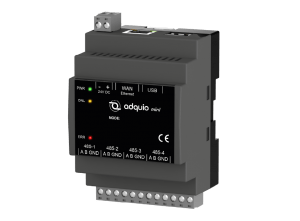
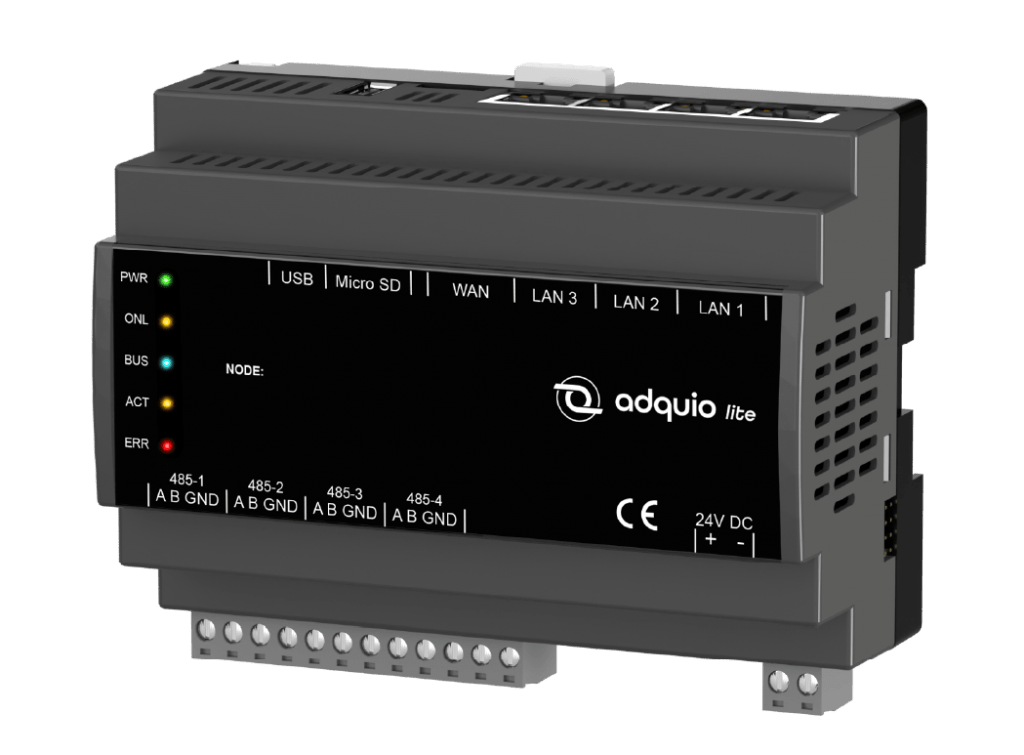
Probes and connected equipment provide measurements and status information. Controllers execute the configured logic and send the necessary commands. Expansions add more inputs and outputs, while screens provide an interface for the people using the space.
This separation makes it possible to design local control first and add monitoring or remote management tools later. Functions that run locally are defined in the project; features that rely on external services need the corresponding connection.

Capture information
Probes and integrated devices turn facility conditions into variables that can be viewed and used in control logic.
Execute and expand
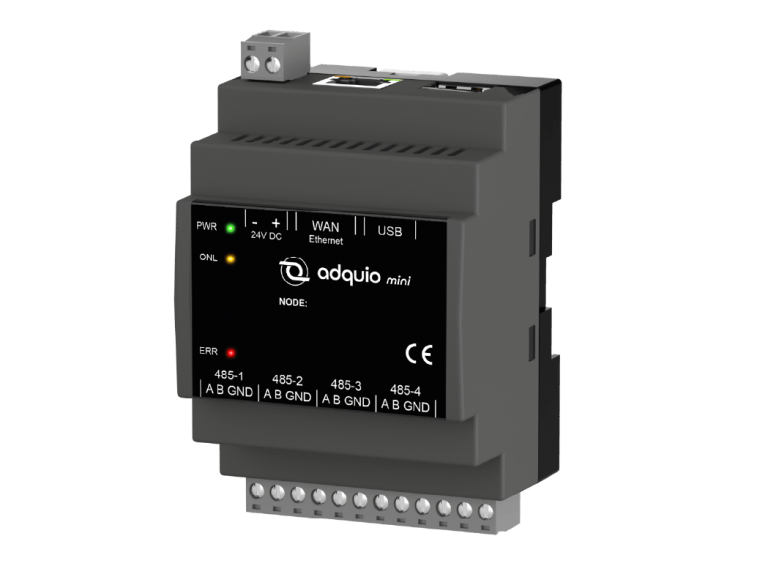
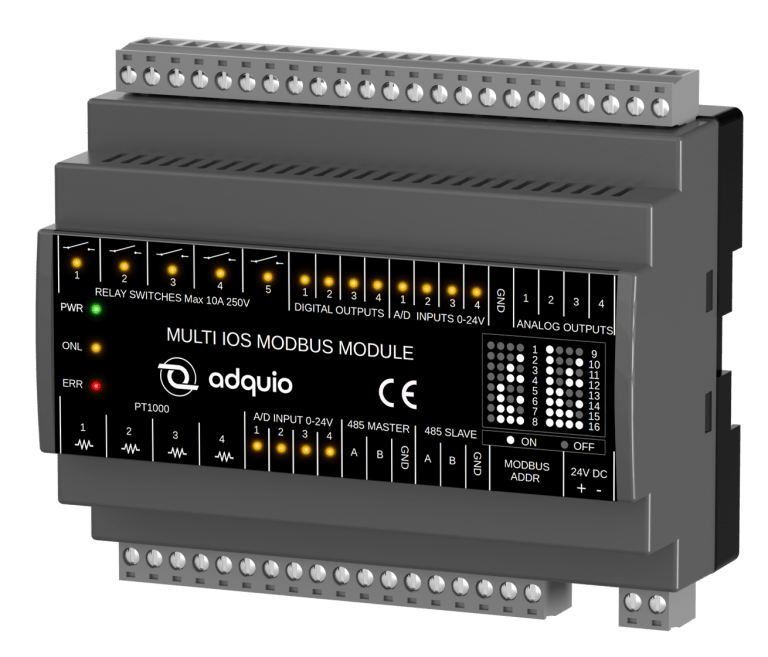
Controllers apply the project logic. Expansions add input and output points to connect more signals and equipment.
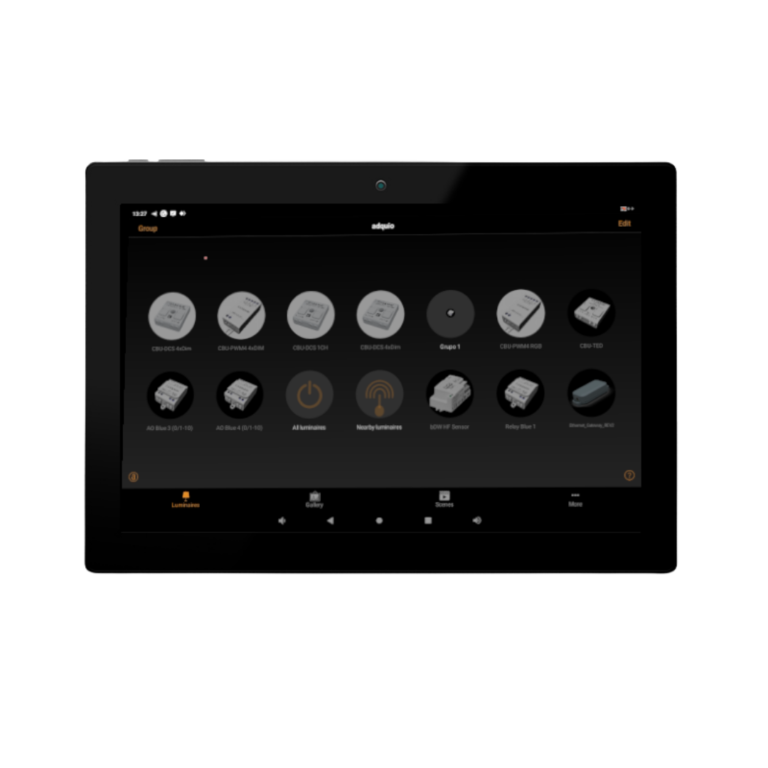
Give users control
Screens and interfaces present the controls and data each space needs, keeping the technical complexity behind a clear user experience.
IN PRACTICE
A local control example
A room has probes, a controller and a wall screen. Schedules and measured conditions influence lighting and HVAC operation, while users can adjust the controls enabled in the interface.
04 · MONITOR, OPERATE AND ANALYSE
Complementary tools for different questions
Is the equipment working correctly? What is happening in the facility right now? How are different sites performing? What trends do the data show? Each question calls for a different way of monitoring or analysing the installation.
Adquio separates these functions into complementary products. The right choice depends on who will use the information, which actions they need to perform, and whether the scope is a single facility or an organisation with multiple sites.
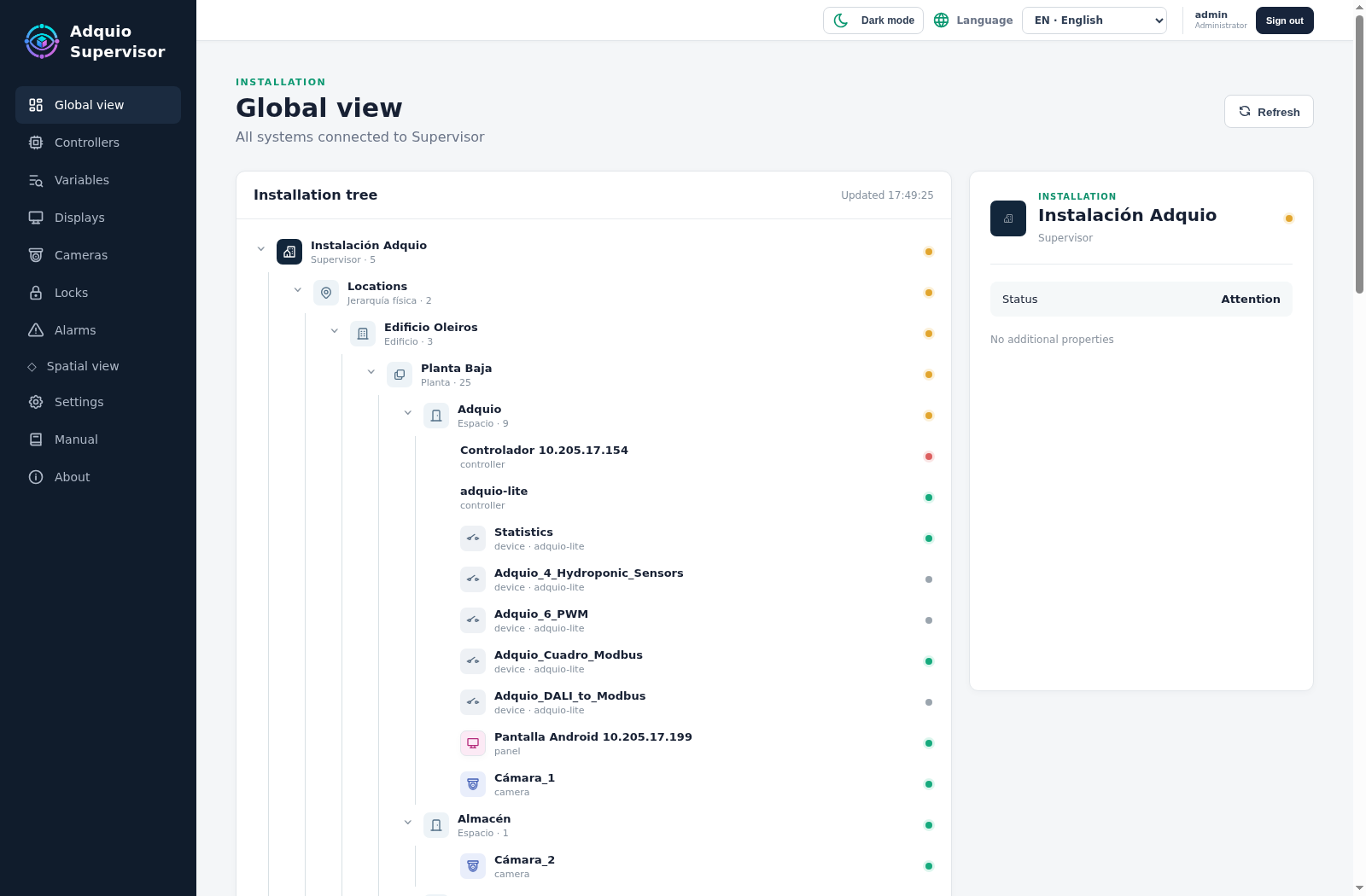
Checks the technical status of controllers, expansions, connected devices, screens, cameras and locks. Helps detect incidents and access equipment.
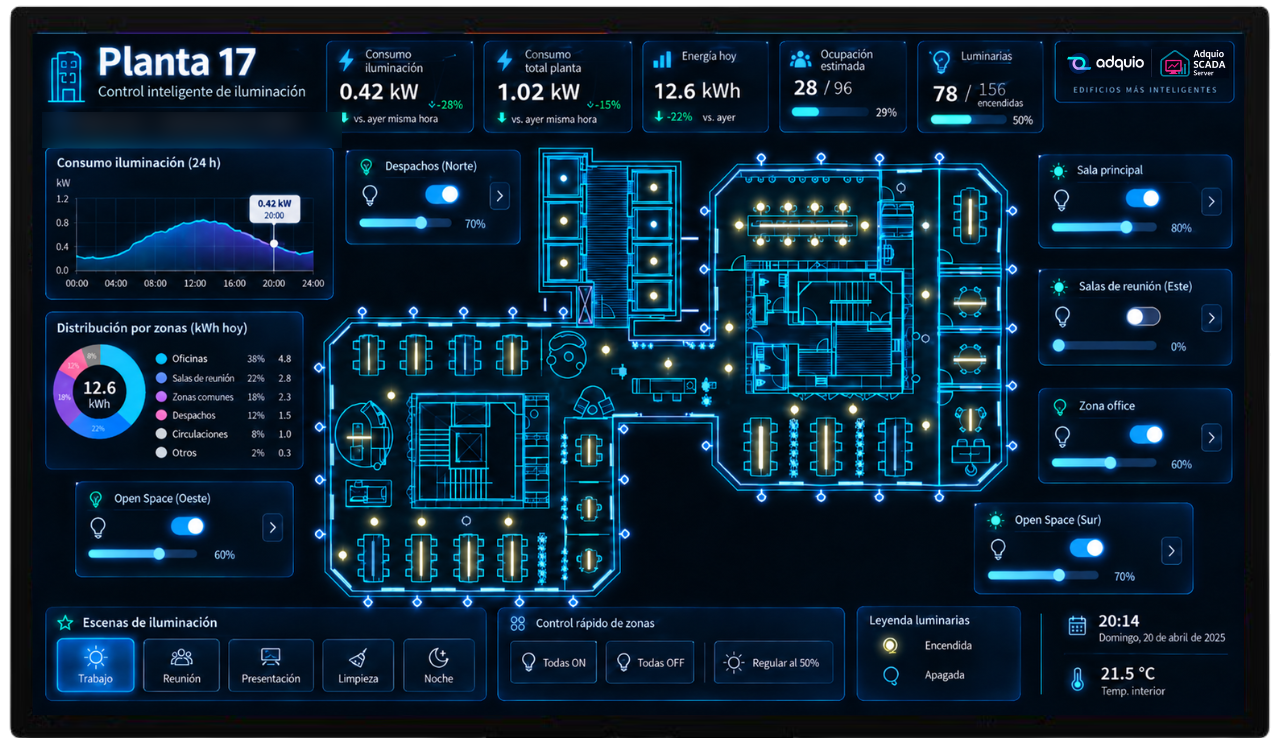
Adquio SCADA
Adquio SCADA Server and Adquio SCADA Cloud let you design views to visualise and operate the facility, with controls, status information and trends.

Specialises in managing multiple facilities, comparing their data and building indicators with advanced formulas, including scientific and thermodynamic calculations.

Specialises in dashboards for interpreting data, trends and indicators. It is developed in-house by Adquio to turn information into useful views.
IN PRACTICE
A data-informed operations example
Maintenance detects an unavailable device in Supervisor, reviews facility status and controls in Adquio SCADA, and examines consumption trends in Analytics. The organisation can compare sites in Adquio Cloud BMS using indicators such as kWh/m², with equivalent periods and criteria.
05 · ACCESS AND INTEGRATE
People, devices and software: three ways to connect
Accessing a remote device as a person, connecting two devices and integrating data with an application are different needs. Adquio Nexus, Adquio Bridge and Adquio.API address these three scenarios.
The access architecture is defined alongside the network, users and functions required by the project. It helps to distinguish technical access to equipment from communication between systems and access through an external application.
Connects a person to a remote device for checking, configuration and support.
Connects two devices over the Internet. They can exchange data across different locations without opening ports on their local networks.
Provides a bidirectional REST API for authorised software to read and modify variables: applications, management tools or custom developments.
IN PRACTICE
Three different needs in practice
A person uses Nexus to access and support a remote device. Bridge connects two devices so they can exchange data. An application reads variables or sends commands through Adquio.API.
06 · SCALE
From one facility to a network of buildings
The scope of the project determines where control, visualisation and data services run. A local, cloud or hybrid architecture distributes these functions according to operational and connectivity requirements.
To scale consistently, define variable names, units, zones, permissions and comparison criteria from the outset. This makes it easier to add new sites and interpret their data alongside existing facilities.

Data for comparing facilities
Historical data helps put current conditions into context. With consumption and floor area available, the same indicator can be applied to different sites using equivalent periods.
EXAMPLE INDICATOR
kWh/m²
Energy used / floor area
Local architecture
Control and the planned services are deployed at the facility. This provides a foundation for projects focused on operating a single building.
Cloud services
Visualisation, management or data access rely on remote services. Functions that use those services require an Internet connection.
Hybrid architecture
Combines local functions with remote services. Retains the control defined at each facility while adding a centralised view of the whole estate.
IN PRACTICE
A multi-site management example
A chain retains local control at each store and brings its data together in Adquio Cloud BMS. Comparing energy use per square metre over the same period helps identify deviations and investigate their causes before deciding on adjustments.
Answers to help define your project
Architecture decisions start with your equipment, your users and the way you need to operate.
Do all controllers include every protocol?
Compatibility depends on the controller model, its interfaces and the gateways or modules used. Before defining the solution, we review the protocol, equipment and variables the project needs to integrate.
Can I integrate equipment that is already installed?
Yes, when it offers interfaces or protocols compatible with the proposed solution. We check which data and commands are available so useful equipment can be retained and the required integration added.
Can control work without a cloud interface?
Functions configured to run locally can operate within the facility. Remote access and cloud services require connectivity. How the functions are distributed is defined in the architecture of each project.
Are Supervisor, Adquio SCADA, Cloud BMS and Analytics the same?
No. Supervisor focuses on equipment technical status; Adquio SCADA on visualising and operating the facility; Adquio Cloud BMS on managing multiple facilities; and Analytics on dashboards and data analysis. They can be combined to suit the project.
Are Adquio SCADA Server and Adquio Micro Server the same product?
No. Adquio SCADA Server is visualisation and control software. Adquio Micro Server is an ecosystem controller. The role and deployment of each product are specified in the technical architecture of the project.
What is the difference between Nexus, Bridge and Adquio.API?
Nexus connects a person to a remote device for support and configuration. Bridge connects two devices. Adquio.API lets external applications retrieve data and send commands through a REST API.
What information is needed to define an architecture?
The type and number of facilities, existing equipment and protocols, signals to control, users, remote access requirements, and visualisation and analysis goals. This provides a basis for defining a suitable combination of products.
Let’s design an architecture that fits your project
Tell us which systems you have, what you need to control and how you want to use the data. We will help you define the right components, connections and interfaces.
