

Adquio Analytics
Turn your installation data into a clear view.
Explore historical data, compare variables and build dashboards for each building and each team. Adquio Analytics turns the measurements collected by DataSource into charts, indicators and useful answers for operations.
Product brochure
Adquio Analytics
Explore its benefits, applications and integration possibilities.
PDF · English · 2 pages · 1.3 MB
From data to decisions
Technical information becomes valuable when you can explore, compare and share it clearly.
Explore the history
Choose time ranges, expand charts and compare signals to understand how an installation has changed.
Dashboards built for you
Bring indicators, trends, tables and visualizations together in dashboards tailored to each project.
Information for every role
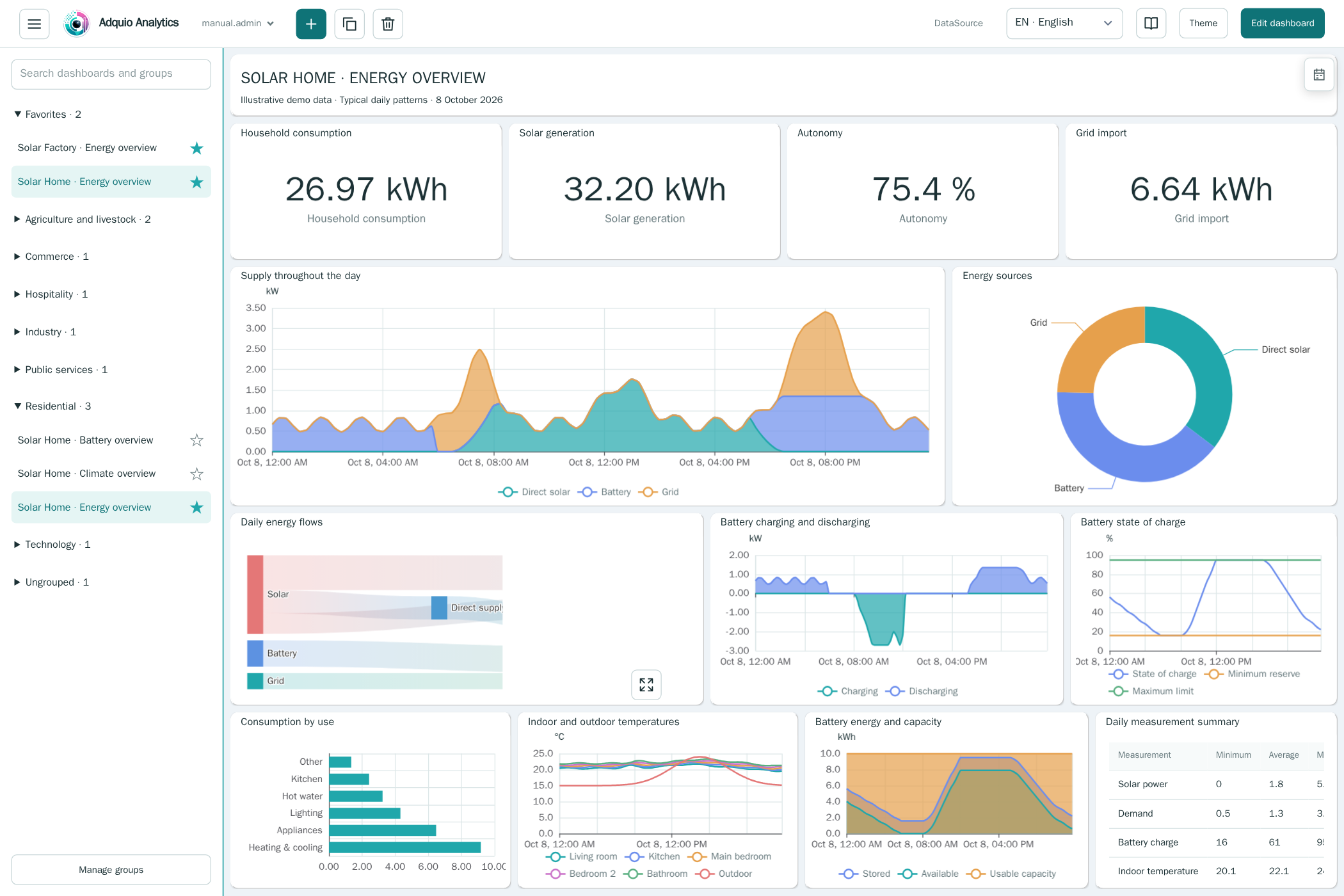
Organize dashboards in groups, save favorites and separate administration from read-only access.
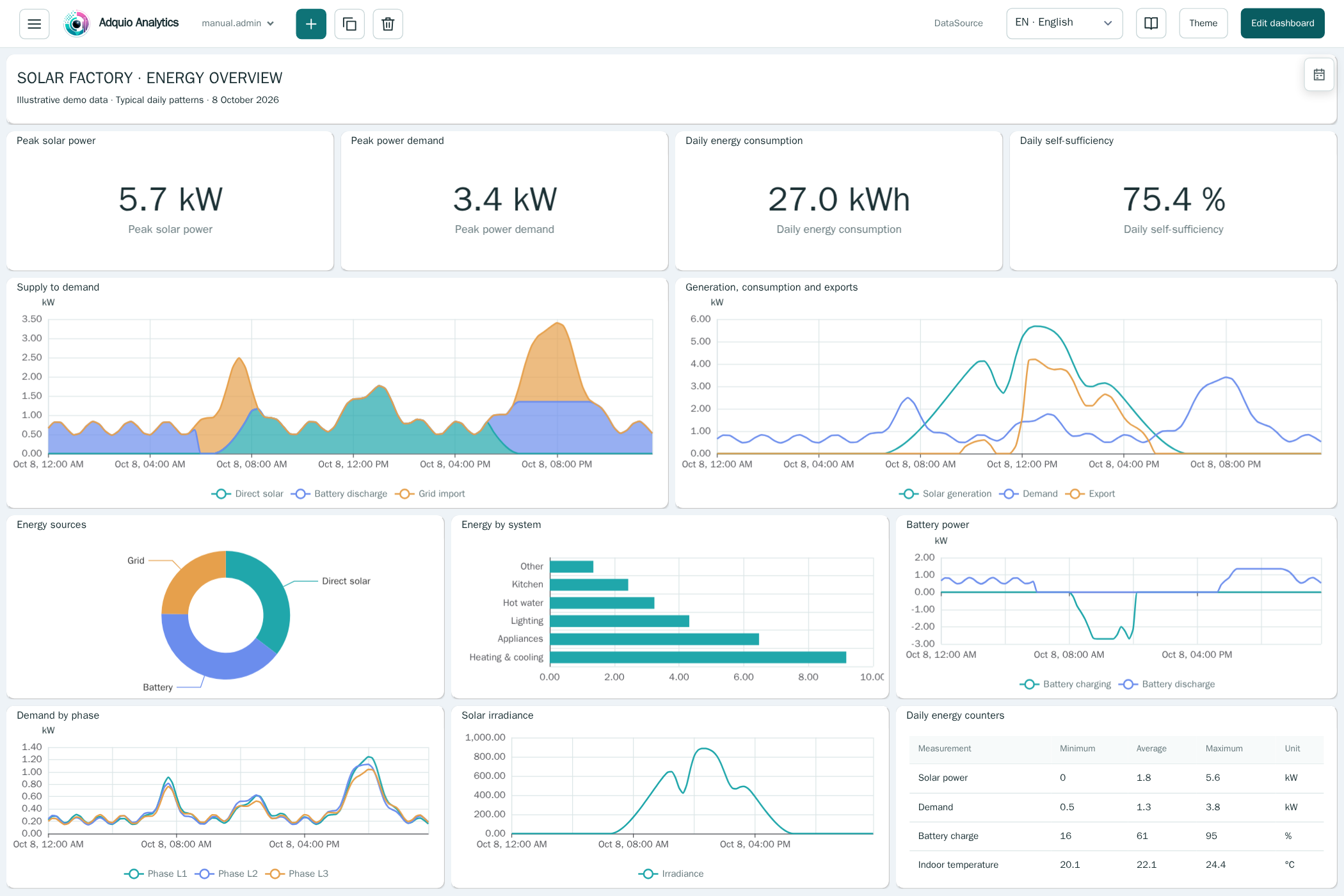
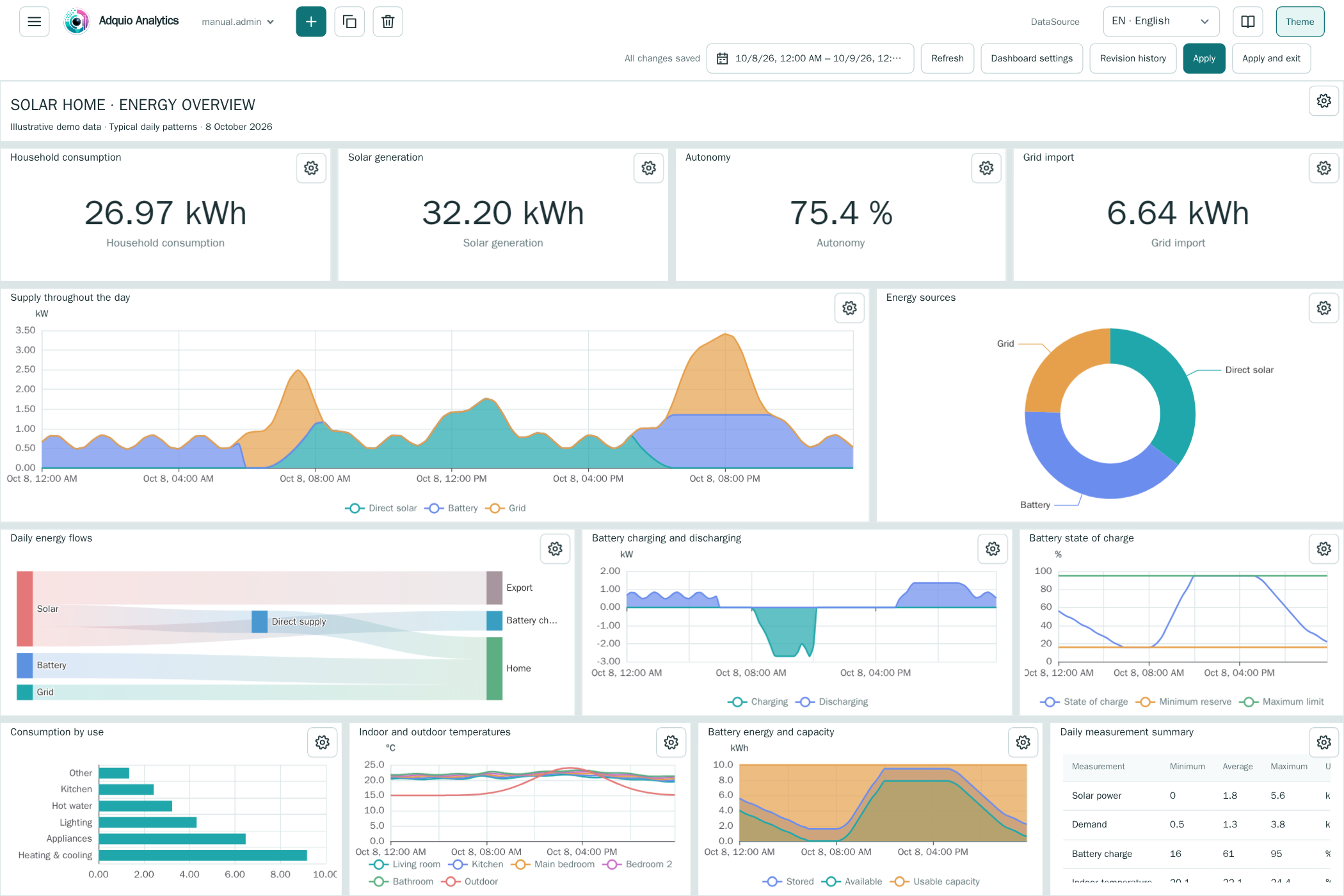
Everything you need to see in one dashboard
Combine consumption, generation, demand, balances and trends in a view designed for operations. Read the main figures at a glance, then explore the time detail you need.
One tool, different questions
Each dashboard can reflect the available variables and the decisions your team needs to make.
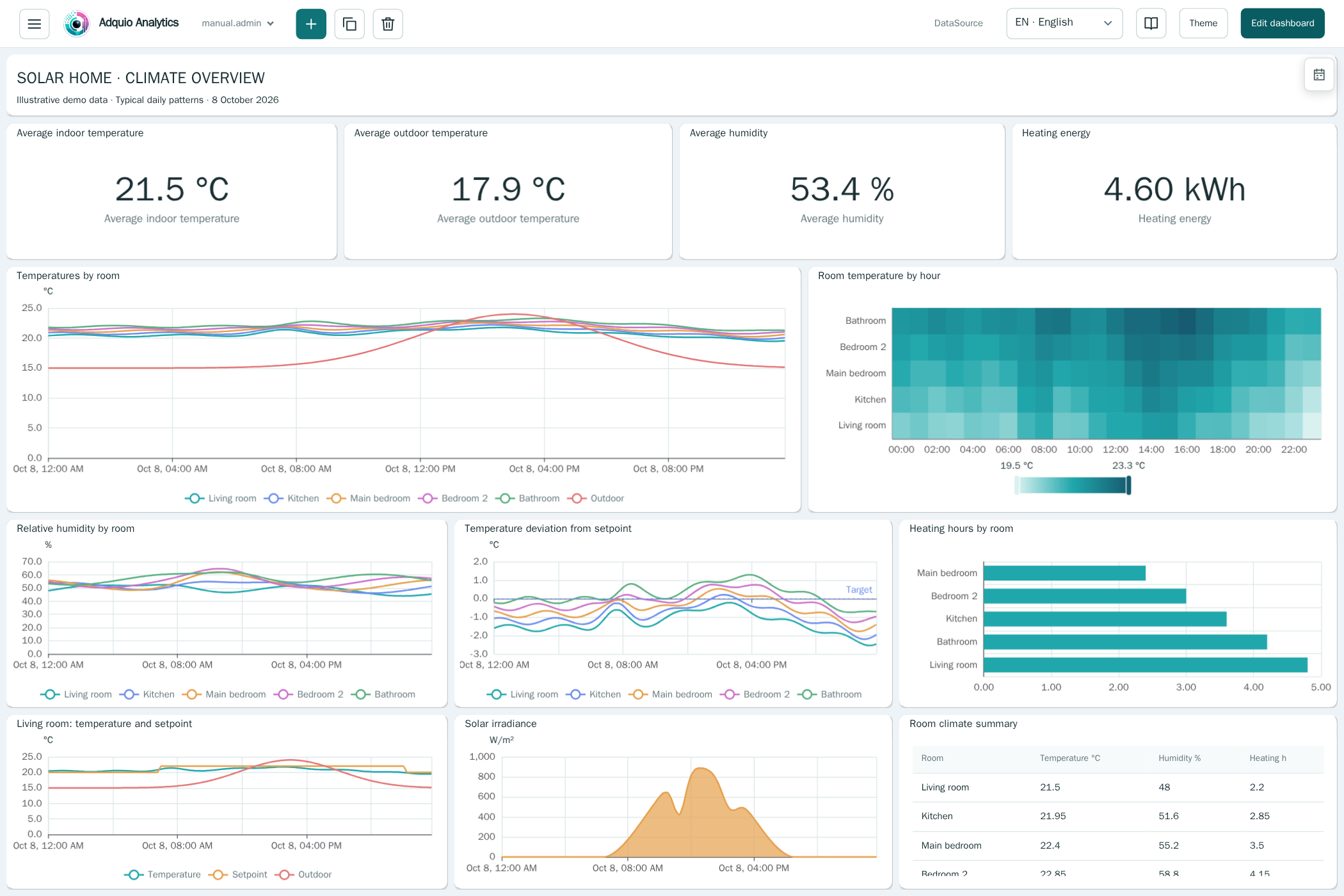
Comfort and climate
Compare temperature, humidity and time periods by room to spot differences and trends.
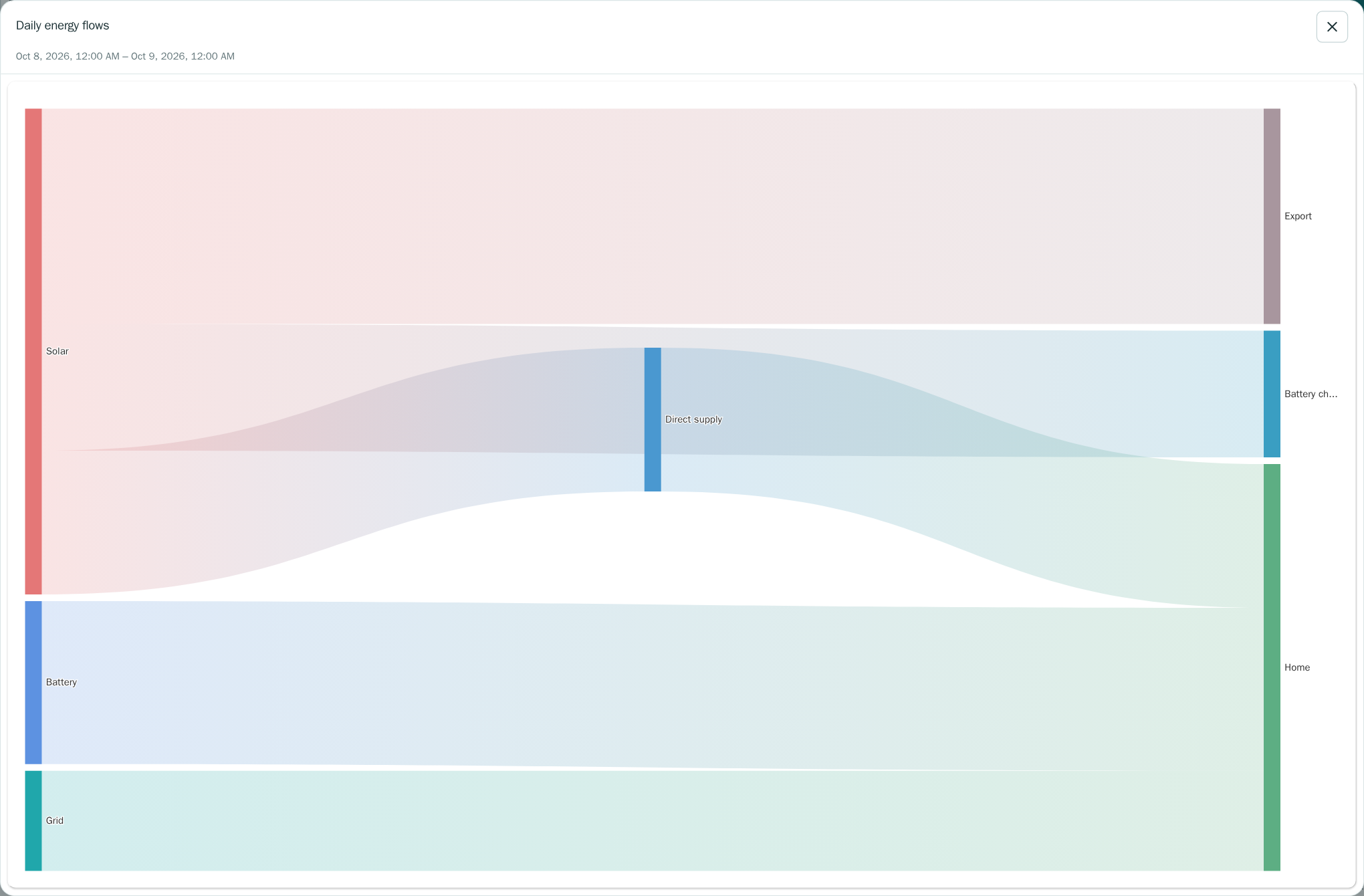
Energy and flows
See where energy comes from and how it is distributed through indicators, charts and visual flows.
Explore history without losing context
The guided series builder lets you choose a controller, device, variable and operation, then compare up to twelve series in one panel. Work with original or aggregated values, change the dashboard time range or set a specific range for one panel.
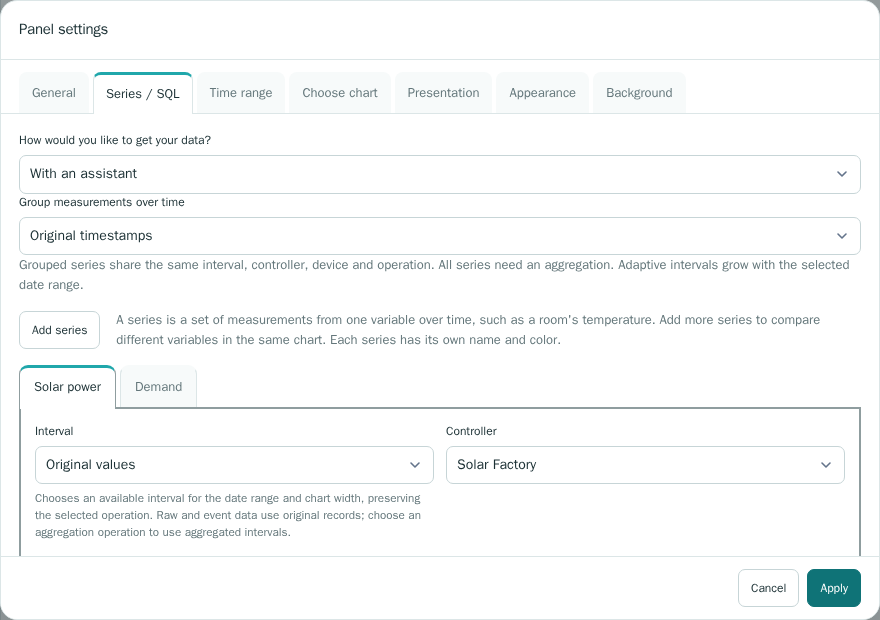
Compare over time
Select dates and zoom into an interval to examine changes and peaks.
Comparable measures
Apply aggregations and unit conversions to present each signal on the right scale.
Advanced queries
When an analysis calls for it, administrators can use read-only SQL and review the query produced by the guided builder.
Build the dashboard each installation needs
Arrange panels on a flexible canvas. Start with a blank dashboard or an energy, climate or monitoring template, connect actual variables and adjust titles, sizes, thresholds and presentation.
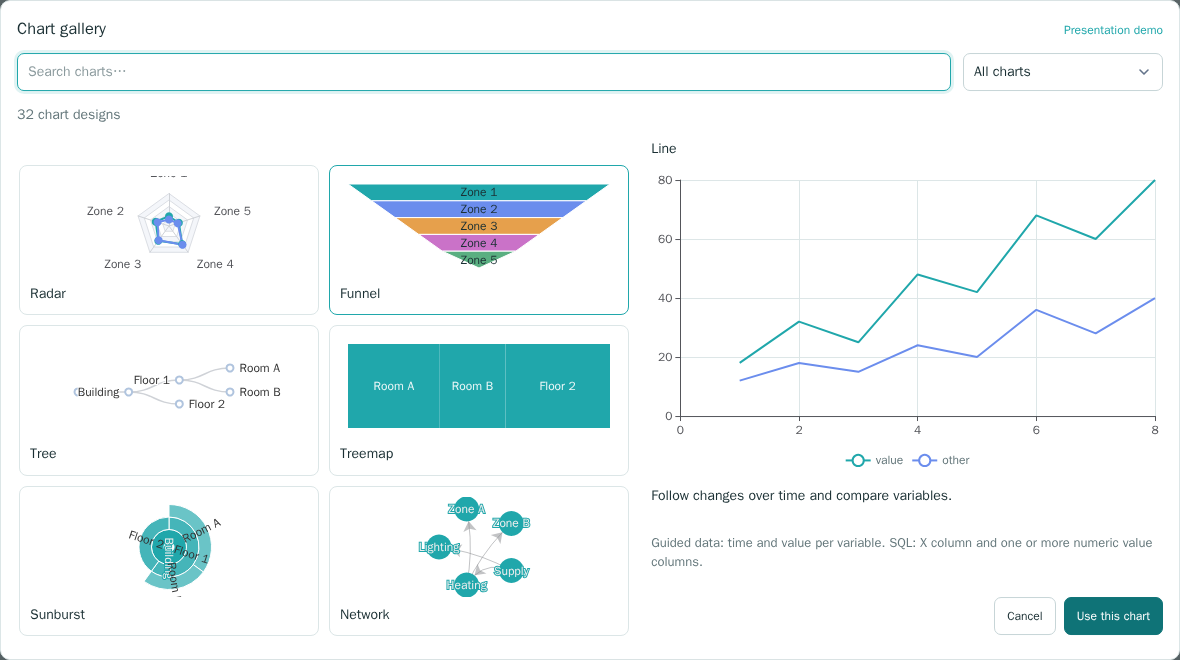
Choose the view that best explains each value
Lines, bars, gauges, heatmaps, tables, flows and other visualizations answer different questions. The gallery shows requirements and a preview before you choose a design.
Built for teams
Role-based access
Administrators create and edit dashboards; read-only users can explore and interact with the dashboards available to them.
Share one panel
Create a revocable link to view a specific panel without exposing other dashboards or allowing edits.
Adaptable interface
Choose from 18 languages, light or dark mode, and navigation with groups and personal favorites.
How it fits into the Adquio ecosystem
DataSource collects and prepares measurements; Analytics queries them so each role can interpret the results. Adquio Supervisor gives you a view of device status and operations.
01 · Field
Controllers and installation variables
02 · Data
DataSource organizes historical measurements
03 · Analysis
Analytics presents dashboards and trends
Supervisor, Analytics, SCADA or Adquio Cloud BMS: what do you need?
Each solution has its own speciality. Combine them to give each person the information and tools they need.
Adquio Supervisor
Equipment and incidents
Locate devices, check their status and access the available operations according to the integration and your permissions.
Adquio Analytics
Custom dashboards
Bring charts, indicators and historical data together in dashboards tailored to each project and user profile. Developed in-house by Adquio.
The solution on this page
Adquio SCADA
Visualisation and control
Operate the installation through plans, controls and custom interfaces. Available as Server and Cloud.
Adquio Cloud BMS
Managing multiple installations
Centralise information and operation across multiple buildings or sites from a shared platform.
Adquio Cloud BMS and SCADA Cloud are different products: the former specialises in managing multiple installations; the latter is the cloud-hosted version of SCADA.
Make your installation data useful to your team.
Tell us what you need to measure, compare or present and we will show you how Adquio Analytics fits your project.
Related articles: use cases by sector
Explore Adquio Analytics applications in homes, offices, hotels, retail, industry and other installations. Each article brings together the technical reference, an illustration and explained dashboards with full-screen images. The scenarios use simulated data and illustrations.


Solar Dairy Farm: connect production, refrigeration and the animal environment
Explore example: Solar Dairy Farm: connect production, refrigeration and the animal environmentMilking, milk storage and ventilation follow different rhythms. Understanding them together gives energy use its operational context. Analytics relates production phases to electrical demand…

Solar Data Centre: connect IT load, cooling and continuity
Explore example: Solar Data Centre: connect IT load, cooling and continuityIn a data centre, electricity powers both the servers’ work and the conditions that keep them operating. Dashboards distinguish IT demand from its supporting…

Solar Factory: connect production, machinery and energy with Adquio Analytics
Explore example: Solar Factory: connect production, machinery and energy with Adquio AnalyticsHigher consumption can mean more production, an idle machine or an auxiliary service that needs attention. Industrial context changes the interpretation. Dashboards relate energy…

Solar Greenhouse: connect climate, irrigation and energy with the crop
Explore example: Solar Greenhouse: connect climate, irrigation and energy with the cropReducing greenhouse consumption without looking at the crop leaves the most important part of the decision out of view. Analytics relates temperature, humidity, carbon…

Solar Home: understand energy, storage and comfort with Adquio Analytics
Explore example: Solar Home: understand energy, storage and comfort with Adquio AnalyticsA home can generate, store and use electricity in many different ways. The useful question is how those processes fit together throughout the day.…

Solar Hotel: connect occupancy, energy and services with Adquio Analytics
Explore example: Solar Hotel: connect occupancy, energy and services with Adquio AnalyticsEnergy tells only part of a hotel’s story. Occupied rooms and the services in operation provide the context needed to interpret it. Combining hotel…

Solar Office: energy, occupancy and comfort in one analysis
Explore example: Solar Office: energy, occupancy and comfort in one analysisAn office with a workshop and a research lab does not stop using energy at the end of the working day. Servers, test benches…

Solar Residential Community: understand shared energy and services
Explore example: Solar Residential Community: understand shared energy and servicesA residential community’s energy serves more than its homes: lifts, pumps, parking and electric vehicle charging are part of the same picture. The analysis…

Solar Sports Centre: analyse energy, pool services and facility use
Explore example: Solar Sports Centre: analyse energy, pool services and facility useA pool needs to maintain its conditions as attendance changes. A sports centre must balance service, comfort and technical demand. Analytics connects facility use…

Solar Supermarket: view energy and the cold chain together
Explore example: Solar Supermarket: view energy and the cold chain togetherA supermarket continues to use energy after its doors close. Refrigeration, opening hours and customer activity need to be interpreted together. Analytics compares opening…
Related articles about Adquio Analytics
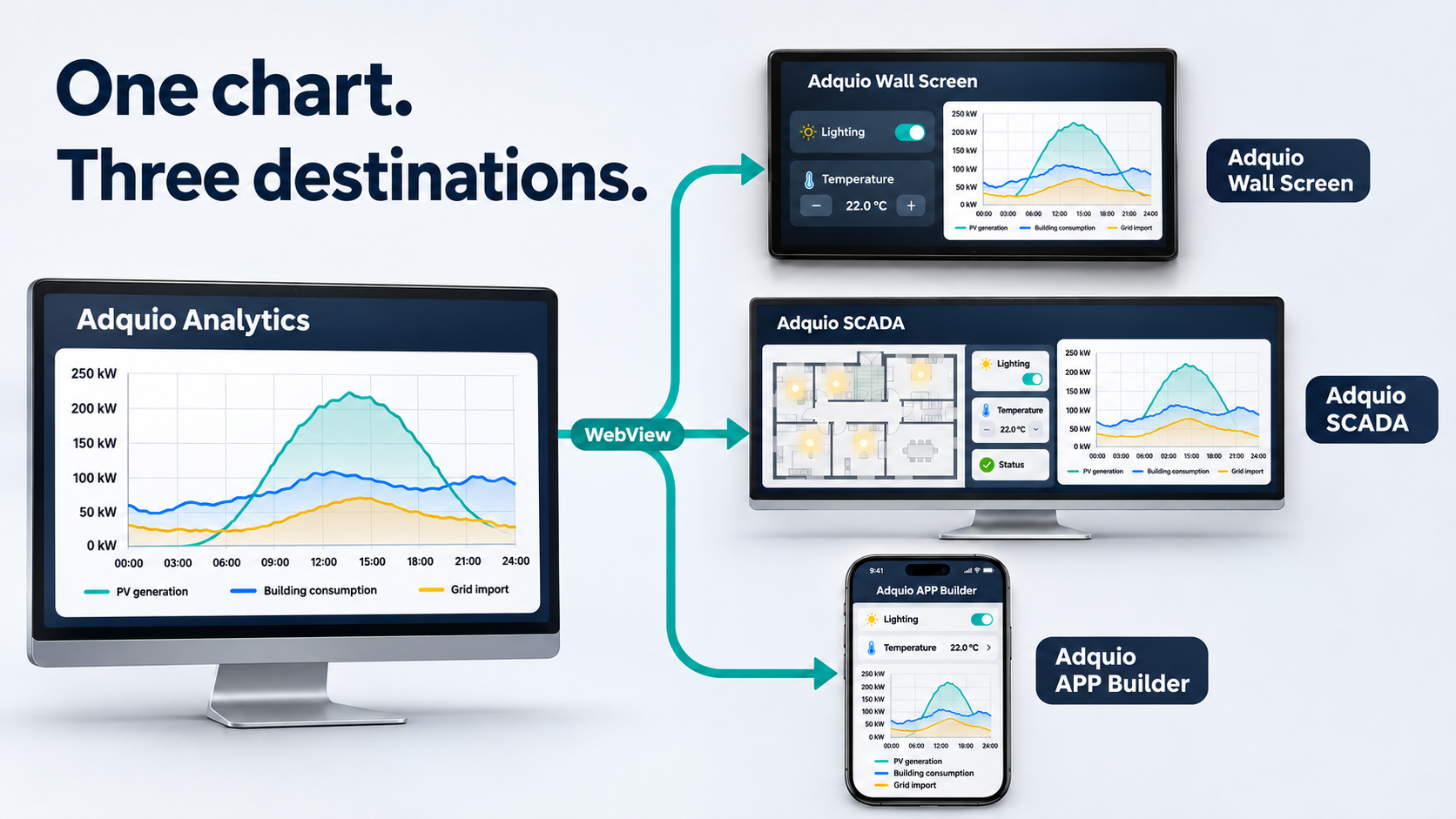
From data to control. The advantage of integrating Adquio Analytics
Read article: From data to control. The advantage of integrating Adquio AnalyticsDesign a chart once and display it where decisions are made, from a wall screen to the installation’s SCADA.
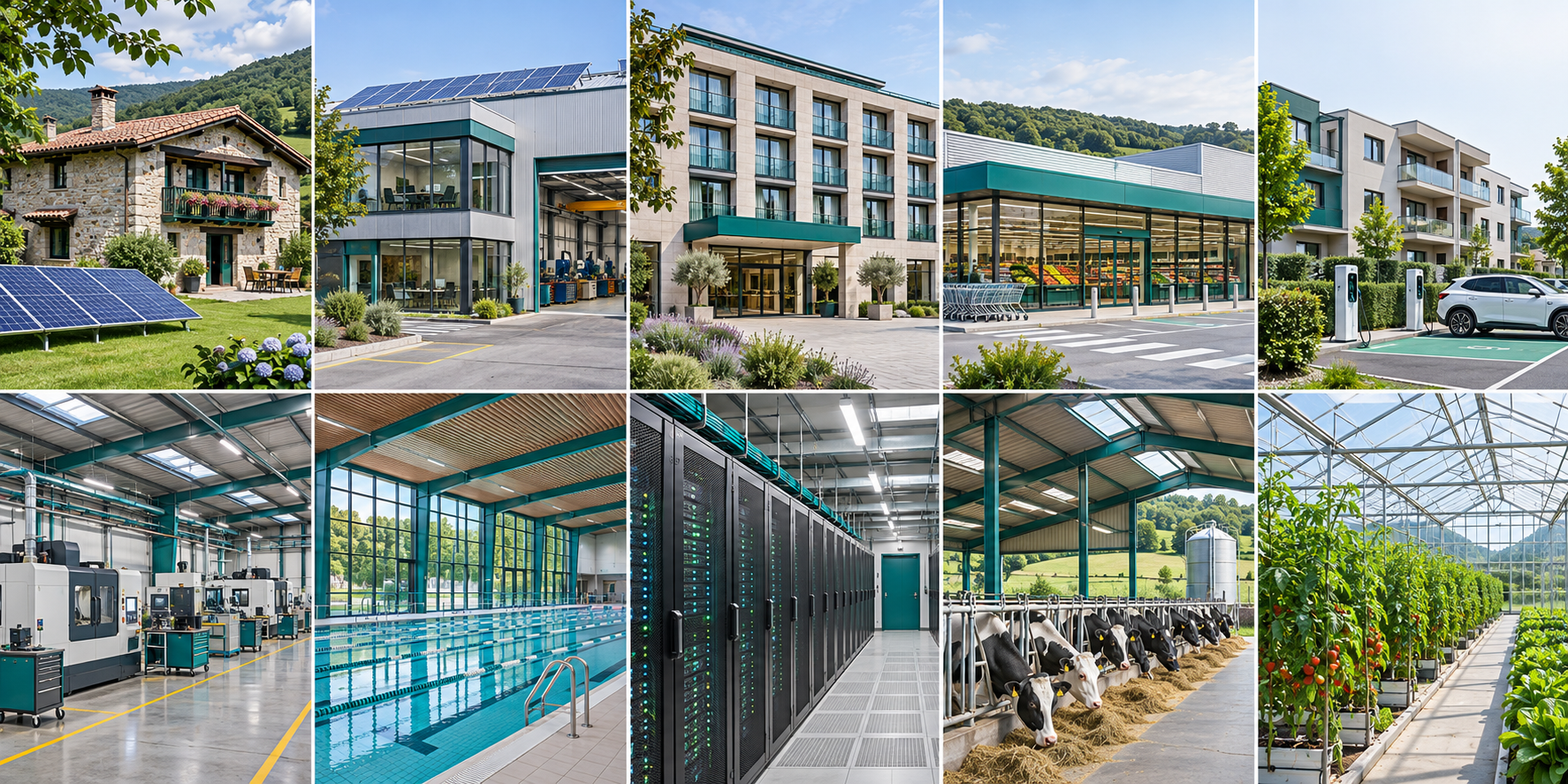
Ten ways to understand your installation with Adquio Analytics
Read article: Ten ways to understand your installation with Adquio AnalyticsExplore ten simulated scenarios, from homes and hotels to industry, agriculture and data centres, with technical references and explained dashboards.
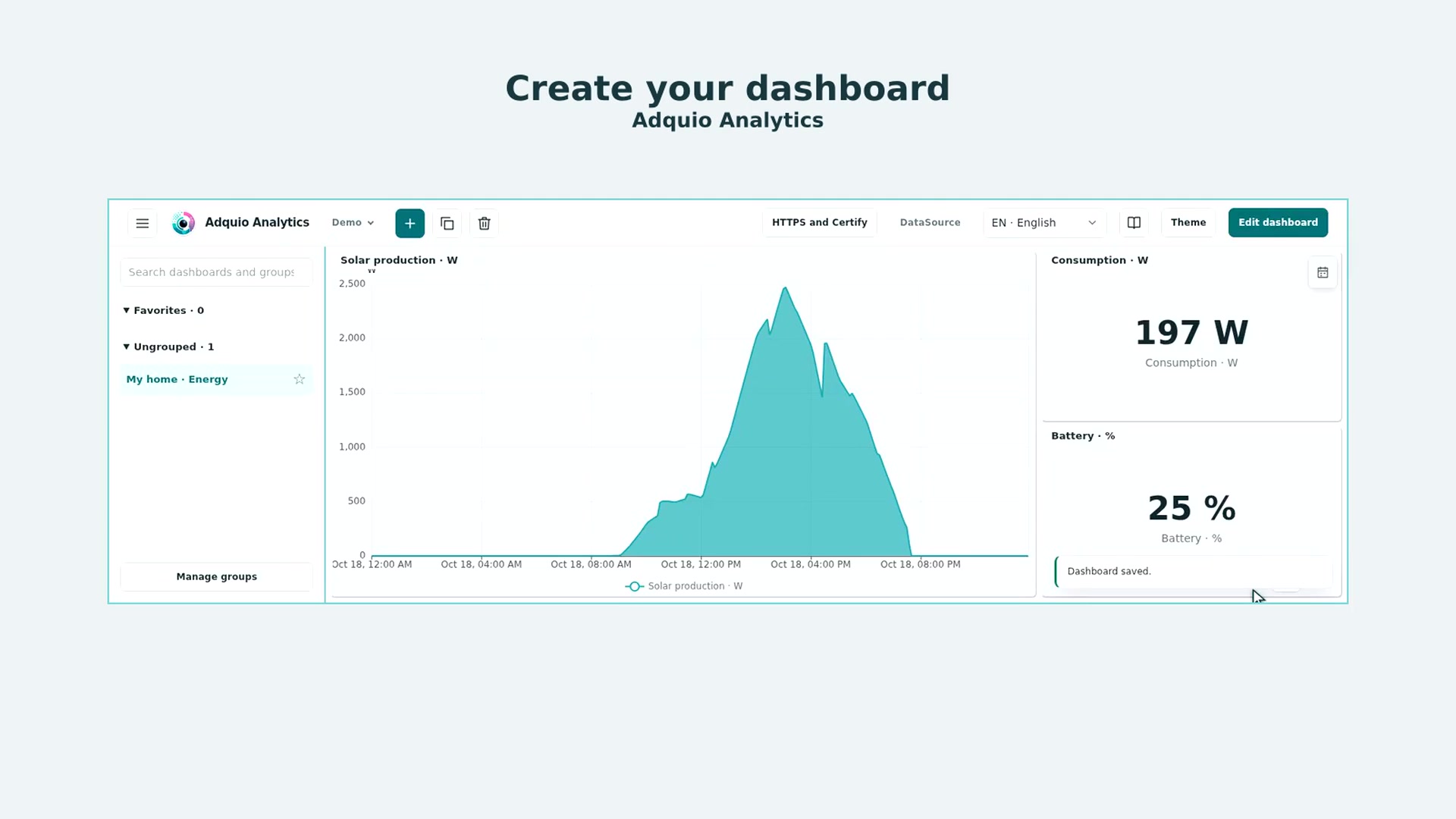
From data to a clear overview: create your dashboard with Adquio Analytics
Read article: From data to a clear overview: create your dashboard with Adquio AnalyticsFrom a blank panel to a clear overview of your installation. Learn how to create an Adquio Analytics dashboard and arrange charts,…
