
Living room, kitchen and shared spaces
Combine ambient lighting, activity scenes, blinds and thermal comfort. Retain clear manual adjustments through Adquio screens or compatible switches.

ADQUIO BUILDING OS · SECTORS
Coordinate lighting, HVAC, blinds, energy and privacy. Choose the Adquio ConfortRoom open thermostat or control screens for each room, and retain the systems that already work.
01
Adquio Building OS connects different technologies so the home responds consistently. Residents use simple scenes and controls; the integration connects the systems behind them.
02
The Adquio controllers and the gateways relate variables and execute the home’s rules.
04
Adquio SCADA, Adquio Supervisor and Adquio Analytics provide complementary functions.
Configured local rules can continue without Internet access if equipment, power and the local network remain operational. Cloud functions and external access require connectivity. Design what must remain available in each situation.
02
Organise functions around spaces and activities, without imposing the same schedule, lighting level or temperature throughout the house.
Combine ambient lighting, activity scenes, blinds and thermal comfort. Retain clear manual adjustments through Adquio screens or compatible switches.

Prepare a night scene with soft lighting and suitable setpoints. The Adquio ConfortRoom open thermostat dims its screen after a period without touch input and remains visible at low brightness.

Integrate compatible outdoor lighting, irrigation, pumps or other equipment. Define schedules, permissions and operating conditions separately from indoor spaces.
03
Scenes should reflect clear decisions by the people who use them. Configure their actions, the states they show and how automatic operation is restored.
Activate the planned lighting and adjust comfort setpoints. If the user has chosen it, the scene can ask Adquio VisionCore to disable the selected indoor cameras and show confirmation.
Turn off selected lights, reduce setpoints where appropriate and request activation of configured cameras. Retain services that must keep running and check the available responses.
Dim lighting, adjust blinds and adapt HVAC by room. Keep manual controls accessible and define which areas retain lighting or surveillance.
Automation and manual control can coexist. Set priorities, delays and a simple way to restore automatic operation; prevent two systems from sending conflicting commands.
04
Choose the interface format and measurement locations. Both options can manage all integrated and authorised systems in the room.
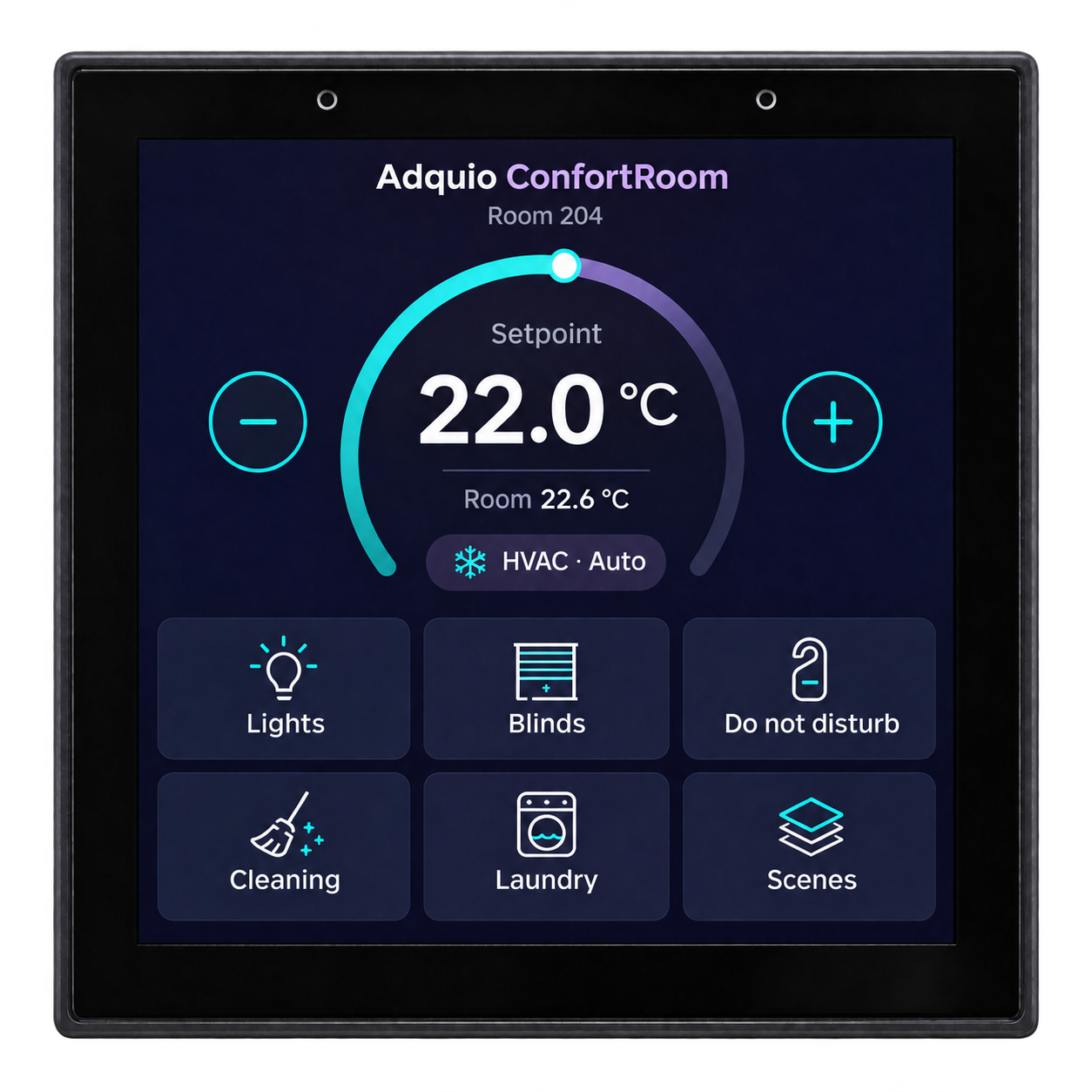
Its integrated temperature sensor and 4″ screen can bring together HVAC, lighting, blinds and scenes. Configure an interface suited to the home. It provides Ethernet with PoE, 2.4 GHz Wi-Fi and RS-485, with Modbus or BACnet according to the configuration. Power: PoE or 12 V DC.

Place the control screen where you need to use it and the sensors at suitable measurement points. Bring together room controls or an overview of the home; adapt the size and interface to their use.
For a fan coil, the thermostat can communicate over RS-485 with Adquio mini IOs to manage equipment signals using the project’s programming and wiring. If you need humidity or CO₂ measurements, add the corresponding sensors.
05
Integration combines new equipment with what you already have. First review the variables, commands and functions each installation provides.

Integrate Casambi, DALI and switching or dimming circuits with suitable components. Combine scenes, presence and schedules with manual controls; several networks can be organised in one interface.
Relate zones to compatible fan coils, underfloor heating, heat pumps, ventilation and other equipment. Distinguish room setpoints from the operation of the production and distribution systems that supply them.
Combine schedules and commands with available positions or states. Consider daylight, privacy and thermal comfort; check the protective functions and safety conditions of each mechanism.
Combine wired and wireless connections where suitable, with wired or wireless probes and appropriate gateways. Phased modernisation requires checks of actual power, coverage and compatibility; it does not always eliminate the need for new cables.
06
Efficiency needs data and context. Relate consumption, schedules, environmental conditions and available equipment states.
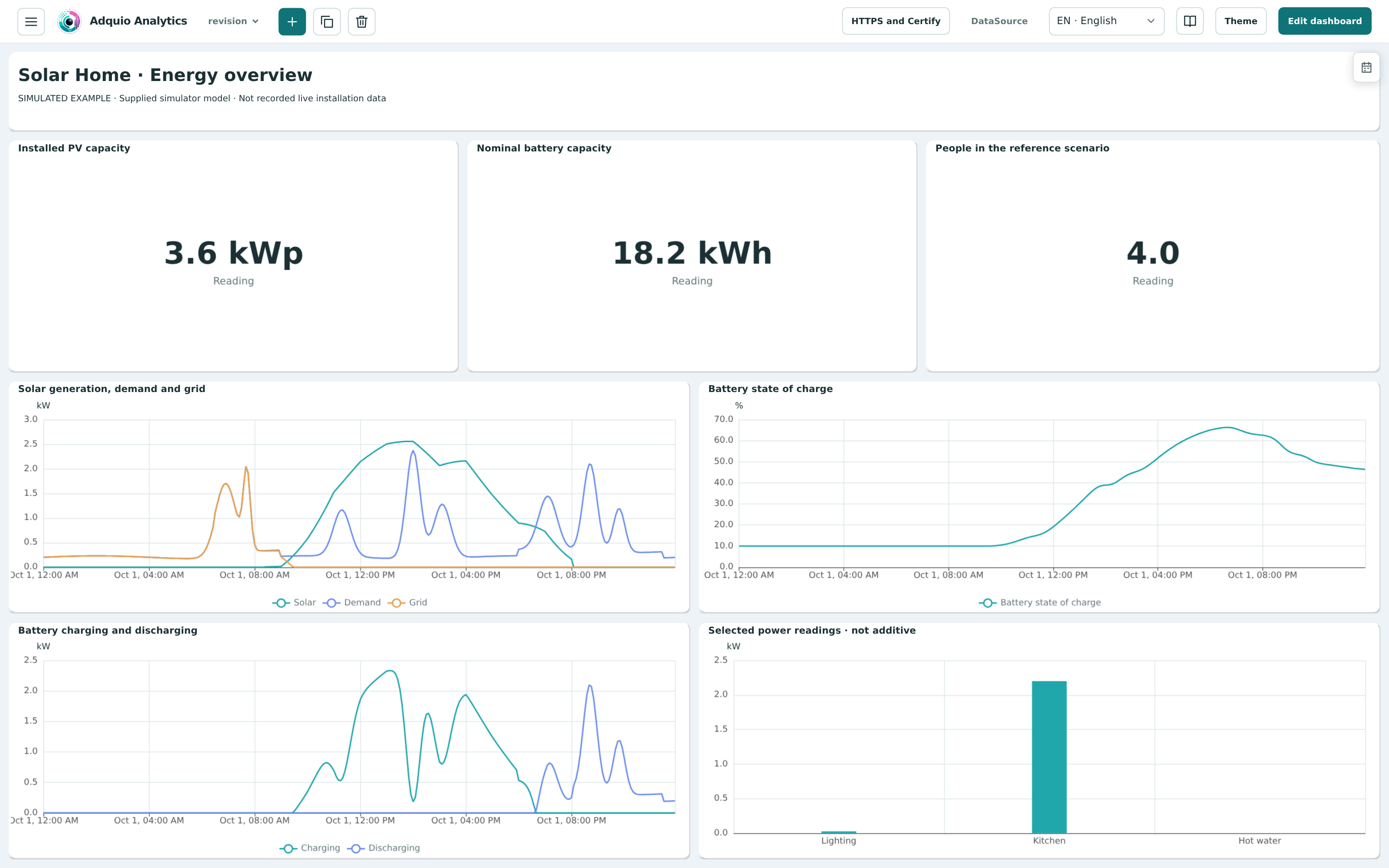
View historical data and charts for consumption, solar generation, battery and comfort where your equipment provides the variables. Explore the Solar Home example to see how these measurements relate to daily activity.
Controller logic can relate schedules, setpoints and states to coordinate compatible loads. Before controlling HVAC, batteries or other equipment, define project-specific priorities and operating limits.
Use meters to obtain measured consumption. Adquio PowerTrace for Casambi provides lighting estimates based on activity and electrical profiles; it does not replace certified metering where required.
A chart does not create savings on its own. Check the results of changes over comparable periods and consider occupancy, usage time and outdoor conditions.
07
A visible button can request that indoor cameras stop capturing and recording in VisionCore. The interface should report what has actually been applied.
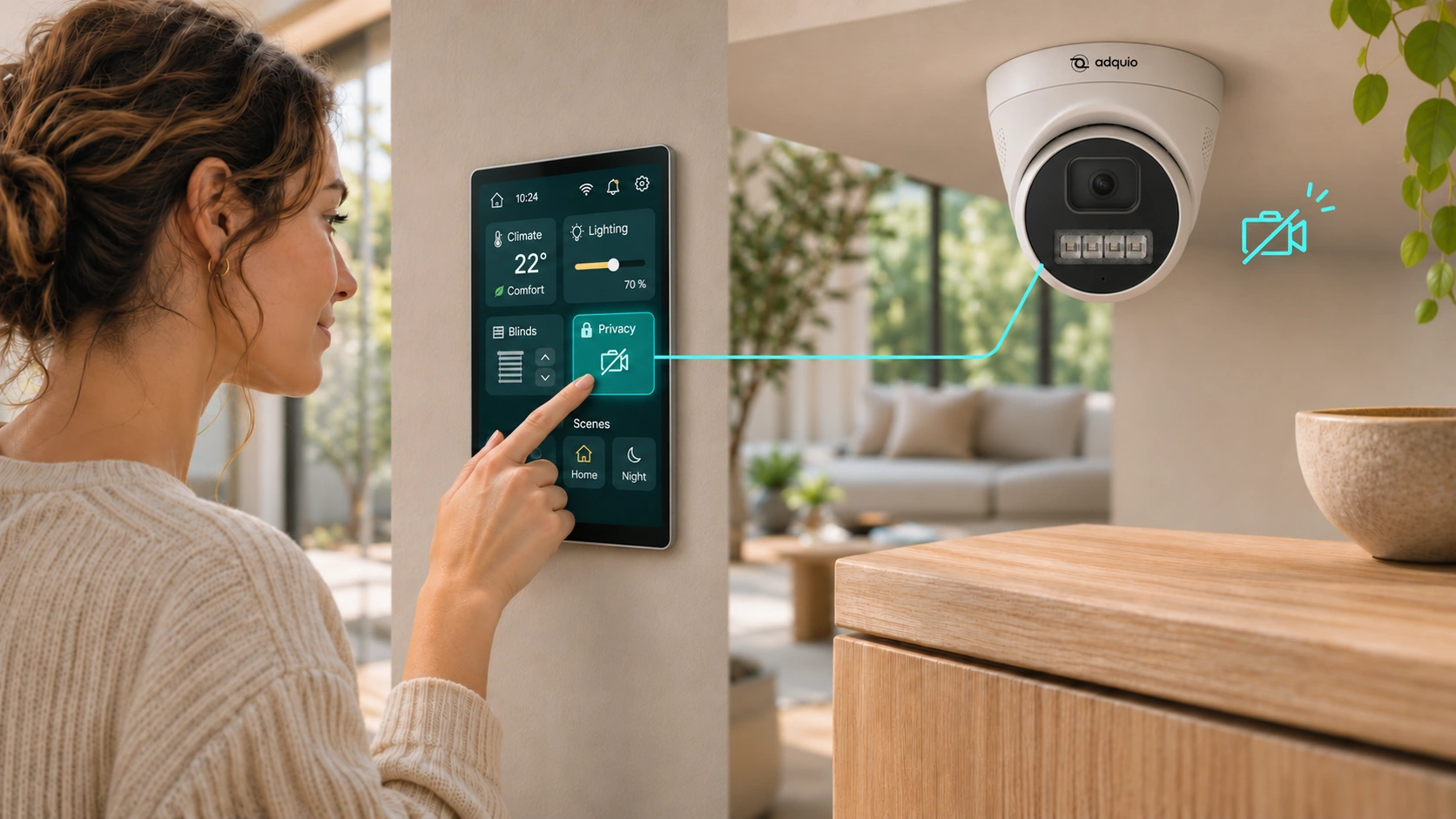
The controller requests activation or deactivation of each selected camera in Adquio VisionCore. Show “Applying privacy” while responses arrive and “Privacy enabled” when all cameras confirm deactivation. If one does not respond, indicate it.
Distinguish a camera disabled for privacy from an enabled camera that has lost connectivity. Define which indoor cameras participate and which entrances or outdoor areas retain their planned operation.
The controller can request a photograph and receive the result. Add that action to a screen, SCADA or BMS with suitable permissions. A camera disabled for privacy must not allow new captures through that request.
The function controls camera use within VisionCore; it does not cut their power or delete previous recordings. Explore privacy and photograph integration ↗
Manage compatible locks and credentials from Adquio DoorLink Server with the required gateways. Define who can enter and for how long; keep available operation results visible.
Separate permissions for each use and restrict access to images, data and technical settings. Motion detection should not be the sole criterion for authorising a door to open.
08
Not every home needs every platform. Size the solution around the controls, supervision and data you actually need.
| Tool | Speciality | What it brings to the home |
|---|---|---|
| Adquio SCADA Server | Local visual control | Customised interface with floor plans, states, controls and trends from a server within the installation. |
| Adquio SCADA Cloud | Cloud-based visual control | Authorised access to cloud-hosted supervision and control interfaces. |
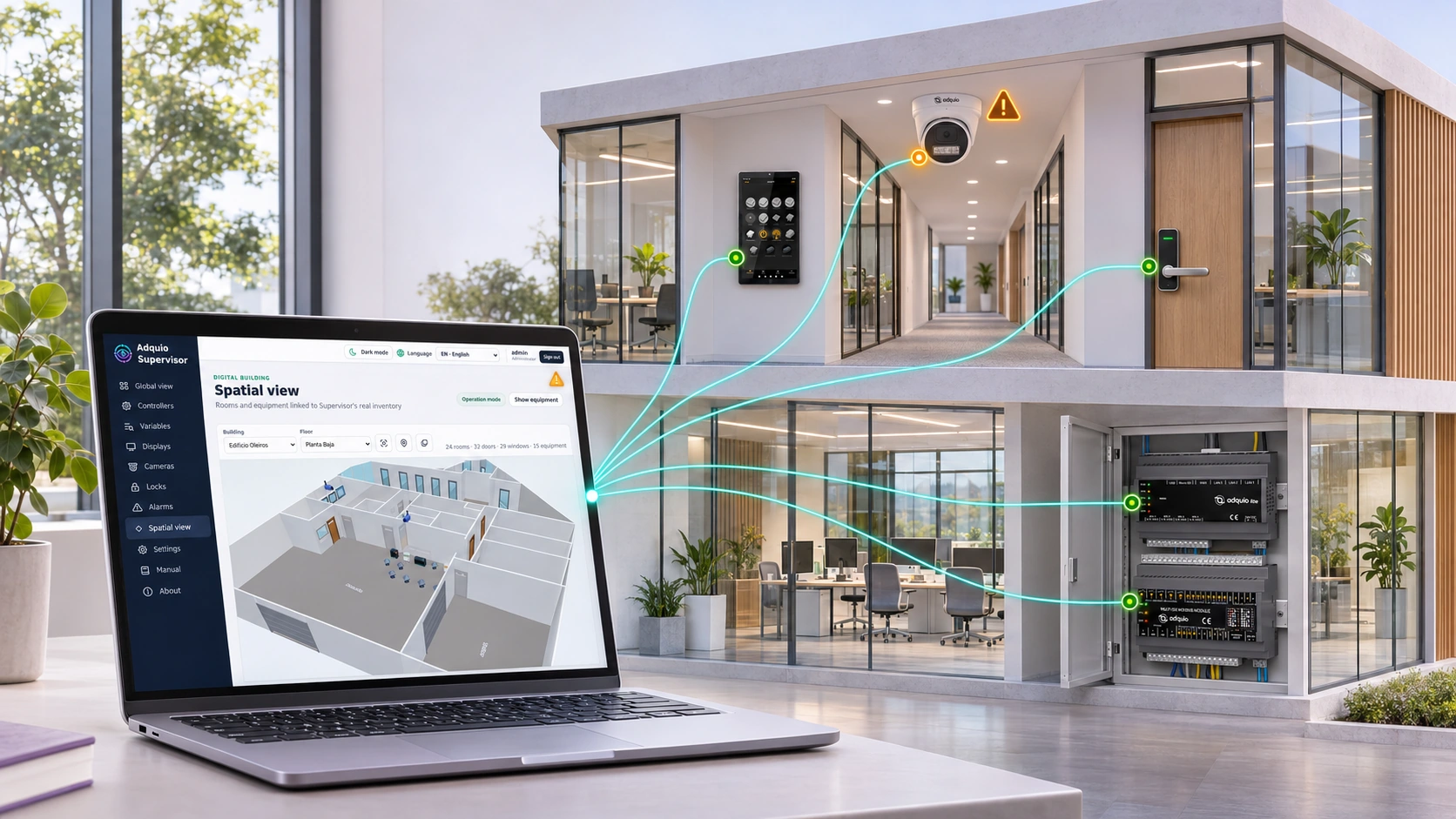
| Adquio Supervisor | Infrastructure status | Device locations, states, alerts and access to their available interfaces. |
| Adquio Analytics | Dashboards | Historical data and charts to understand energy, environmental conditions and operation. |
If you manage several homes, buildings or developments, Adquio Cloud BMS can centralise installations and compare their data. This multi-site function differs from everyday room control.
Adquio APP Builder can create web and mobile interfaces connected to Adquio.API. Define controls, users and access according to the project; do not assume every external application is already integrated.
Adquio Nexus allows an authorised person to access a controller or Adquio SCADA Server. Adquio Bridge connects equipment on different networks where the architecture requires it. Cloud interfaces are accessed through their authorised web pages.
Adquio Full Remote Access for Casambi facilitates supported tasks in the installation’s Casambi app. Access is reserved for authorised users.
09
Multiprotocol integration makes use of each device’s capabilities. Define what information is exchanged and which system has priority for each function.
Connect KNX installations through a KNX/IP interface or router. Relate group addresses and Adquio variables, respecting the configured data types and communication direction. Explore KNX integration ↗
Add compatible Matter devices and publish selected functions through a Matter bridge where supported. Check the capabilities of both the device and the destination ecosystem. Discover Matter with Adquio ↗
Integrate equipment through Modbus, BACnet, MQTT, expansion modules or Adquio.API according to available interfaces. For an existing BACnet/IP BMS, Adquio BACnet Exporter can publish variables for reading.
10
Check the scope of each publication. Images and interfaces from the Swiss case study are retained as published reference material.
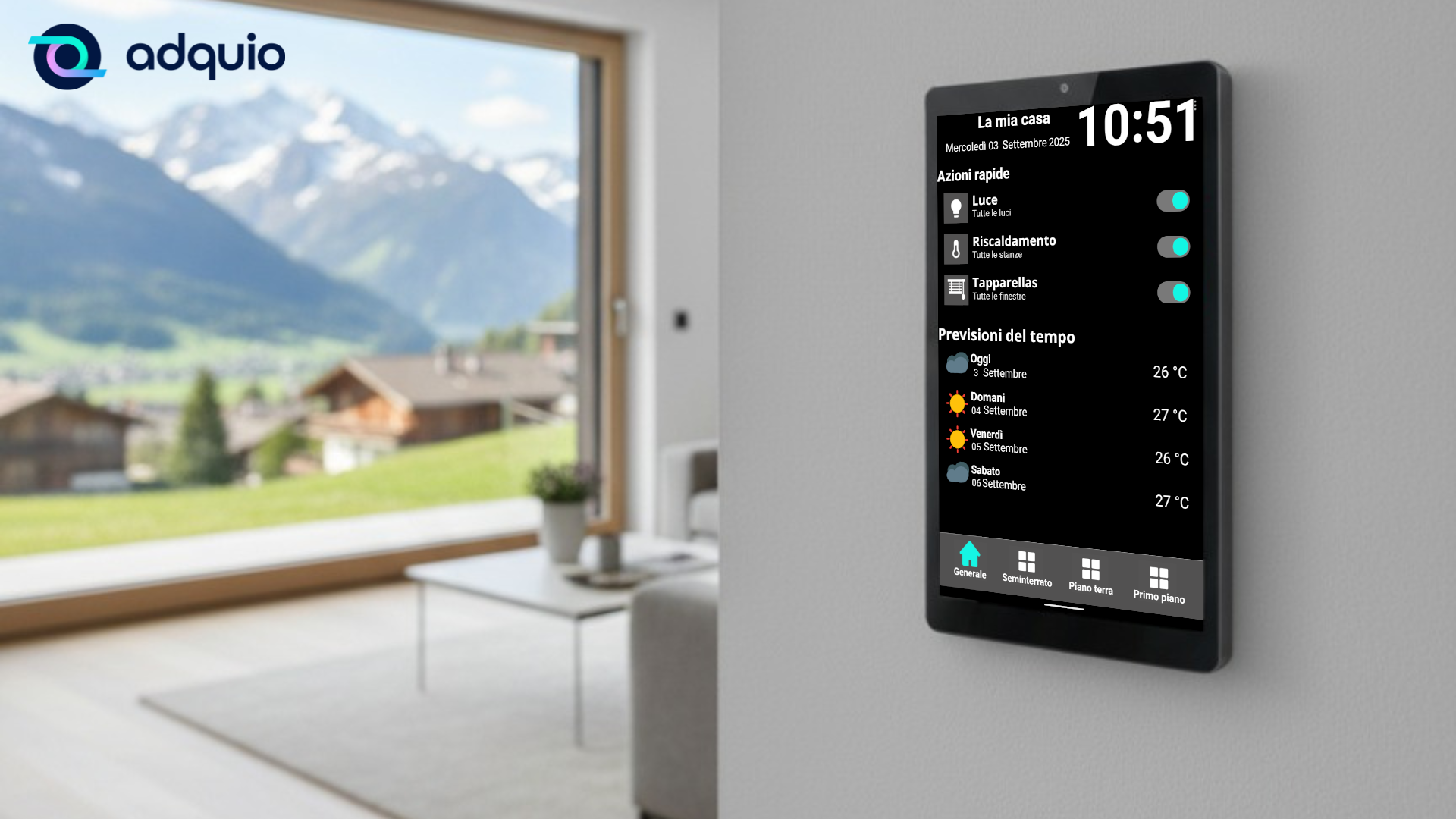
Our partner RNHC Services integrated a three-level home: basement, ground floor and first floor. The case study documents Adquio Mini, a Lithernet gateway for the Casambi network, LoRa sensors and receiver, and an 8″ Adquio Wall Screen.
The installation brings together lighting, heating and blinds, room controls and a mobile app. The reference describes one Casambi network with 32 scenes and battery-free wireless EnOcean switches.
That result applies to the documented installation; coverage, power and compatibility must be checked for a new home. Explore the case study ↗
A privacy button, confirmed states and photographs requested by the controller. The article explains what changes in VisionCore and how to present the result to people.

The publication presents an architecture with Adquio Mini, Adquio mini IOs and screens to share consumption data with the manager’s services. It is a specific integration example, not a universal capacity limit. View the published architecture ↗
11
A renovation, a new home and a residential development have different needs. The engineering service can help define interfaces, rules and phases.
Review equipment, protocols, measurement points, power and coverage. Select priority rooms and functions, with clear acceptance criteria.
Check scenes, manual adjustments, schedules and confirmed states. Test connection loss and the return to automatic operation; validate privacy and access with responsible users.
Prepare residents and the installer through Adquio training. Document permissions and configurations, review data and expand the functions that add value.
Not necessarily. Equipment and interfaces are checked first. You can retain existing installations and add gateways or modules for the functions you want to integrate.
Configured local rules can continue if equipment, power and the local network remain operational. Remote access and cloud services require connectivity. Review each function’s dependencies separately.
No. The Adquio ConfortRoom open thermostat can bring together other room controls through a configurable interface and integrated systems. If you need measurements beyond its integrated temperature sensing, add suitable sensors.
That is not a general guarantee. Devices need power and communications. A renovation can combine wired and wireless technologies to reduce some building work, after checking coverage, equipment and functions.
No. It manages selected cameras within VisionCore and should show their confirmed state. Previous recordings remain available to authorised users.
12
Keep an open architecture and check the scope of each component.
Relate existing KNX equipment to other Adquio functions.
Explore compatible devices and functions that can be shared with other ecosystems.
Prepare doors, credentials, permissions and their relationship with building supervision.
13
Detailed documentation remains available on the product pages. Restricted courses and manuals retain their access conditions.
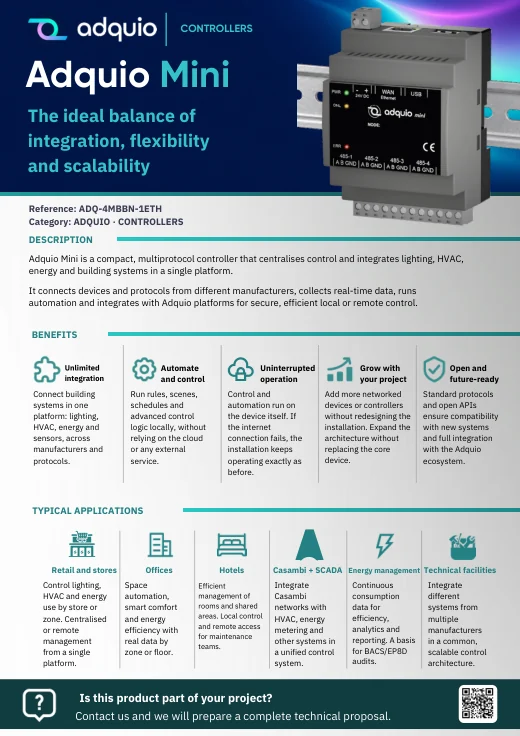
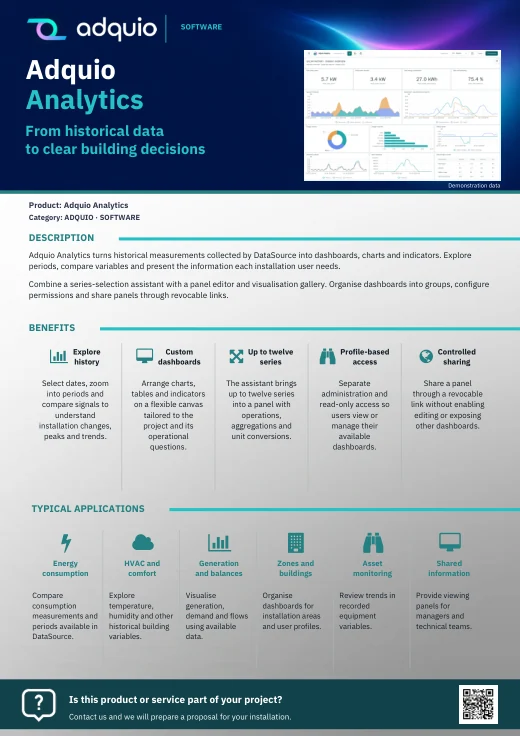
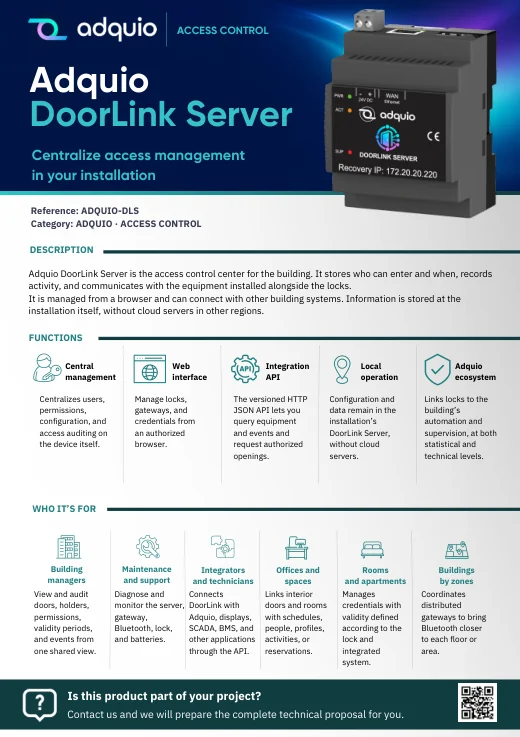
Benefits, applications and commercial documentation organised by product family.
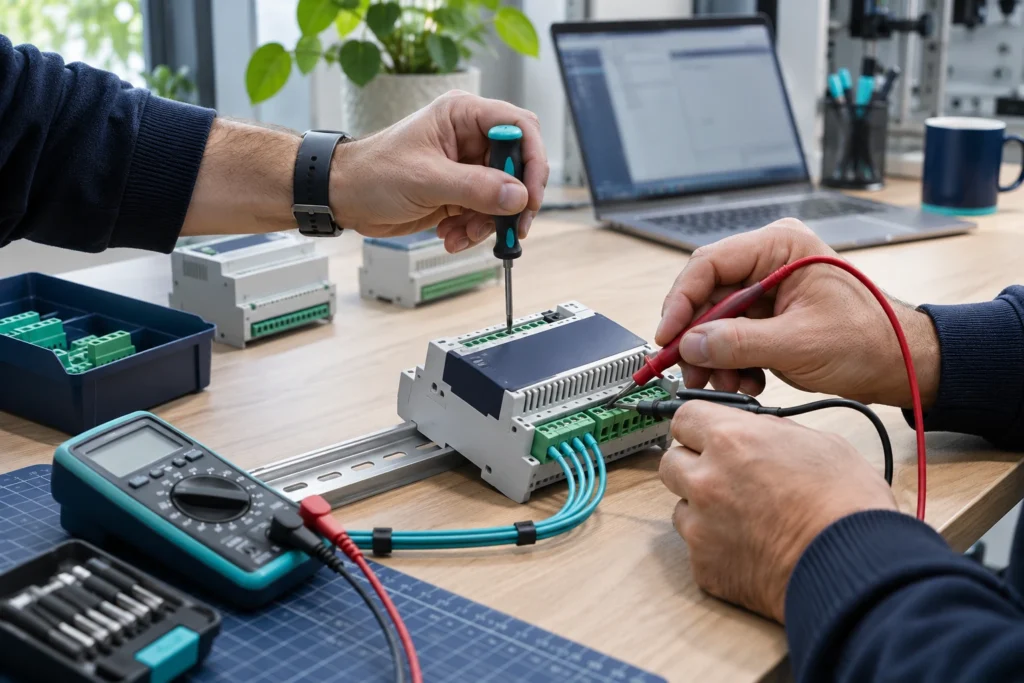
Access technical datasheets, configurations and support resources.

Product pages and references for further information
FROM CONCEPT TO INSTALLATION
Tell us how you use your home, which equipment you want to retain and which controls you need in each room. We can help plan a phased integration with simple interfaces and support for your installer.
